
Model Context Protocol (MCP) finally gives AI models a way to access the business data needed to make them really useful at work. CData MCP Servers have the depth and performance to make sure AI has access to all of the answers.
Try them now for free →


How to Access Database Data from an AI Client : CData API Server + MCP Server
CData API Server is a lightweight application that lets you quickly build and deploy REST APIs without custom development. It works by exposing on-premises and cloud-based data through a custom REST architecture. In this article, we explain how to securely connect to your local database from an AI client (Claude Desktop) using CData API Server and CData's MCP Server for OData.
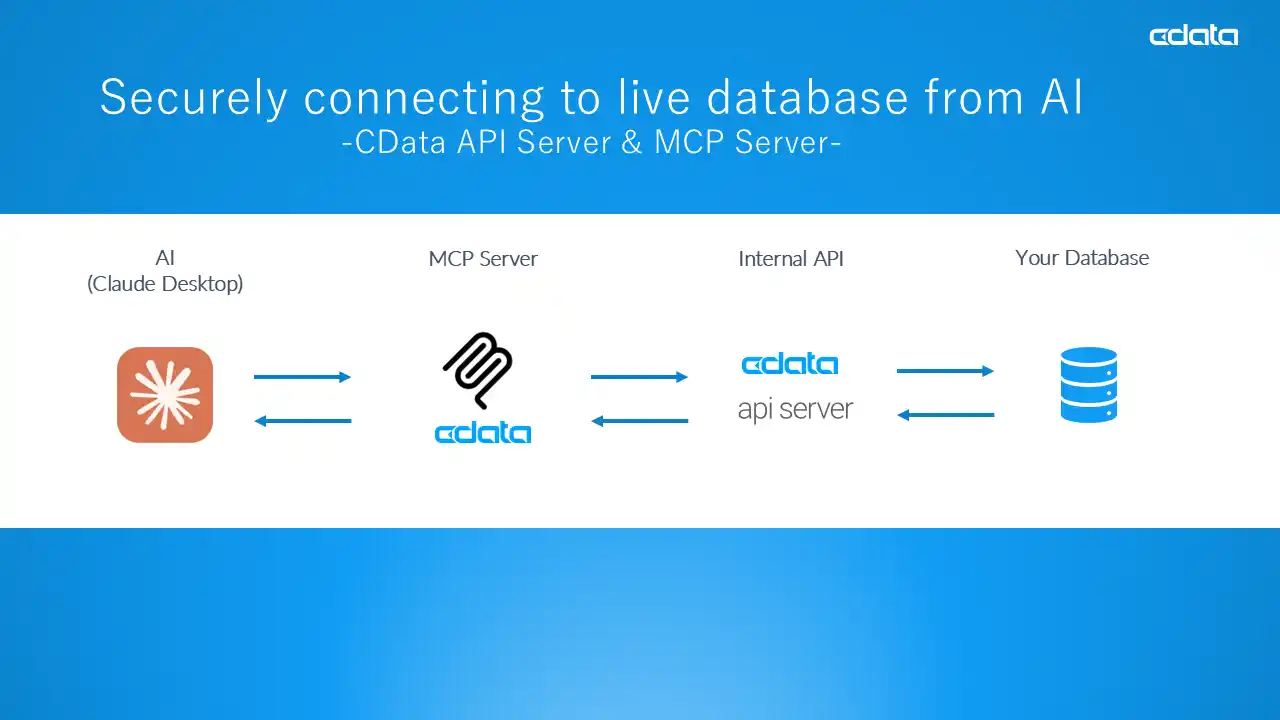
Diagram: How does it work?
This is the system structure for accessing your local database data from an LLM client.
Enterprise IT team requirements for databases architecture:
- Indirect database access to each internal user.
- Centralized control for user access and logging.
- Secure behind the firewall.
- Low-code/no-code set-up.
- Access from an LLM (to avoid building their own or implementing RAG)
Using CData API Server + CData MCP Server is an answer:
- Host CData API Server locally.
- CData API Server generates a controlled, secure API from your database.
- CData MCP Server allows AI clients (in this article Claude Desktop) to access your database to provide context for conversations, coding, analytics, and more.
- Claude Desktop connects to local MCP Server (not remote MCP Server).
- No coding is necessary in any of the steps.
- Data is not open to internet, except for Claude Desktop talking to their LLM on cloud. If you want to keep everything closed, use any OSS LLM/MCP client of your choice.
What is CData API Server?
CData API Server is a server product that generates full featured RESTful API from any database and files. No coding required. You can connect to your database, select what data to be exposed as REST API, create users to access, and you will have RESTful API endpoints and live documents. MySQL, PostgreSQL, Oracle, SQL Server, DB2 and many other databases are supported. API Server can create APIs even from files like CSV and Excel.
What is CData MCP Server?
CData MCP Servers allow your business data to be accessible from AI. It is a lightweight tool you can host on your desktop and let AI clients, like Claude Desktop get context from your live your business data. In this specific case, we are using CData OData MCP Server as the API Server exposes database as an OData-compliant API.
Step-by-step guide
Step 1: Install CData API Server
First install CData API Server to a local server where access to the source database is allowed. You can download a free 30 day trial or free Community Version : API Server: REST API From Your Database in Minutes
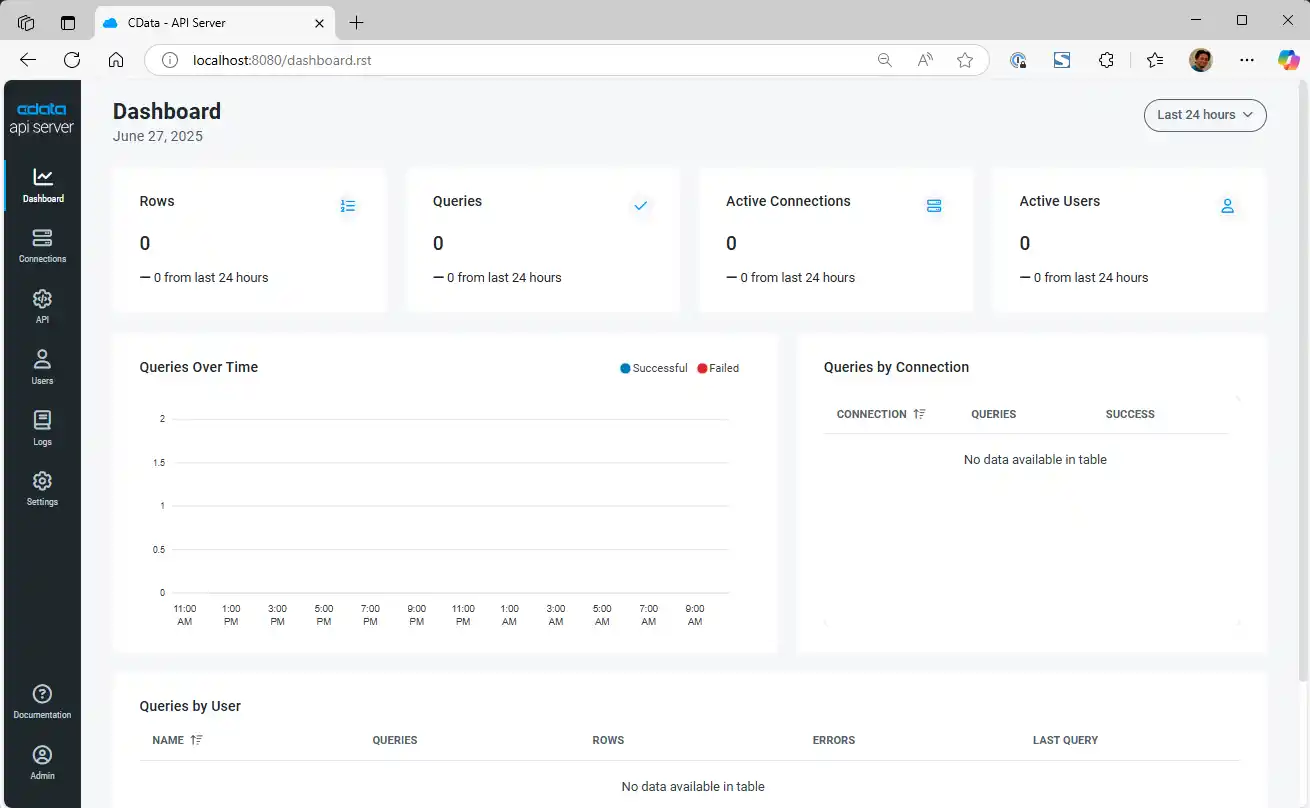
Install the API Server, and access the API Server from browser.
Step 2: Connect to the source database
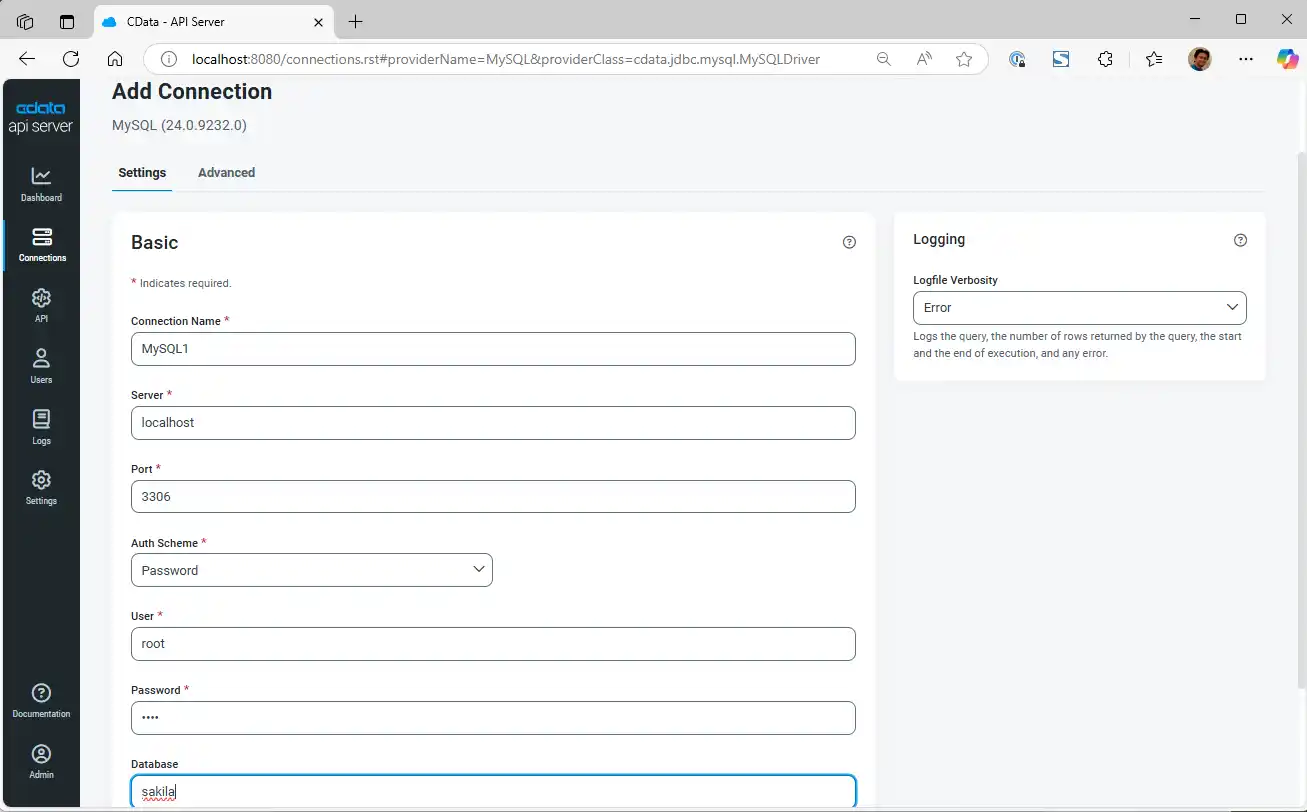
Click on "Connection" and connect to your source database. In this case, we are connecting to MySQL Sakila database.
Step 3: Define API endpoints
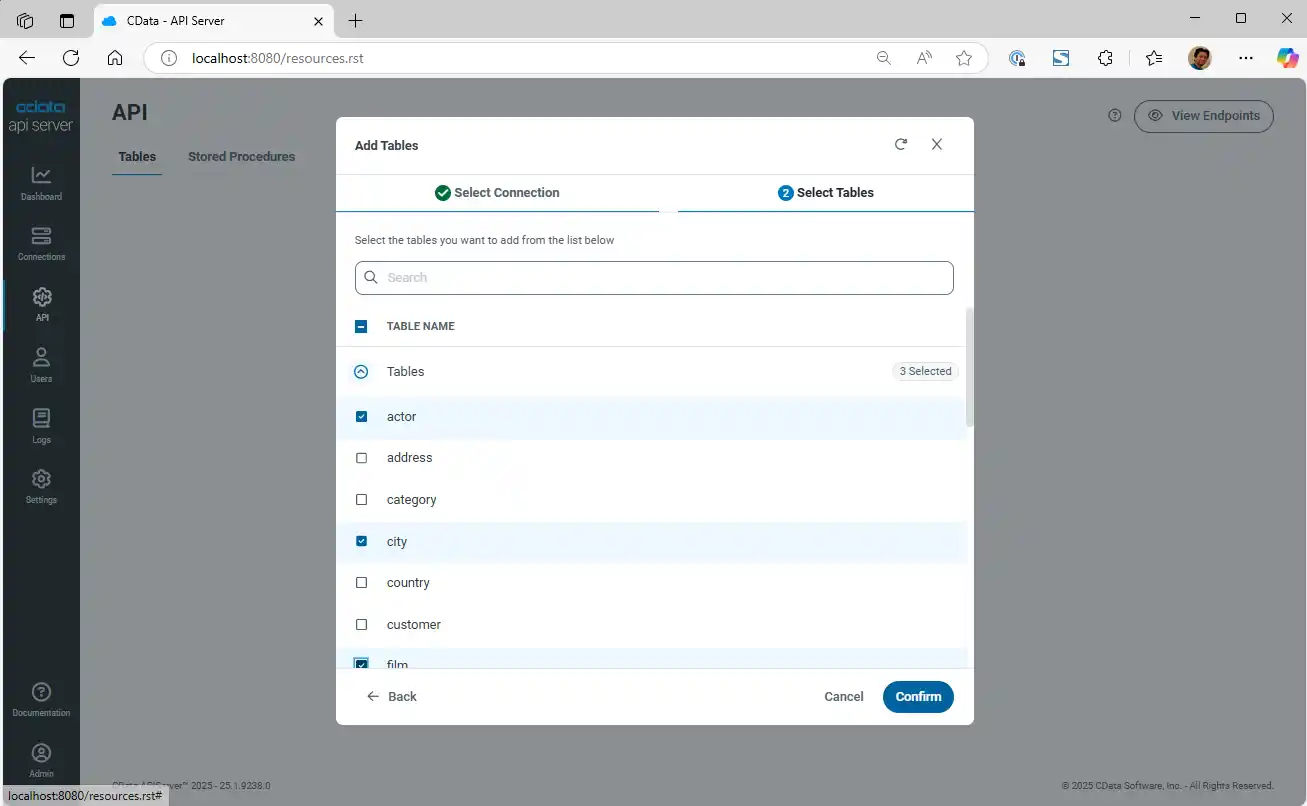
Then go to the "API" tab and select the tables in the connected MySQL data base you want to expose as APIs. You can also select which columns to be exposed.
Step 4: Set Users and permission
Next, go to the "User" tab and create users who can access the API. You can set operations privilege (GET, POST, PUT, and DELETE). You can also set permission per API Endpoint/table for each user.
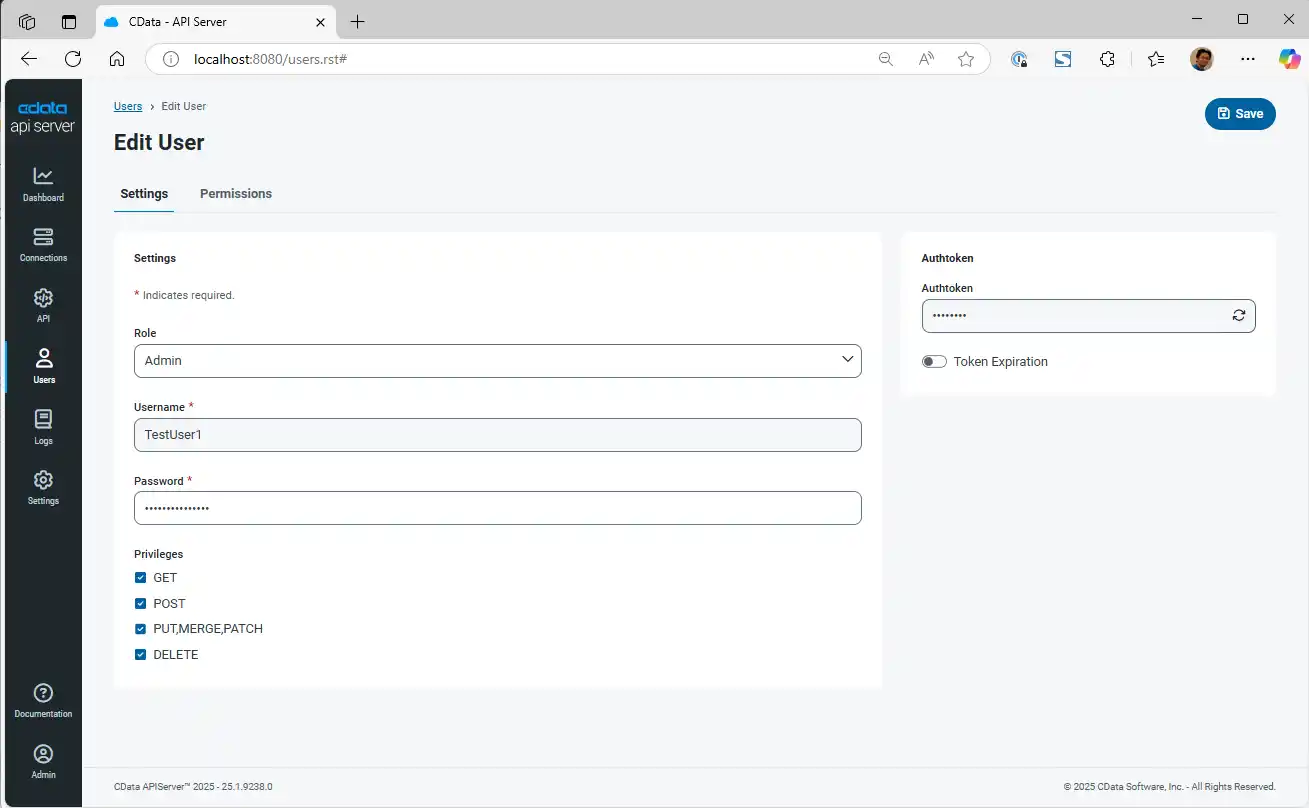
After completing these 4 steps, your full-featured API is ready. You can also set rate limit or IP address limitation, logging, andnotification as you require.
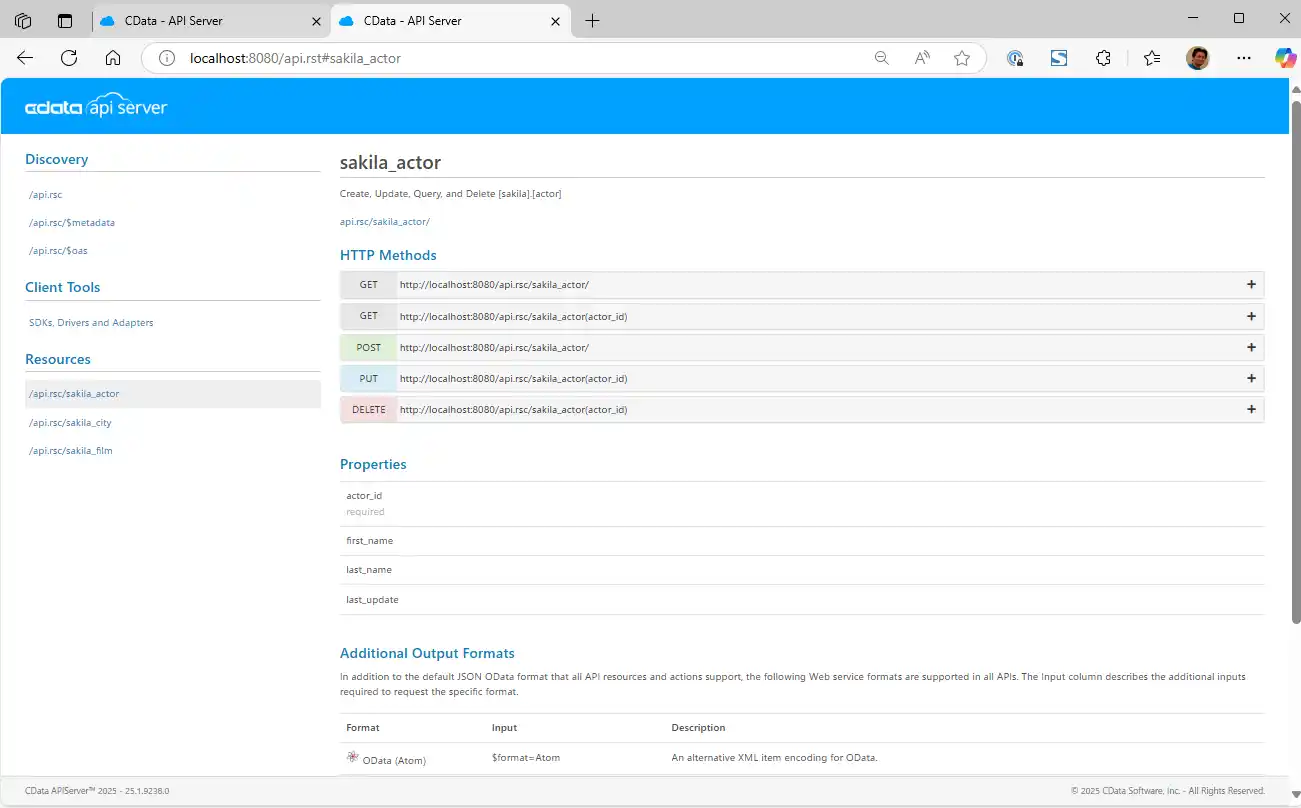
Step 5: Download the CData MCP Server for OData
Download the CData API Server for OData. OData is a protocol of REST API that has stronger metadata capability and filtering etc.
Step 6: Configure the OData connection
After downloading, the configuration window pops out. Create a new configuration.
- Configuration Name: Any. This is the MCP Server name in Claude Desktop.
- URL: OData Endpoint URL from CData API Server, that looks like http://localhost:8080/api.rsc
To find the OData endpoint URL, open API Server and navigate to the "API" tab. Click the "View endpoints" button → copy the OData Endpoint URL.
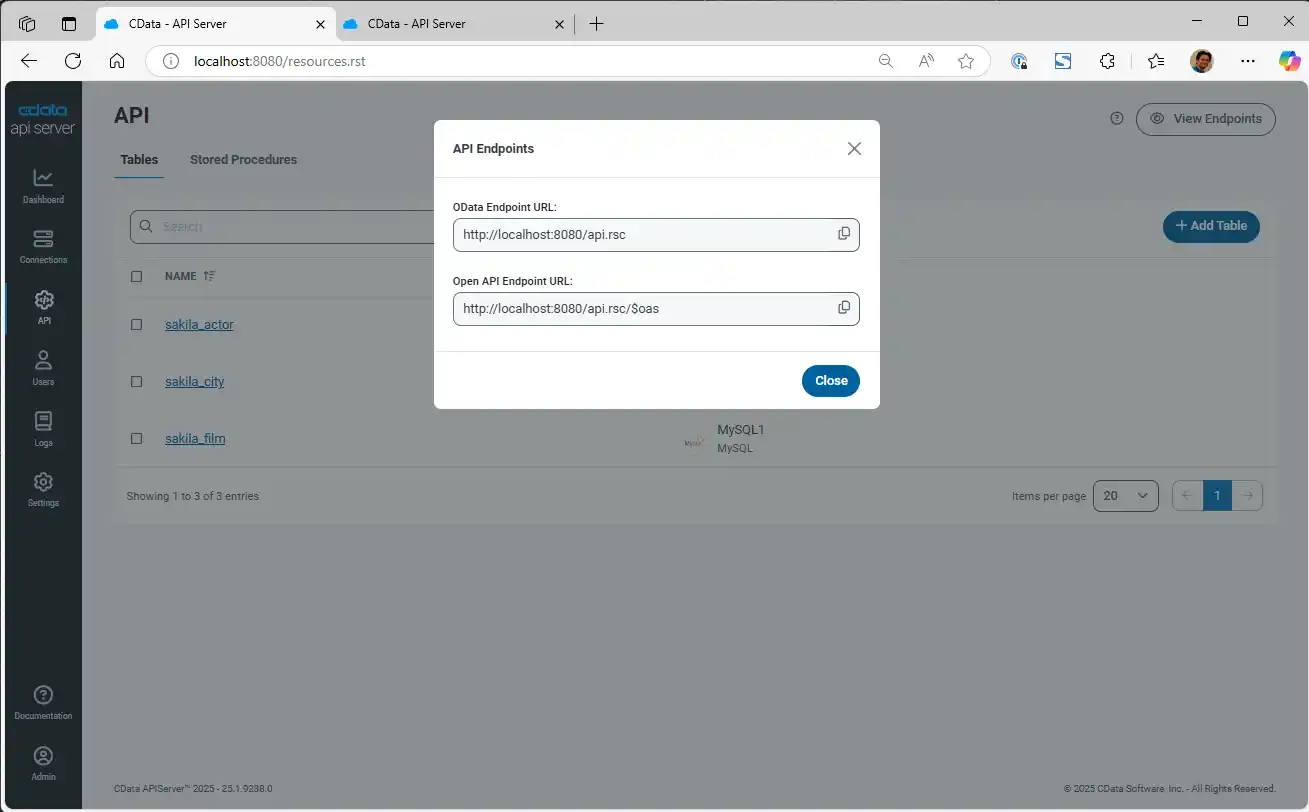
- Auth Scheme: Basic
To find the user name and the authtoken, open API Server and navigate to the "User" tab. Select user and click the refresh button under Authtoken and copy the generated token. Do not forget to "Save" the user to enable the Authtoken generated.
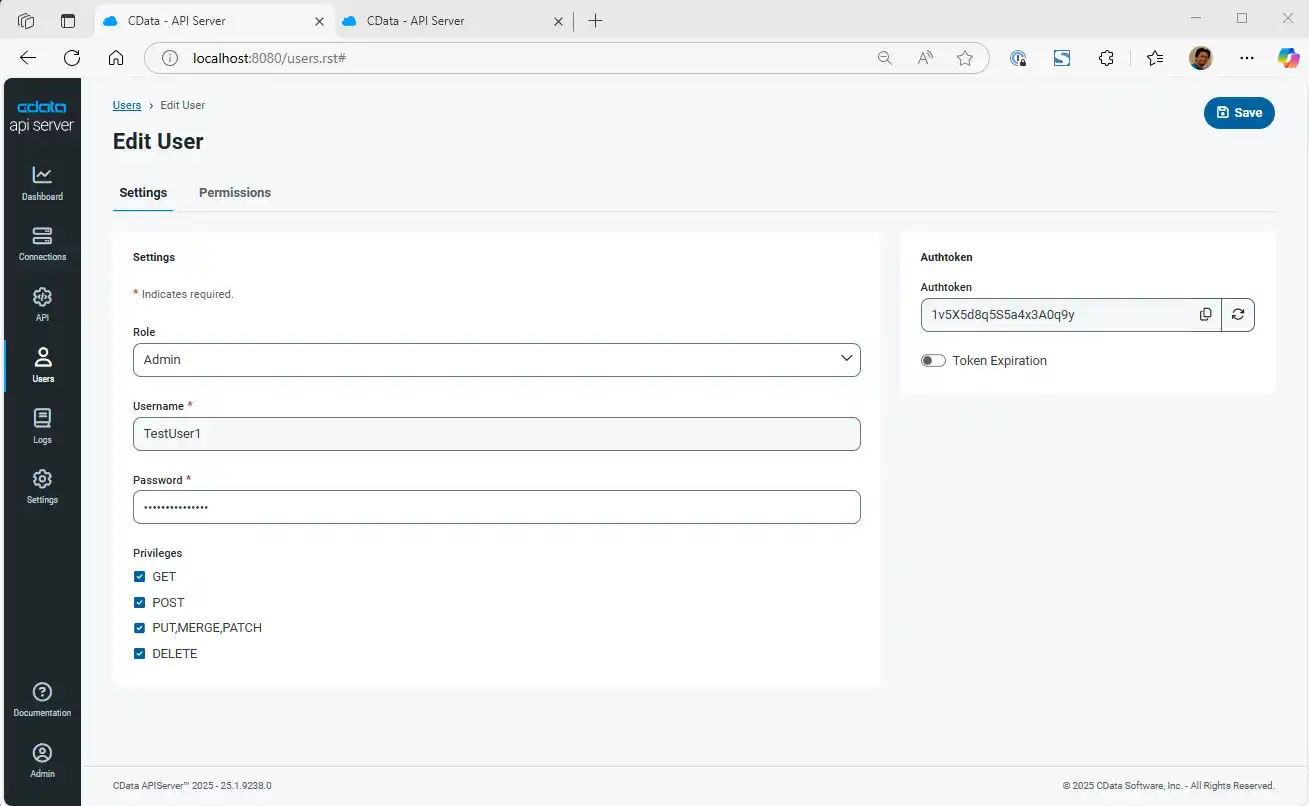
- User: the name of User created in API Server
-
Password: the Authtoken generated for the user in API Server
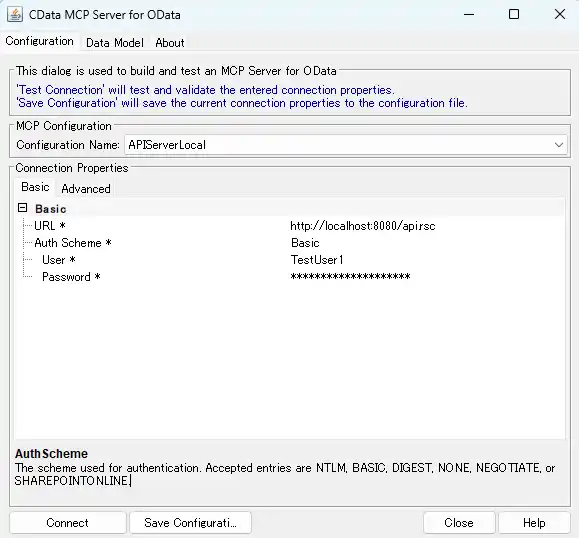
- Click "Connect" in the MCP Server configuration window and it will test the connection to API Server. When successful, the configuration information is stored in MCP Server config file. Click "close" to close the window.
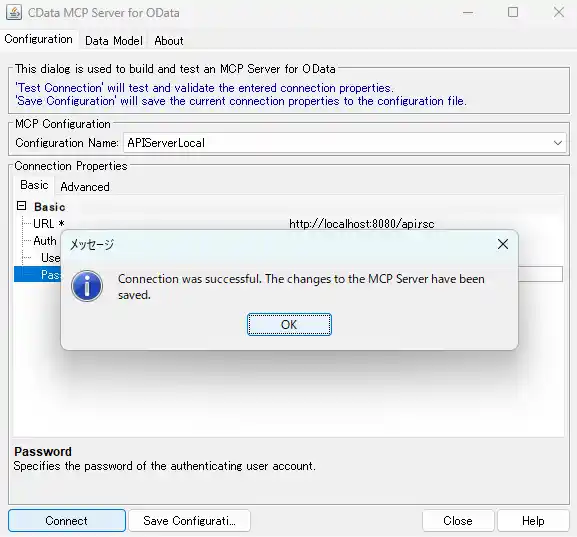
You will not have to add the JSON to the Claude Desktop configuration file. But Let’s see what CData MCP Server sets on the configuration file. You will see something like this in the configuration file.
"mcpServers": {
    "APIServerLocal": {
        "command": "C:\\Program Files\\CData\\CData MCP Server for OData 2024\\jre\\bin\\java.exe",
        "args": [
            "-jar",
            "C:\/Program Files\/CData\/CData MCP Server for OData 2024\/lib\/cdata.mcp.odata.jar",
            "APIServerLocal"
        ]
    },
    ...
}
Step 7: Access database from Claude Desktop
Now, we can open Claude Desktop. If you had Claude Desktop open already, makes sure to Exit first and then open again so that the new MCP Server configuration is reflected.
Click the Tools icon and you will find CData API Server MCP. Enable the tools that you want to use.
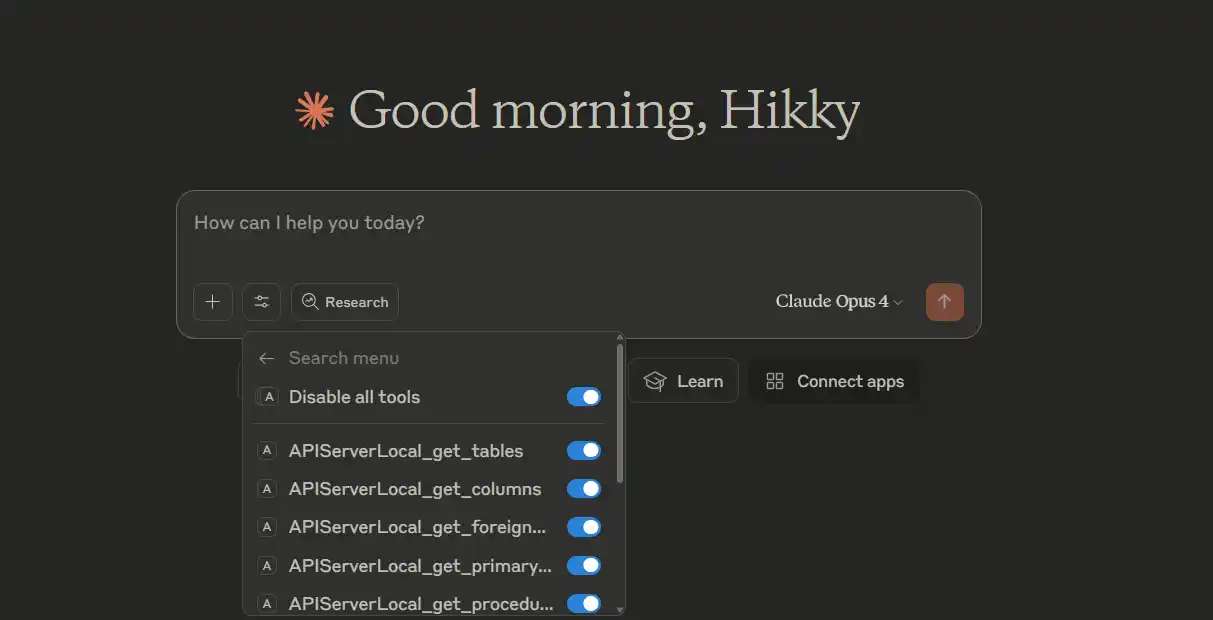
At this point, we are ready to use natural language to ask about our MySQL database.
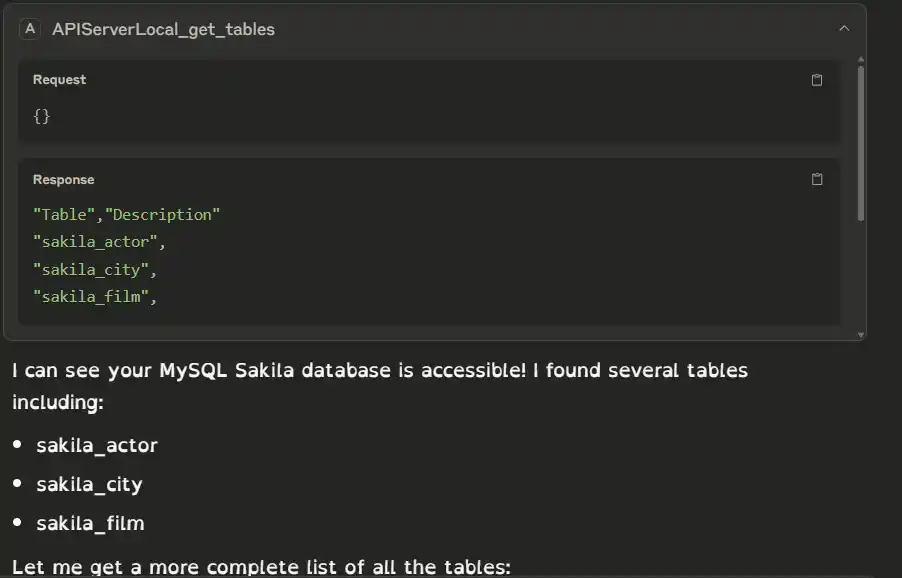
Natural language question: Can I see my MySQL Sakila database through CData API Server?
- Claude searches for the table with get_tables Tool.
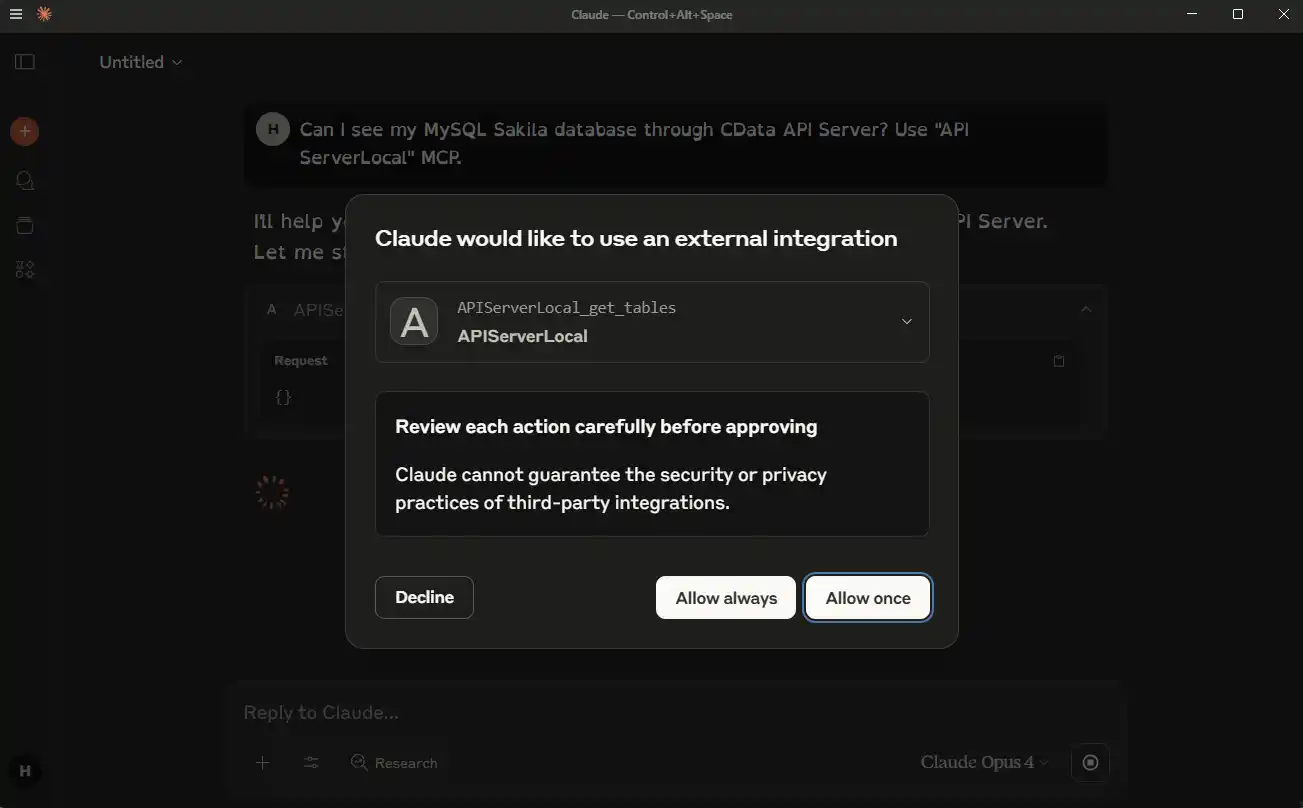
- The MCP Server successfully returns the table exposed in API Sever.
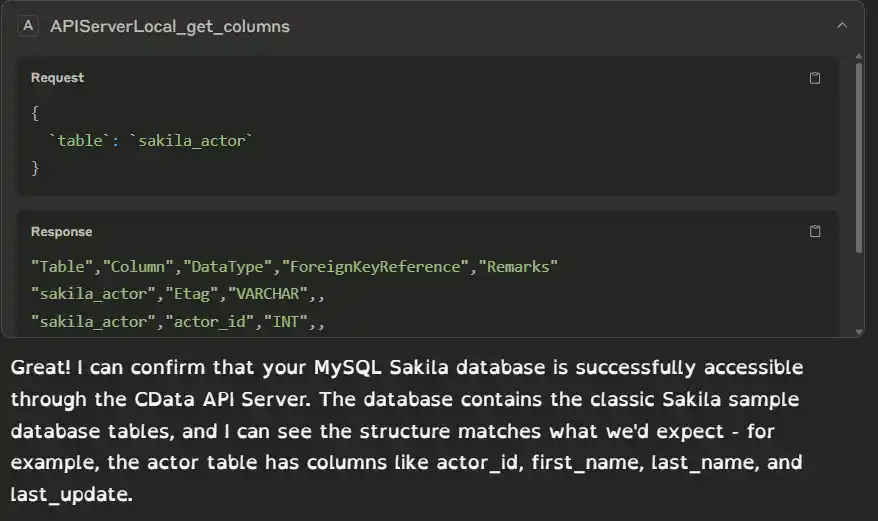
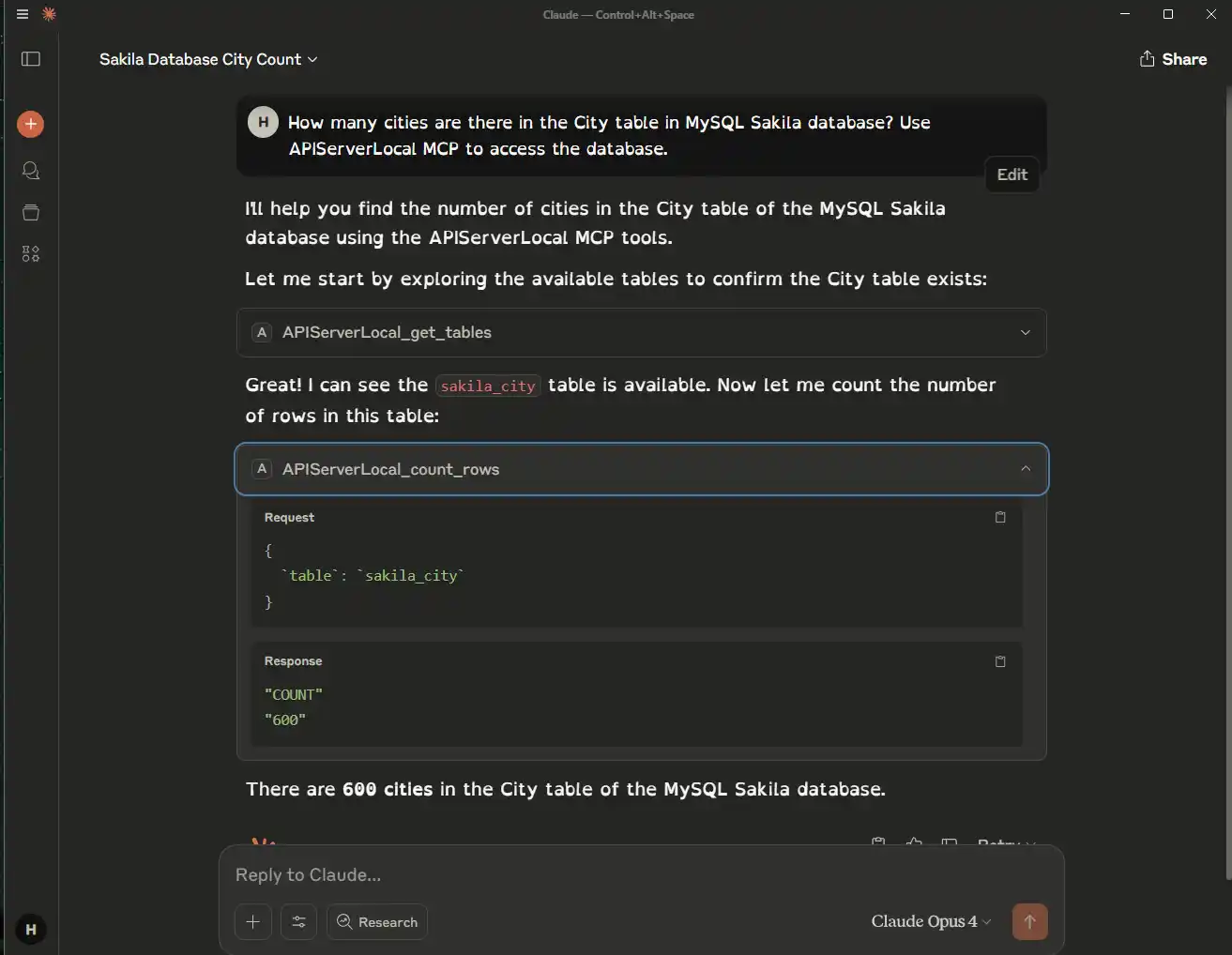
- Through the MCP Server, Claude can GET data, or filter and count data as you want from your natural language queries.
- You can even add records to your database.
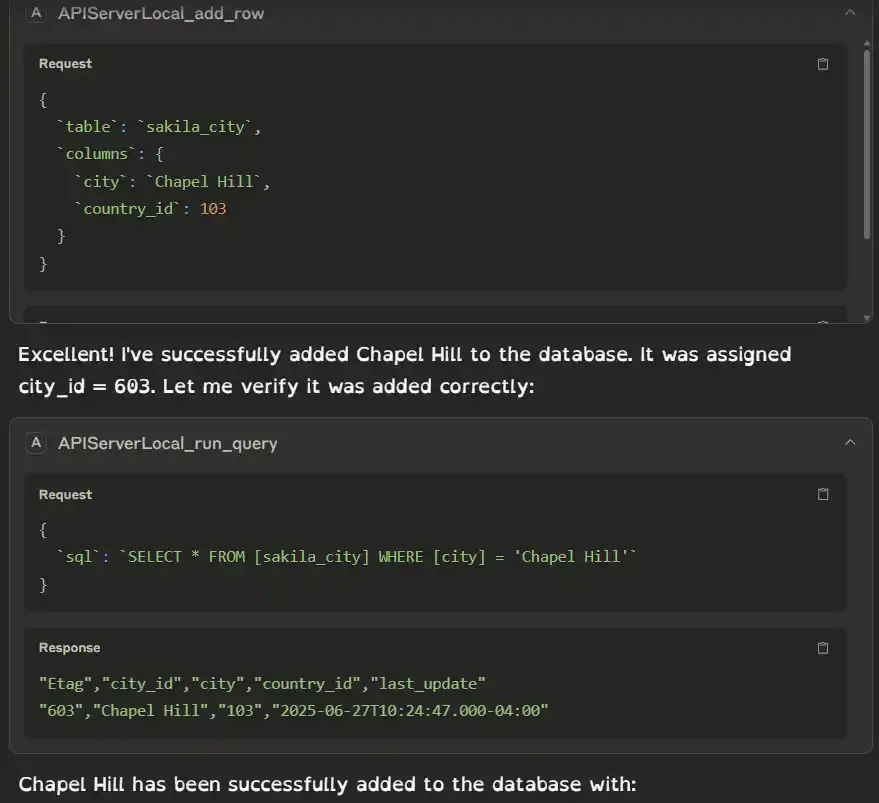
Your Claude Desktop can interact with your business database like this.
Try Free and Start Now
With CData API Server and MCP Server you can allow AI to securely access your business data in your database.
Please try the 30-day trial from the links below:
- CData API Server: Create and Deploy Fully Documented APIs from any database | CData API Server
- CData OData MCP Server: OData MCP Server | Ask your AI for answers from OData | from CData Software
