
Model Context Protocol (MCP) finally gives AI models a way to access the business data needed to make them really useful at work. CData MCP Servers have the depth and performance to make sure AI has access to all of the answers.
Try them now for free →


CData HubSpot Driver v24 and Above Enhances Functionality with Leads Object
HubSpot is a widely used CRM platform trusted by over 200,000 companies across more than 135 countries. It helps businesses manage contacts, automate marketing and sales workflows, and improve customer engagement. One of the most important parts of its data model is the Leads object, which captures potential customers before they become contacts, deals, or customers. Companies that focus on lead generation and qualification rely on this data to effectively target prospects, segment audiences, and measure campaign performance.
In the past, developers and integration teams used to work directly with the HubSpot API or build custom workflows to access and sync lead data. This approach often created extra development effort, maintenance issues, and delays when the API changed.
With the CData HubSpot Drivers and Connectors, users can now access the Leads object more easily and work with it as they would with any other relational table. In this article, we will explore the new Leads object support in CData HubSpot Driver (2024 and above) and demonstrate how to use it with CData Connect Spreadsheets for HubSpot, CData Sync, and CData Arc to create, access, and manage leads programmatically and visually.
HubSpot Leads object
HubSpot introduced the Leads object as part of its evolving data model. While HubSpot has always allowed users to manage lead data, it previously stored that information within the Contacts object. This structure often limited organizations that wanted to manage leads independently of contacts. By separating the two, HubSpot now allows users to handle lead qualification and conversion processes more effectively and flexibly.
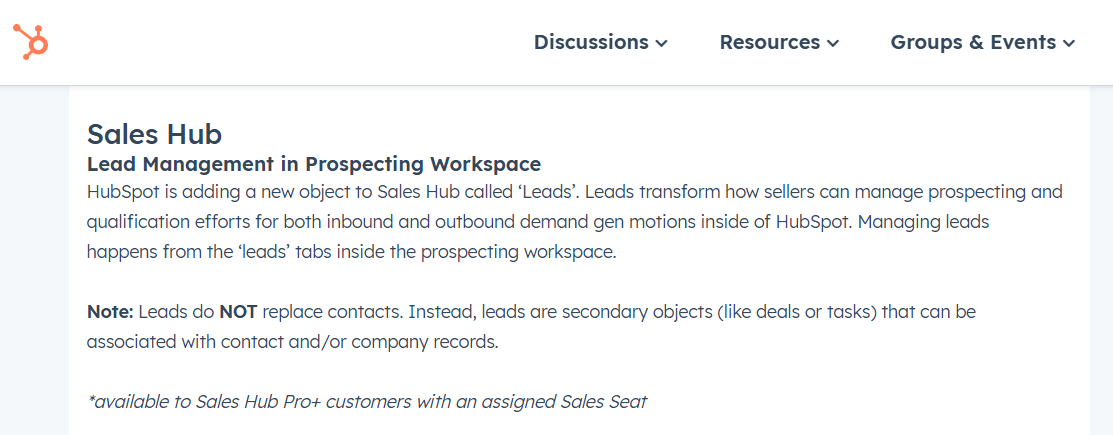
The Leads object is currently available in Sales Hub Professional and higher tiers. From a design perspective, it serves as an intermediary object that complements Contacts and Companies, facilitating clearer workflows for lead capture, qualification, and progression.
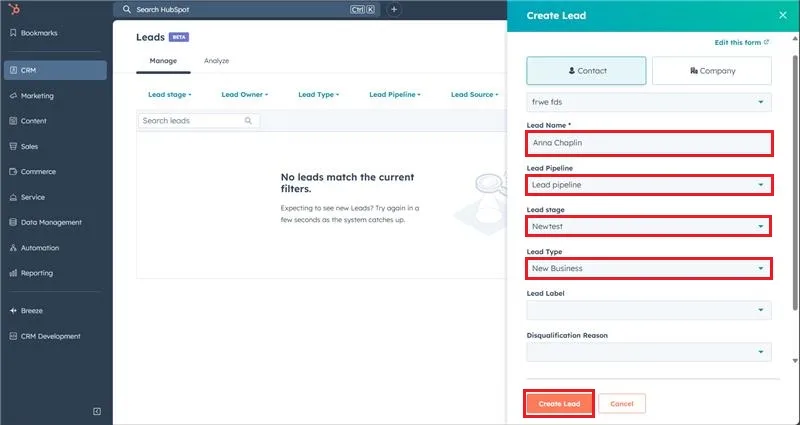
The CData HubSpot Driver (2024 and above) now includes full support for this Leads object. The driver allows users to work with HubSpot data using SQL-based access and integrates easily into reporting, analytics, and data synchronization workflows.
Accessing the Leads object with CData Drivers
If your HubSpot plan includes access to the Leads object, you can connect to it effortlessly using the CData HubSpot Drivers and Connectors. For example, with the CData Connect Spreadsheets for HubSpot, you can view and work with Leads data directly within Excel, just like any other table. This makes it easy to explore and manage lead records without writing any code or manually querying the HubSpot API.
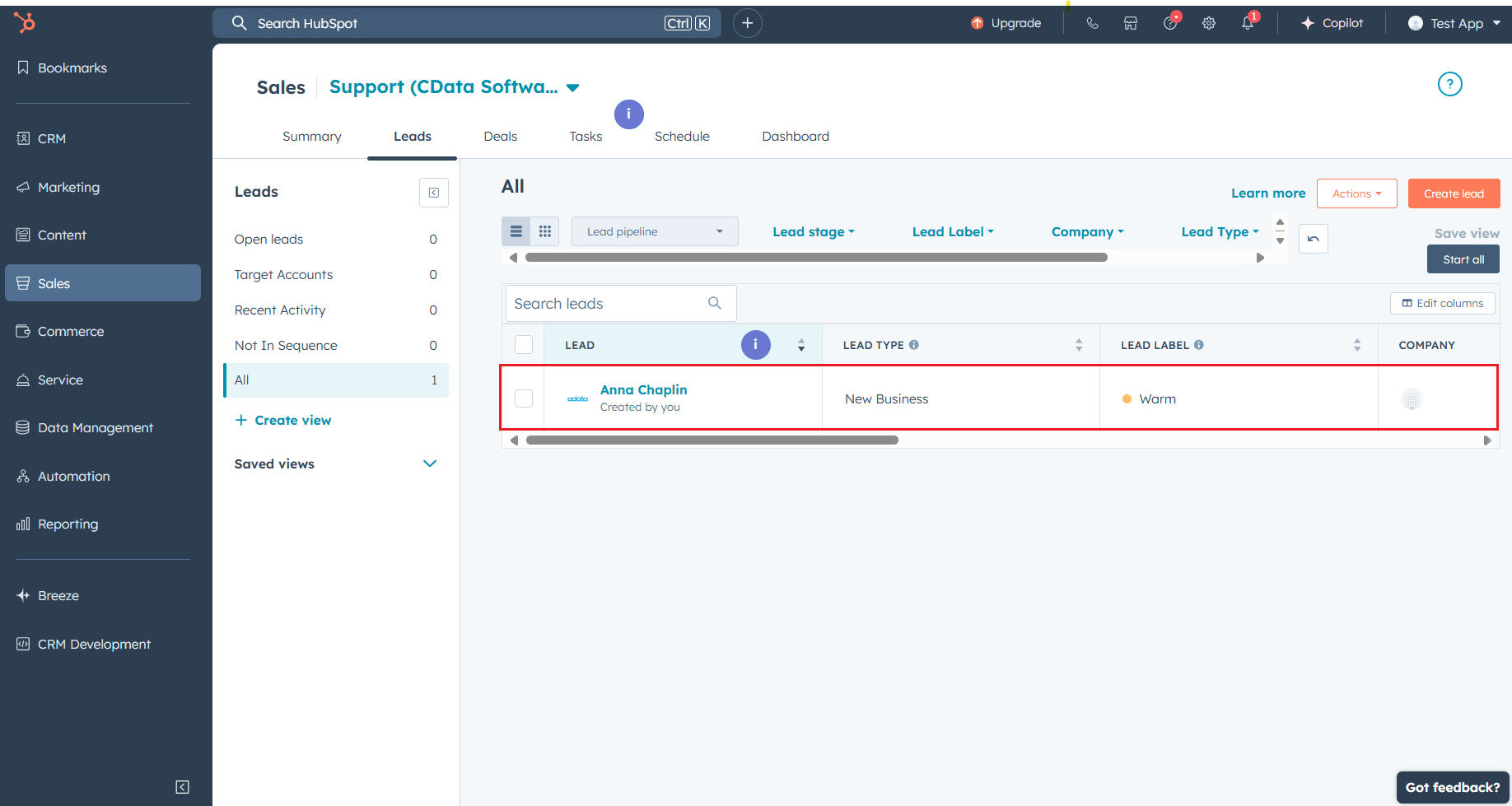
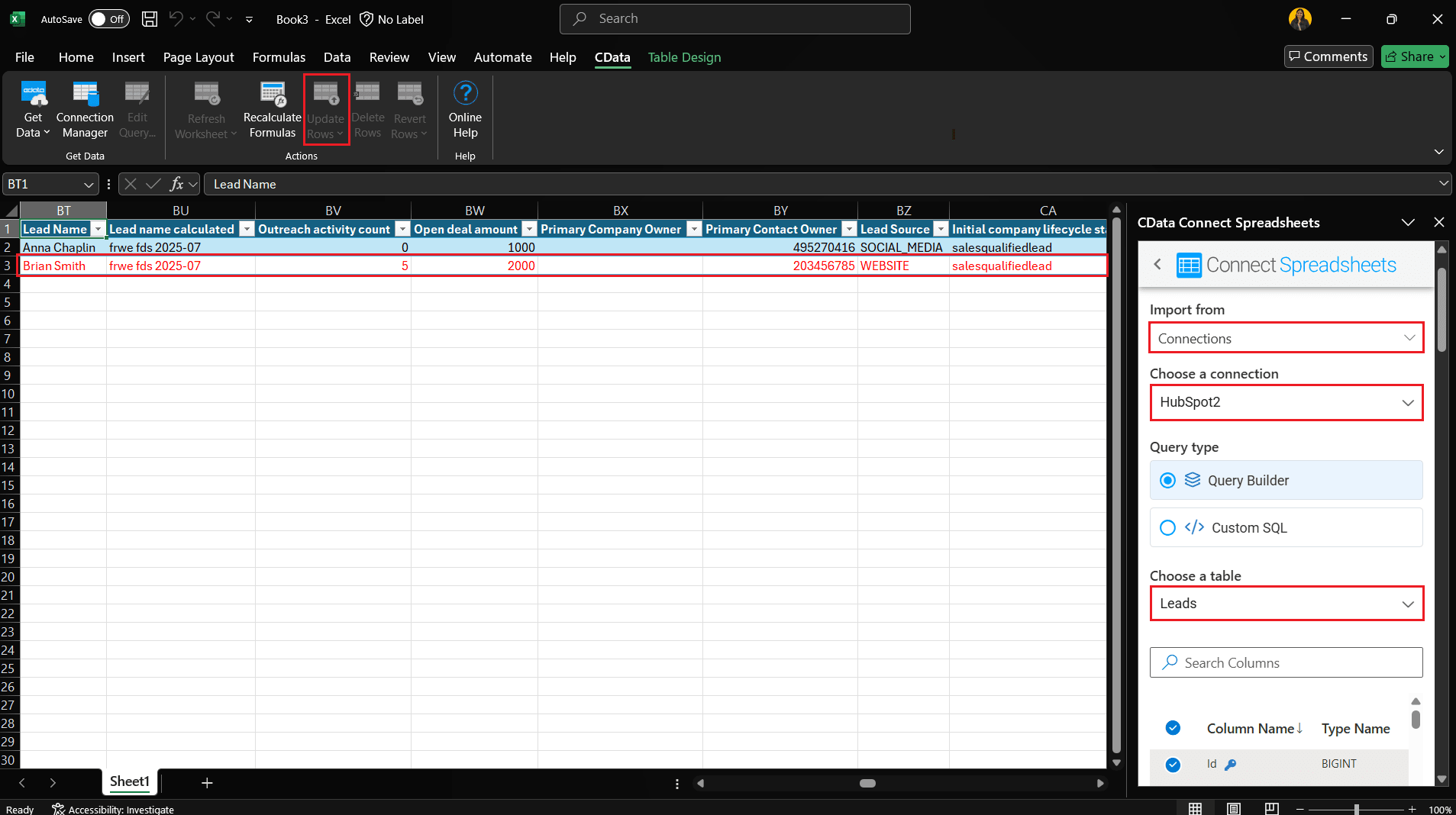
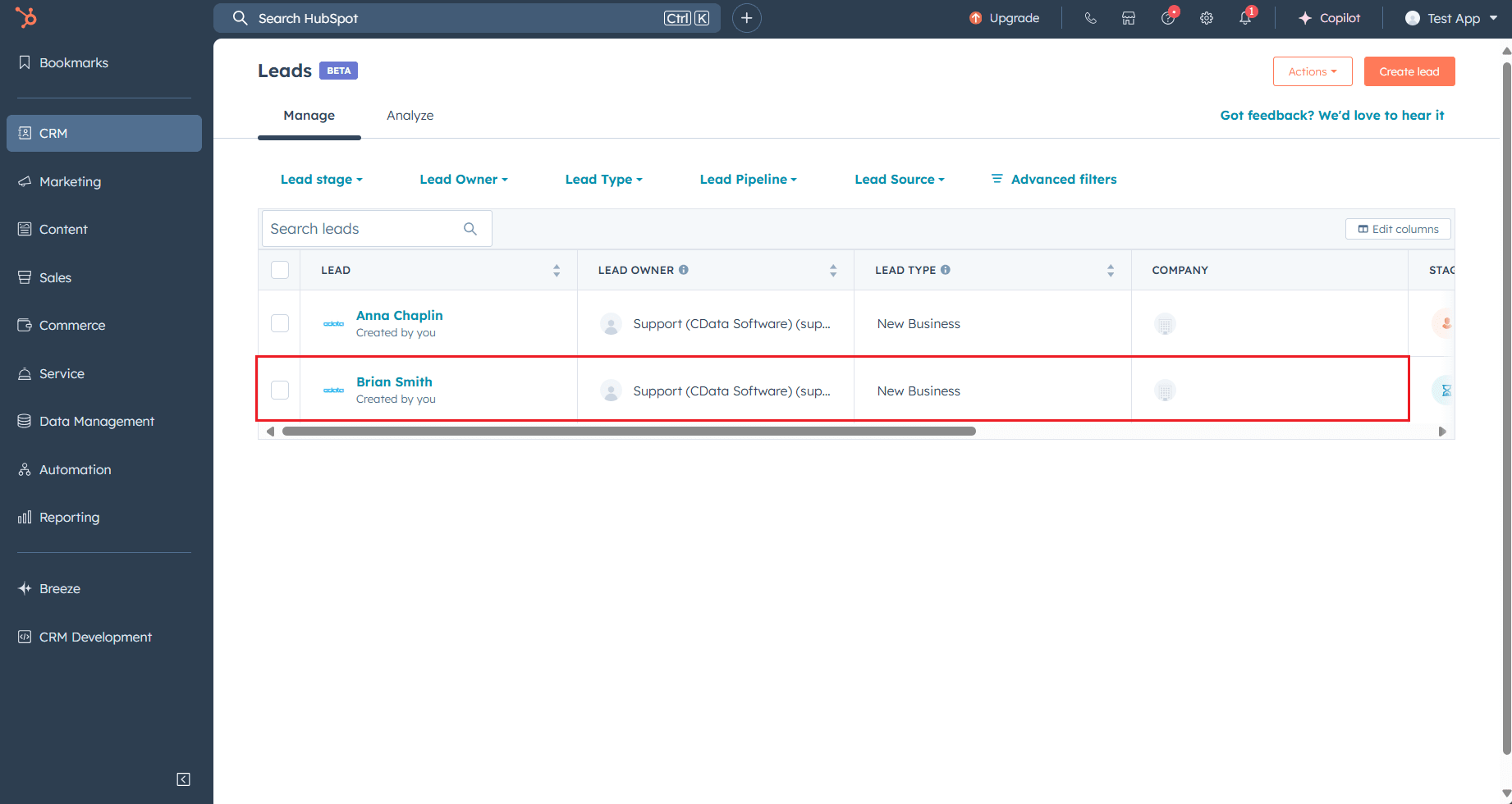
Since the Leads object in HubSpot links to either a Contact or a Company, you must specify the associated Contact ID or Company ID when creating a new lead. Fortunately, the Excel Add-In allows you to browse related objects with ease. This streamlined access simplifies the process of registering new leads and makes data entry and updates both intuitive and efficient from within Excel.
To know more about how to access and update your live HubSpot data in Excel, read the following article.
Replicating HubSpot leads with CData Sync
If you want to replicate data from various SaaS and applications, including HubSpot, to a database or DWH for analysis, the CData Sync is the best choice. You can easily replicate Leads objects, as well as parent objects such as Contacts and Companies, by simply selecting them as target objects from CData Sync.
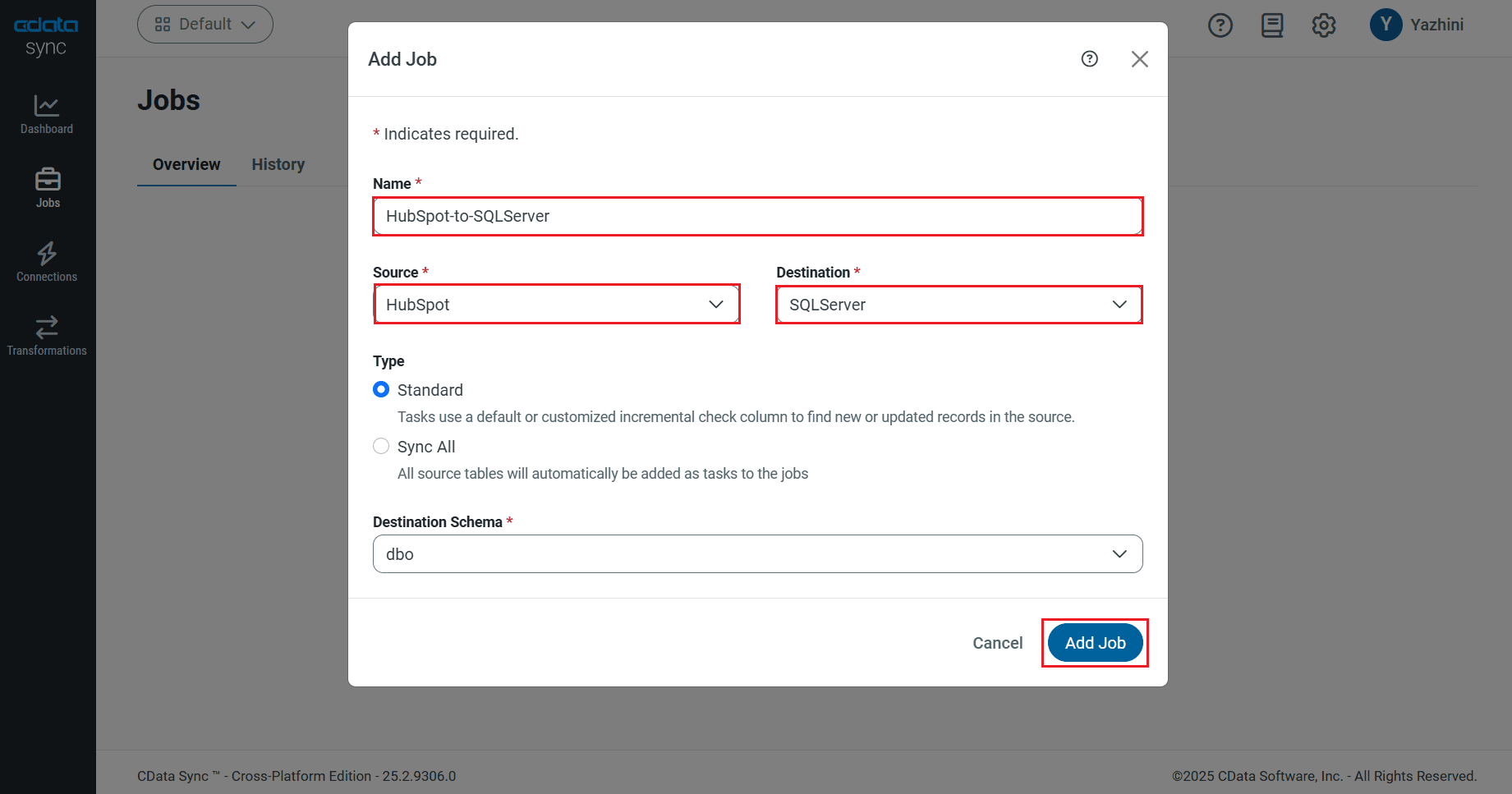
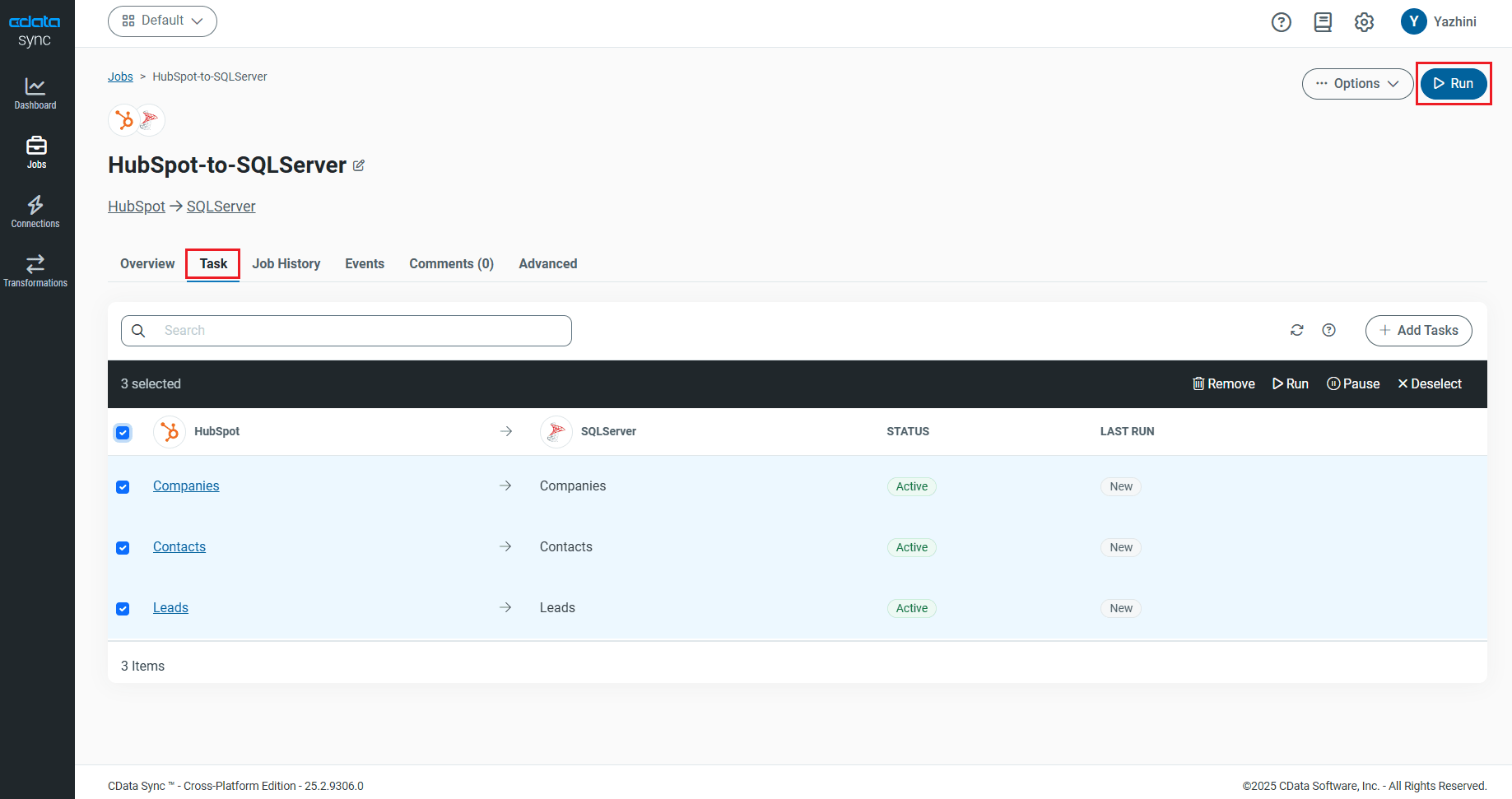
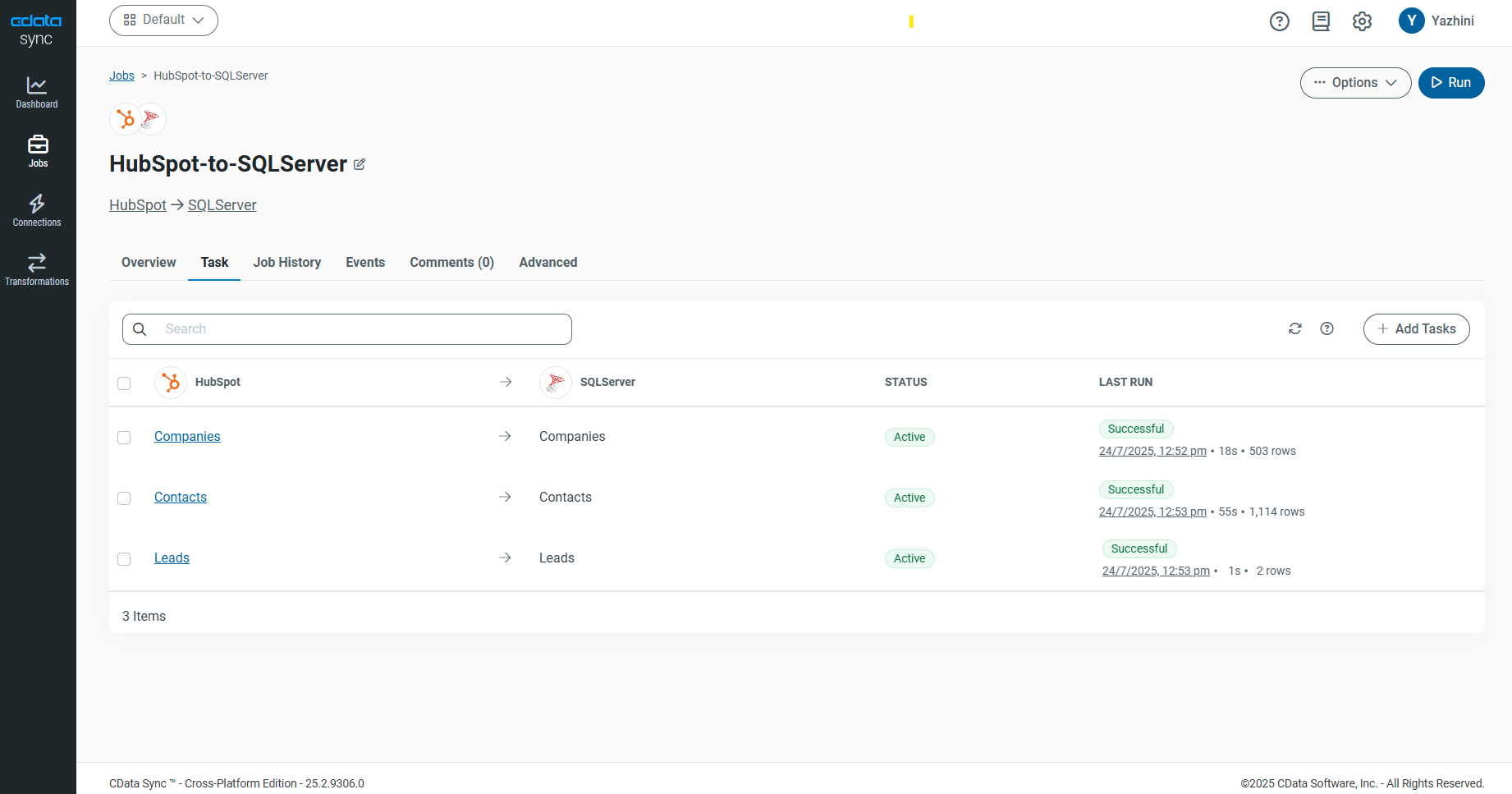
To learn more about integrating HubSpot with SQL Server using CData Sync, read the given article.
Integrating lead data into HubSpot using CData Arc
CData Arc helps automate B2B integrations and supports both data retrieval and data integration tasks. You can use it to register or update records in the Leads object in HubSpot.
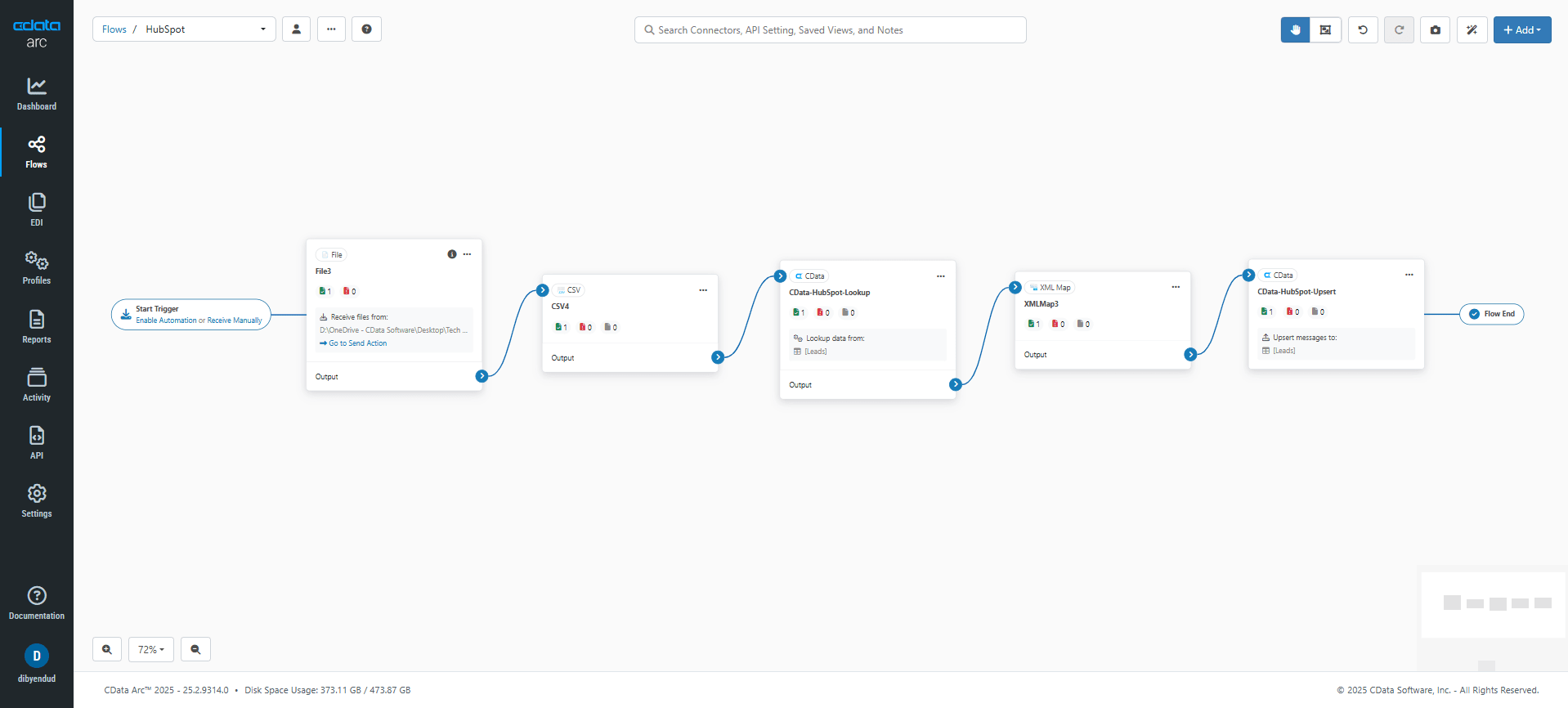
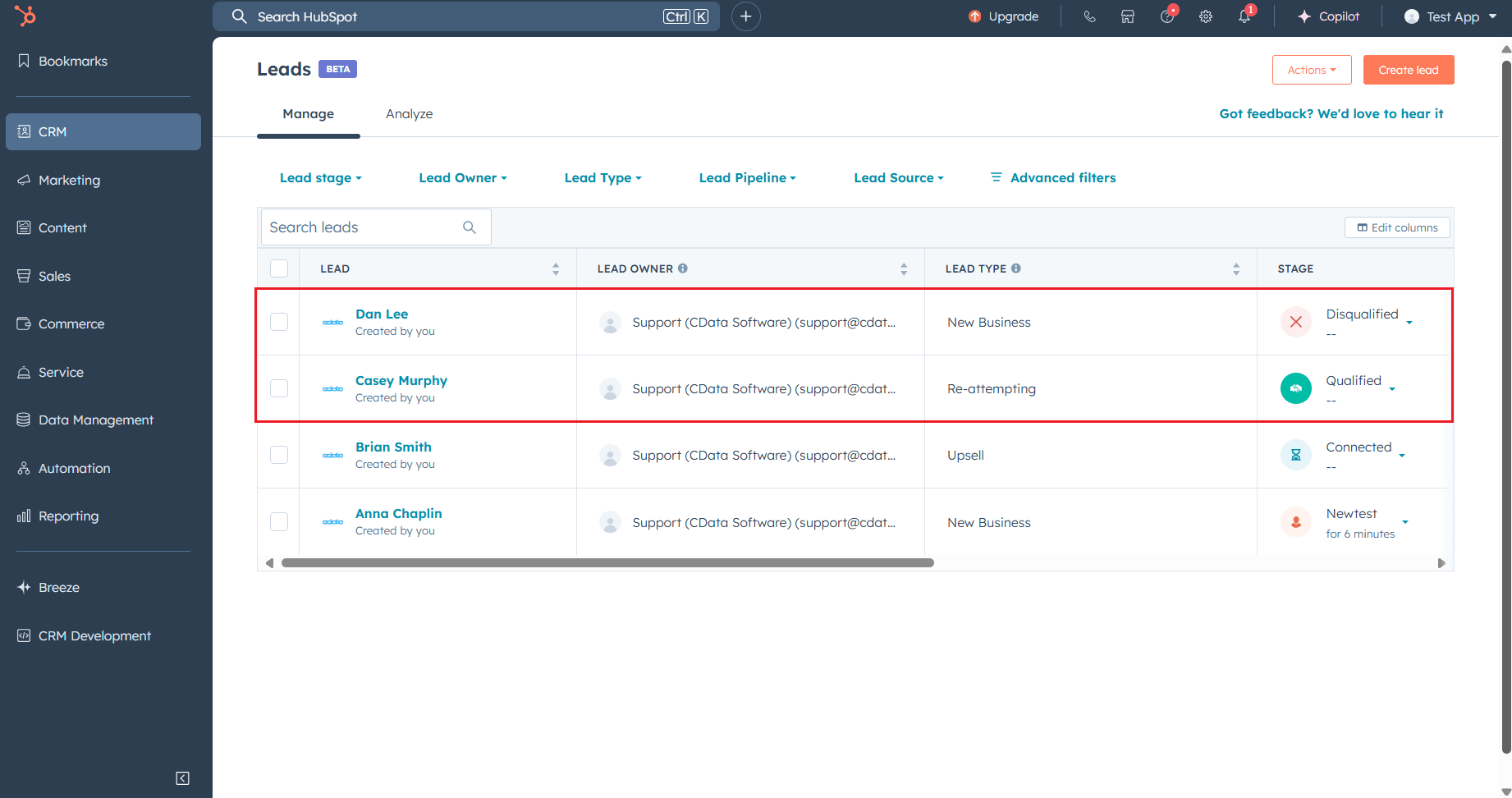
For example, if you have a CSV file that contains lead data, you can create a simple flow in Arc to connect and insert that data into the Leads object. Arc offers a visual interface that allows you to build this flow easily without writing code.
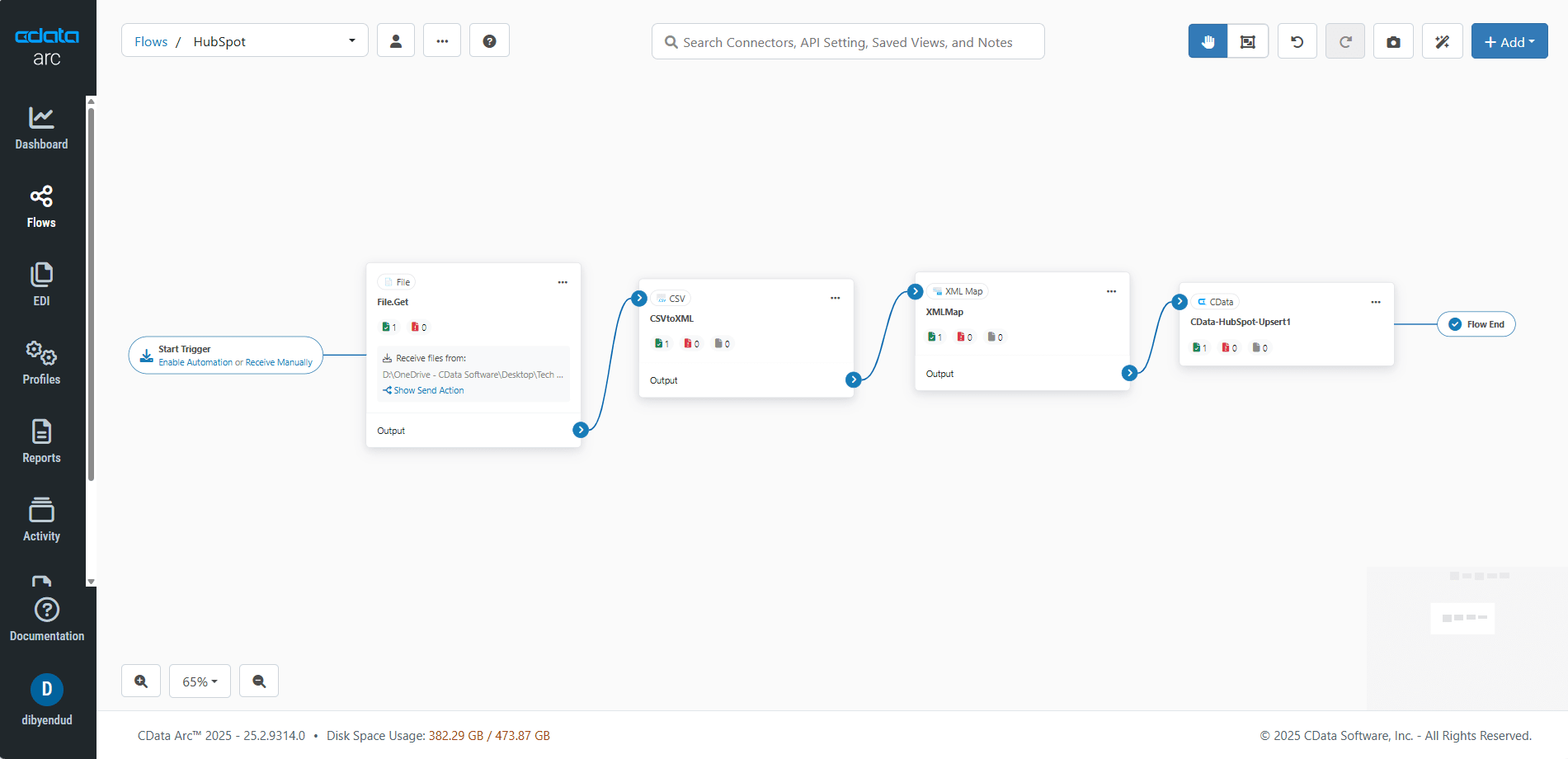
Even if your source data does not include Company or Contact IDs, you can still integrate it efficiently. If the data includes a unique identifier such as a domain name, Arc can perform a lookup to retrieve the corresponding Company or Contact IDs. After retrieving the IDs, Arc can use them to associate and register the leads automatically. This makes it easy to build consistent and scalable lead integration workflows.
To get familiar with using CData Arc, explore more by watching the demonstrations in our Get Started Guide.
Simplified HubSpot connectivity with CData
CData makes it easy to connect with HubSpot and 270+ other data sources through products that simplify integration, reporting, and automation. Want to know more? Evaluate the CData Connect Spreadsheets for HubSpot, CData Arc, and CData Sync with a 30-day trial today and see for yourself!
As always, our world-class Support Team is available to assist you with any questions you may have.
