
Model Context Protocol (MCP) finally gives AI models a way to access the business data needed to make them really useful at work. CData MCP Servers have the depth and performance to make sure AI has access to all of the answers.
Try them now for free →


Build Sage Intacct-Connected Web Apps with Axios and CData Connect Cloud
Use CData Connect Cloud to connect to live Sage Intacct data and build Sage Intacct-connected web apps with Axios.
Axios is a JavaScript library that allows developers to make HTTP requests to servers from a web browser or Node.js. When paired with CData Connect Cloud, you get access to live Sage Intacct data for your web apps. This article shows how to connect to Sage Intacct and build web apps in Axios with access to live Sage Intacct data.
About Sage Intacct Data Integration
CData provides the easiest way to access and integrate live data from Sage Intact. Customers use CData connectivity to:
- Access Sage Intacct without worrying about API updates or changes.
- Access custom objects and fields in Sage Intacct with no extra configuration steps involved.
- Write data back to Sage Intacct using embedded Web Services credentials with Basic authentication.
- Use SQL stored procedures to perform functional operations like approving or declining vendors, inserting engagements, and creating or deleting custom objects or fields.
Users frequently integrate Sage Intact with analytics tools such as Tableau, Power BI, and Excel, and leverage our tools to replicate Workday data to databases or data warehouses.
To learn about how other customers are using CData's Sage Intacct solutions, check out our blog: Drivers in Focus: Accounting Connectivity.
Getting Started
Connect to Sage Intacct from Axios
To work with Sage Intacct in Axios, we need to connect to Sage Intacct from Connect Cloud, provide user access to the connection, and create a Workspace for the Sage Intacct data.
Connect to Sage Intacct from Connect Cloud
CData Connect Cloud uses a straightforward, point-and-click interface to connect to data sources.
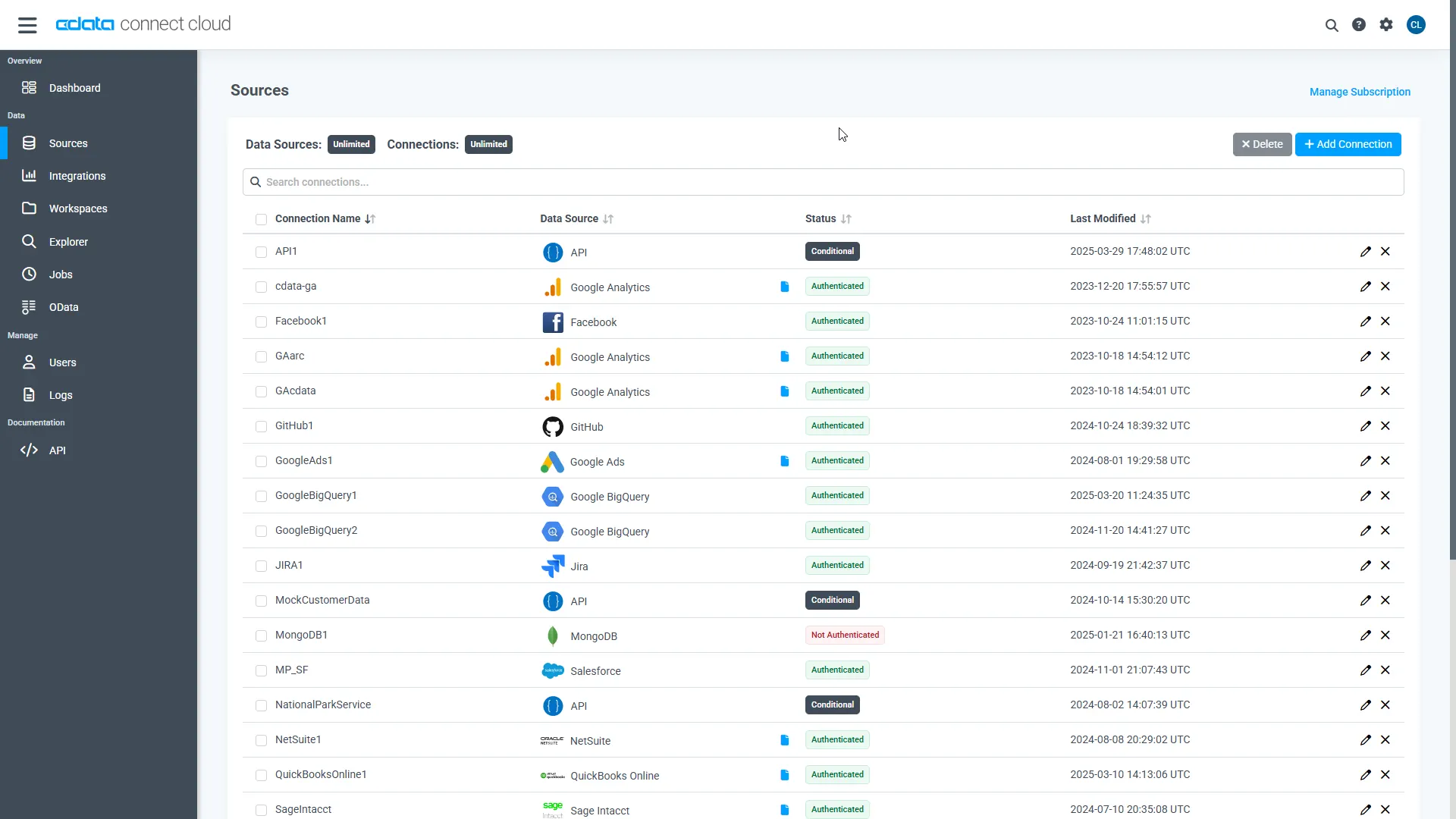
- Log into Connect Cloud, click Sources, and then click Add Connection
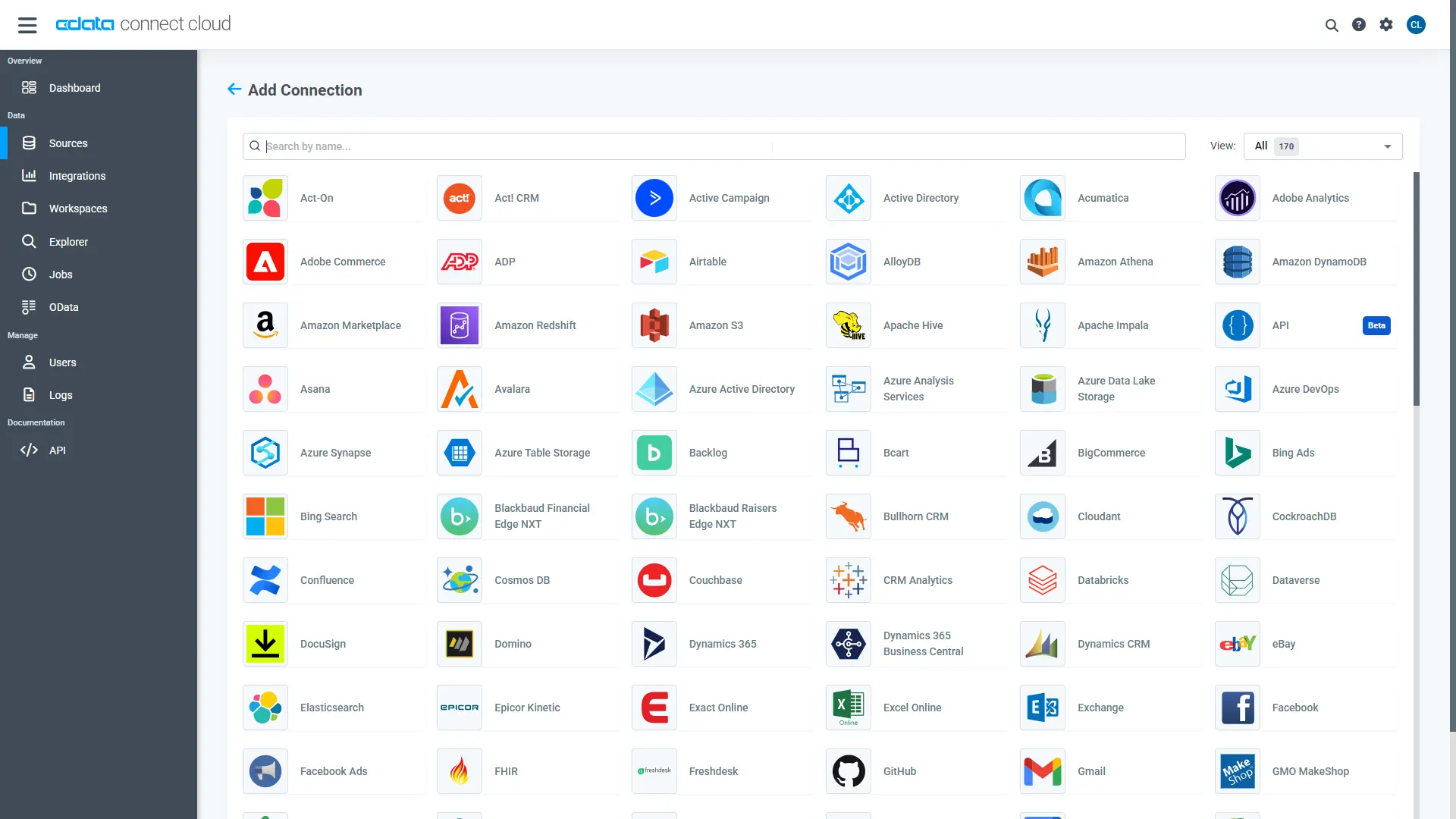
- Select "Sage Intacct" from the Add Connection panel
-
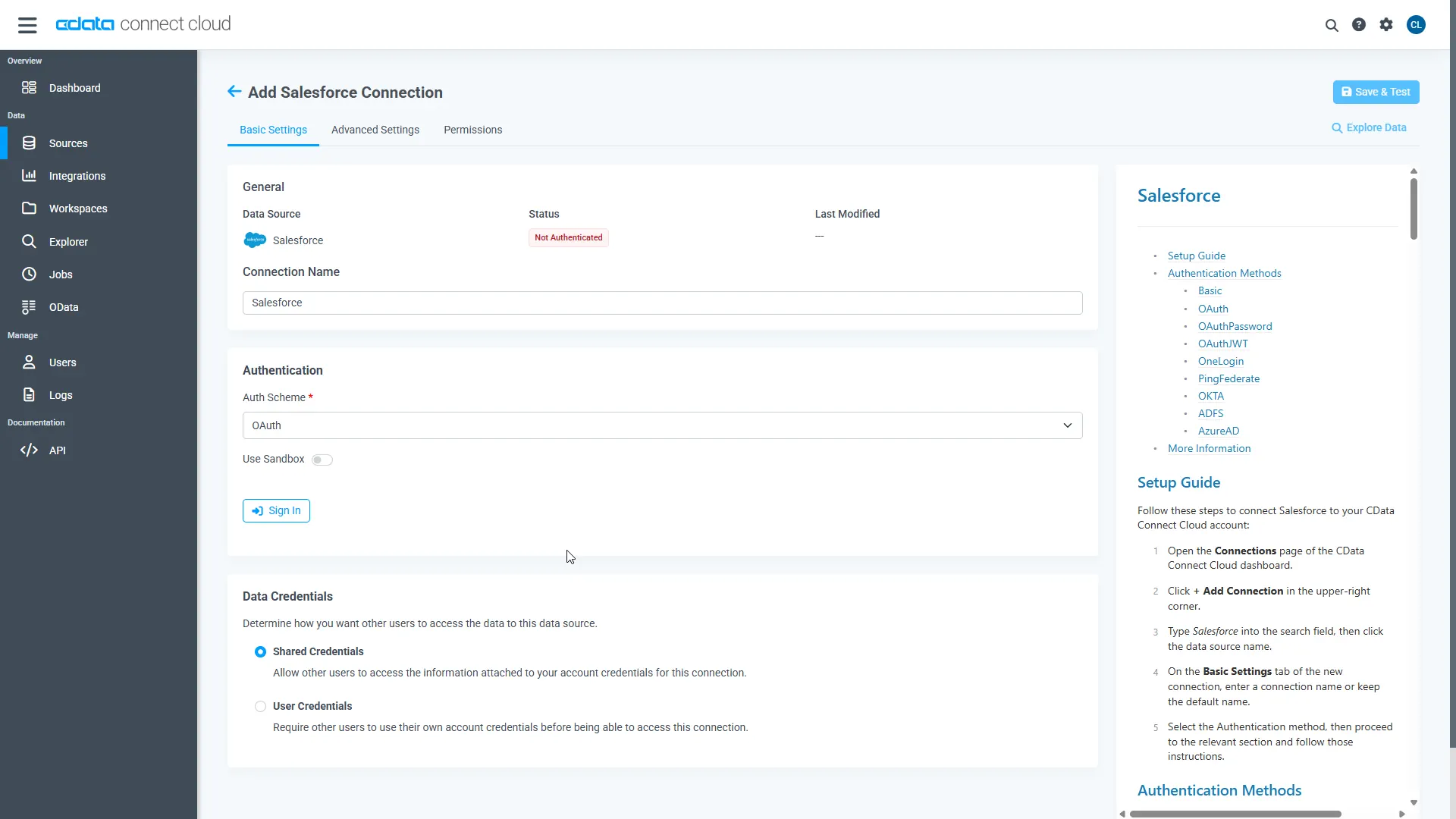
Enter the necessary authentication properties to connect to Sage Intacct.
To connect using the Login method, the following connection properties are required: User, Password, CompanyId, SenderId and SenderPassword.
User, Password, and CompanyId are the credentials for the account you wish to connect to.
SenderId and SenderPassword are the Web Services credentials assigned to you by Sage Intacct.
- Click Create & Test
-
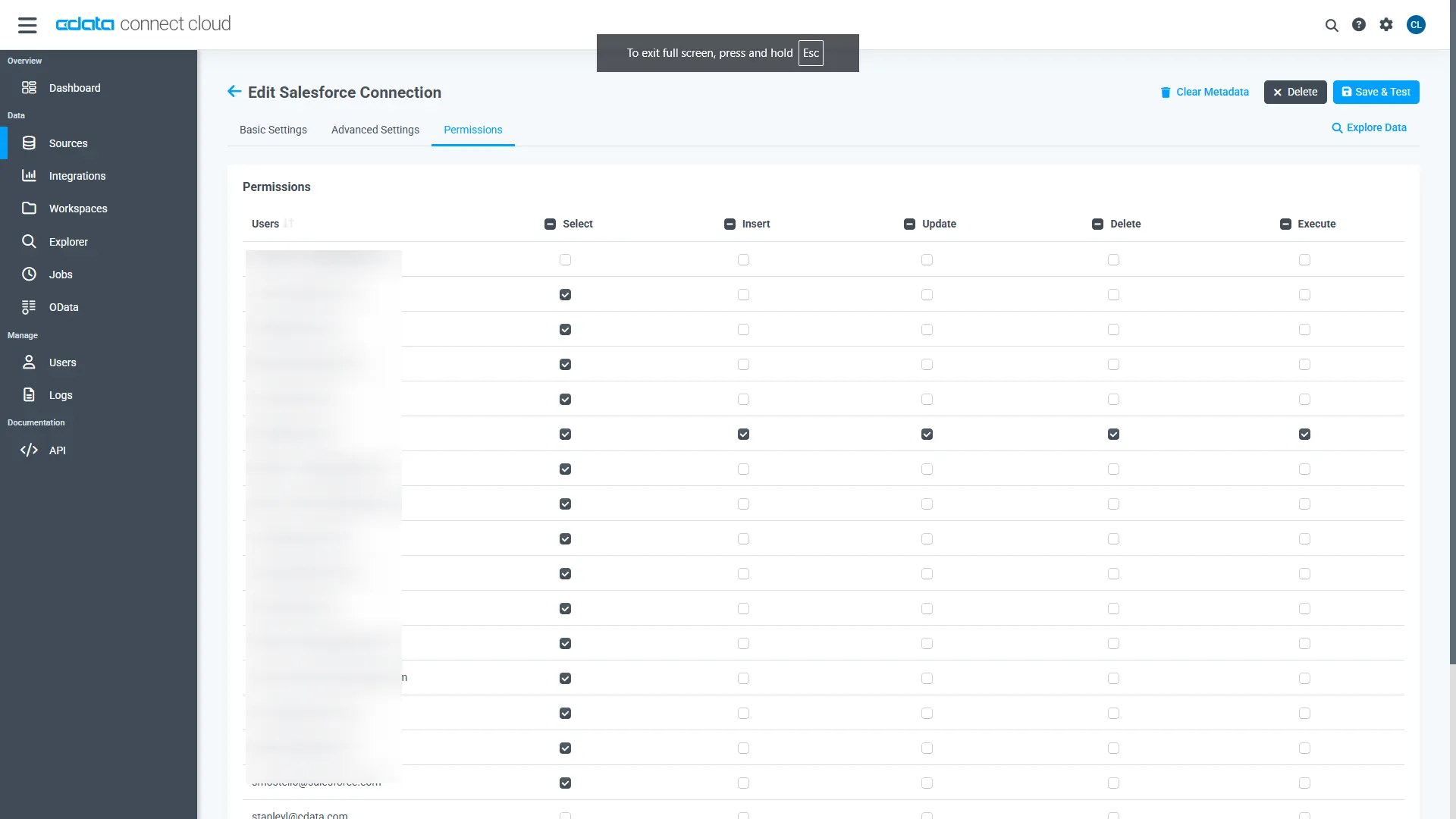
Navigate to the Permissions tab in the Add Sage Intacct Connection page and update the User-based permissions.
Add a Personal Access Token
When connecting to Connect Cloud through the REST API, the OData API, or the Virtual SQL Server, a Personal Access Token (PAT) is used to authenticate the connection to Connect Cloud. It is best practice to create a separate PAT for each service to maintain granularity of access.
- Click on the Gear icon () at the top right of the Connect Cloud app to open the settings page.
- On the Settings page, go to the Access Tokens section and click Create PAT.
-
Give the PAT a name and click Create.
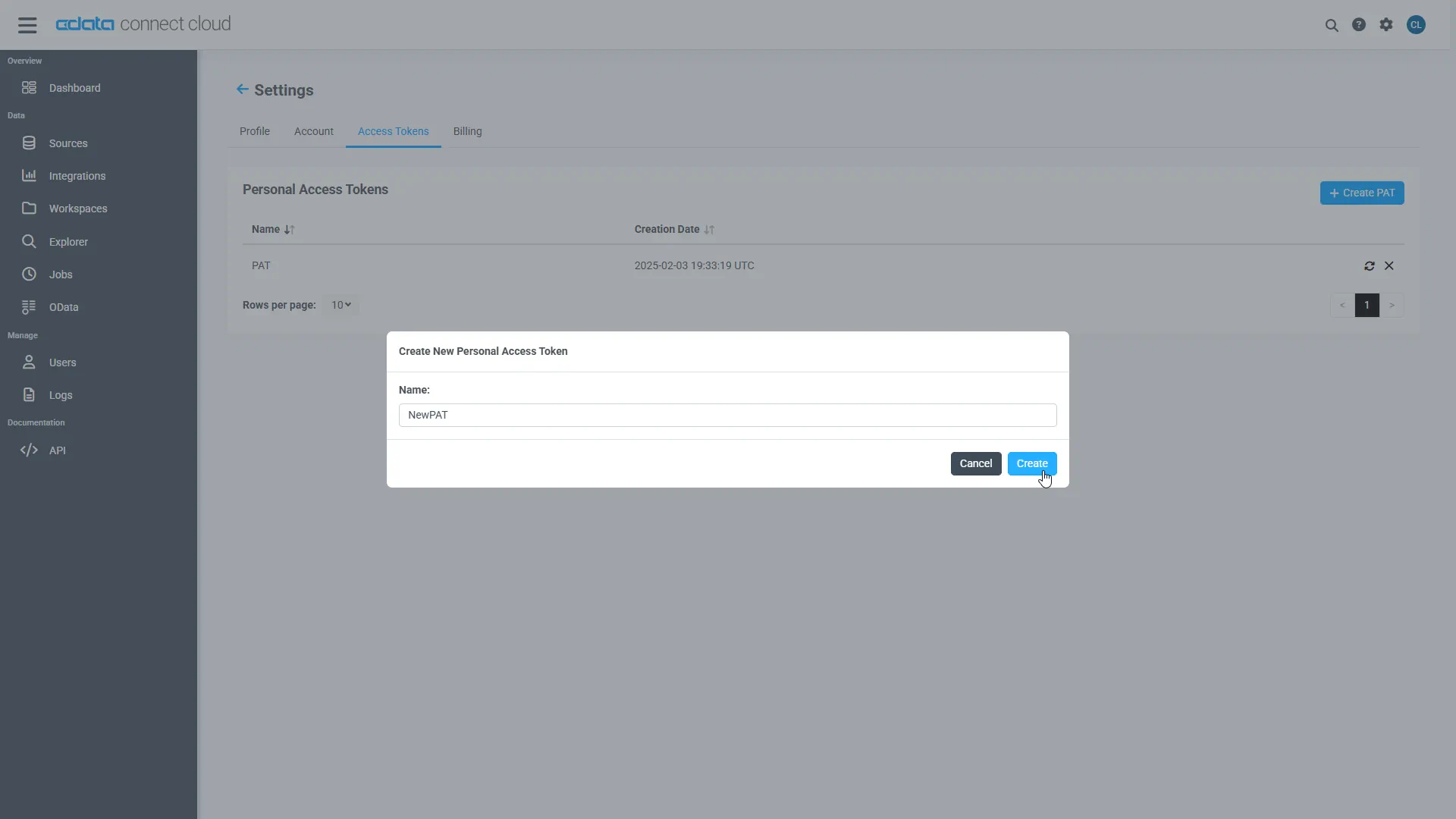
- The personal access token is only visible at creation, so be sure to copy it and store it securely for future use.
Configure Sage Intacct Endpoints for Axios
After connecting to Sage Intacct, create a workspace for your desired table(s).
-
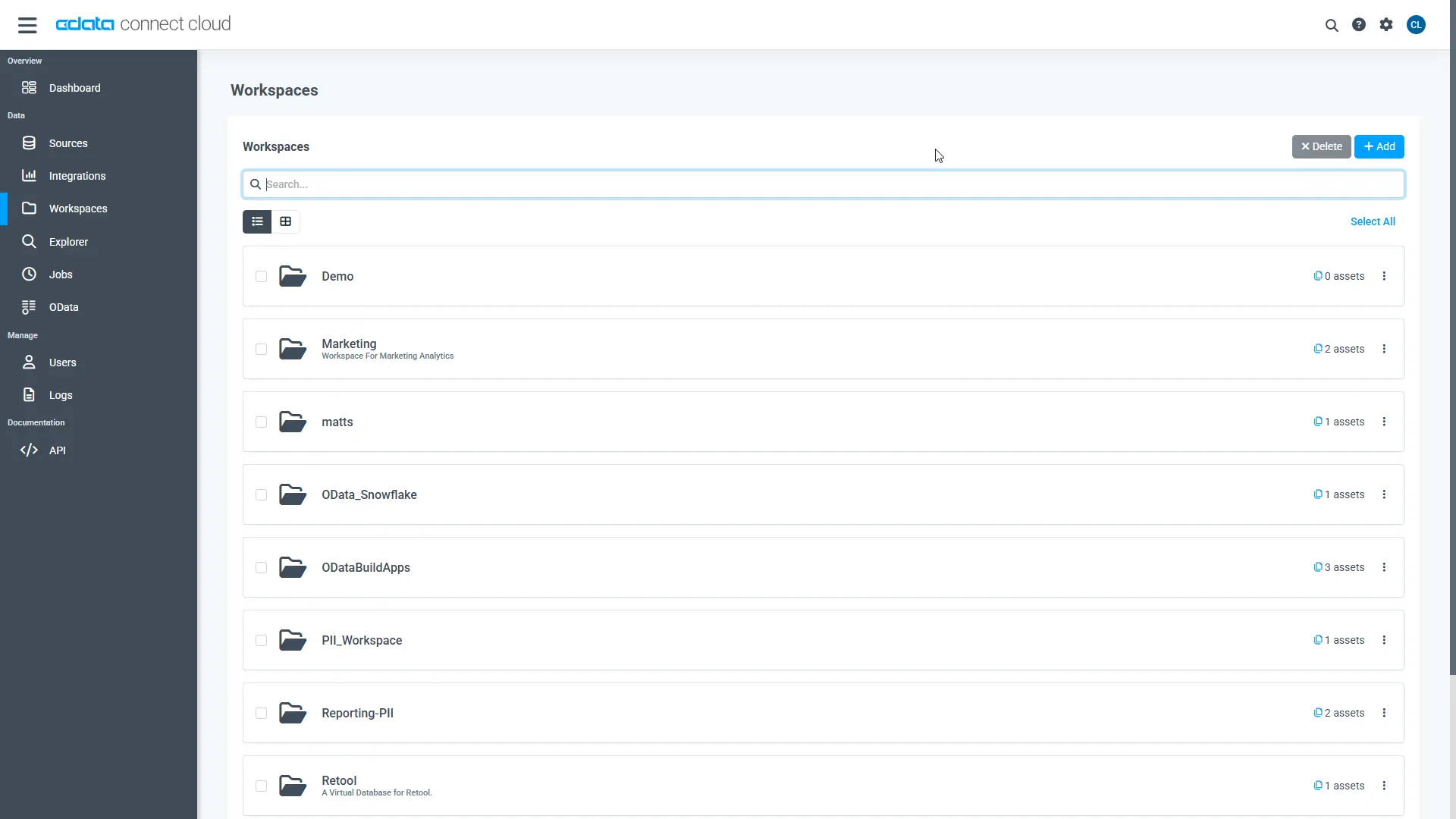
Navigate to the Workspaces page and click Add to create a new Workspace (or select an existing workspace).
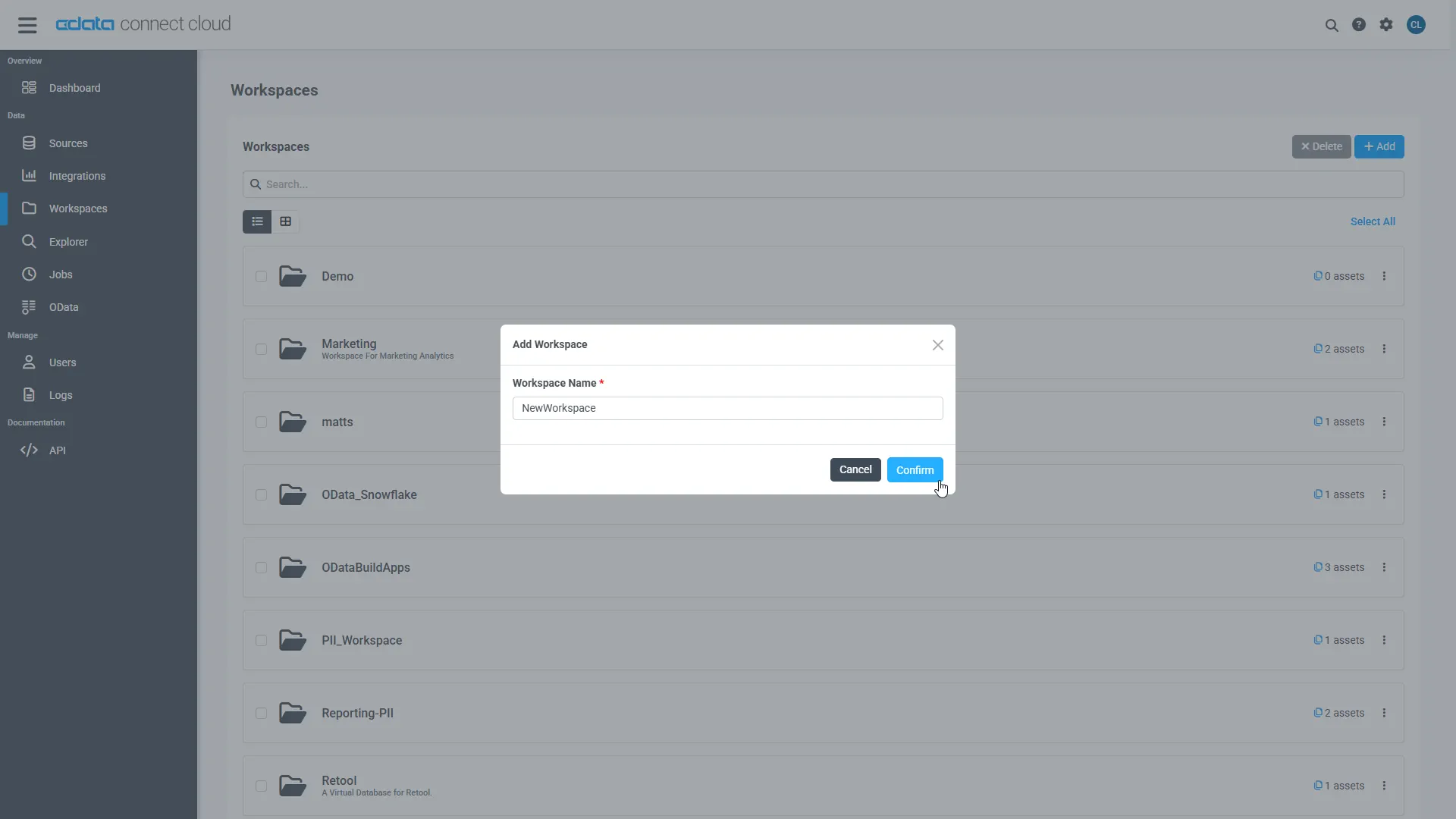
- Click Add to add new assets to the Workspace.
-
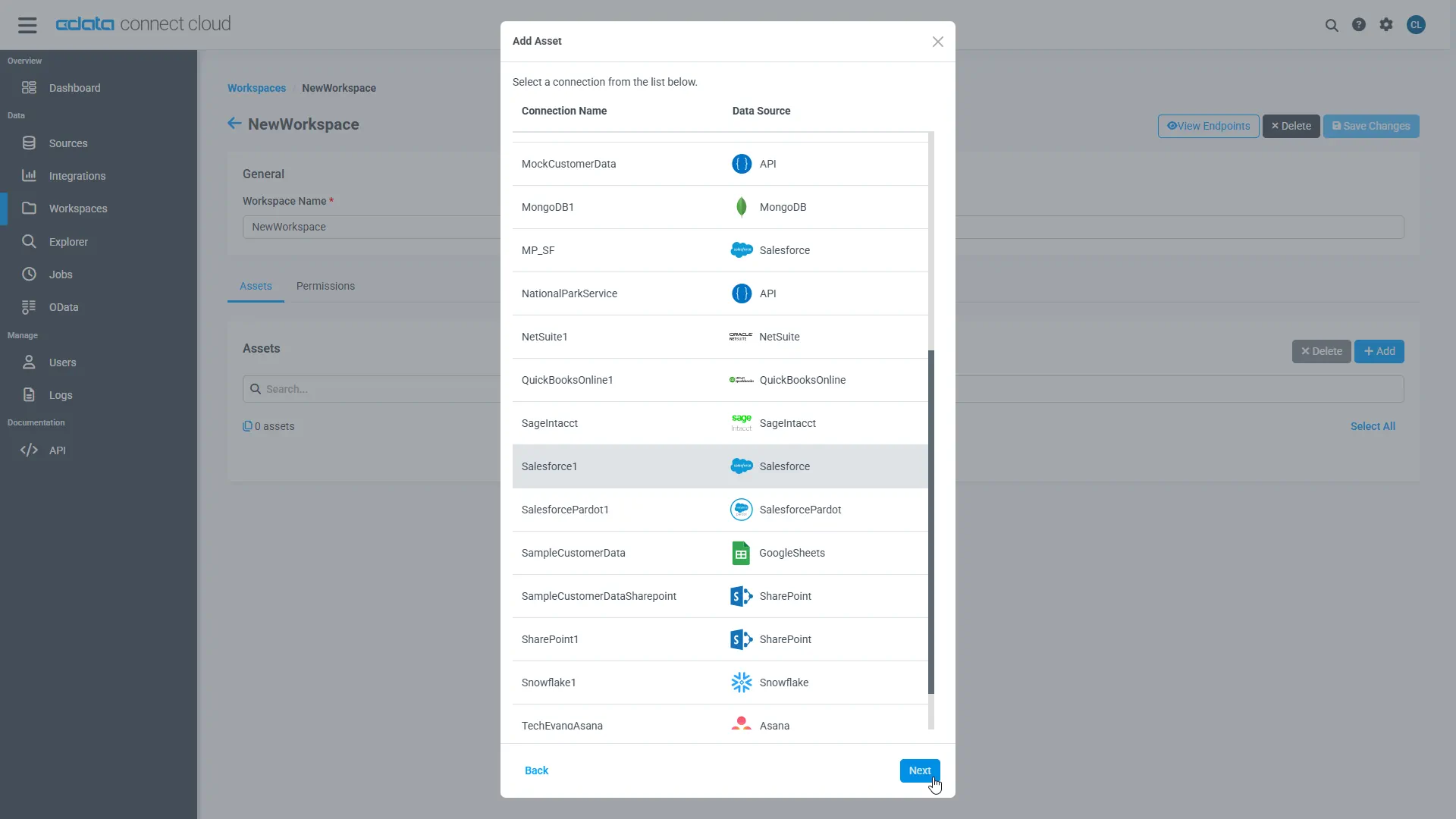
Select the Sage Intacct connection (e.g. SageIntacct1) and click Next.
-
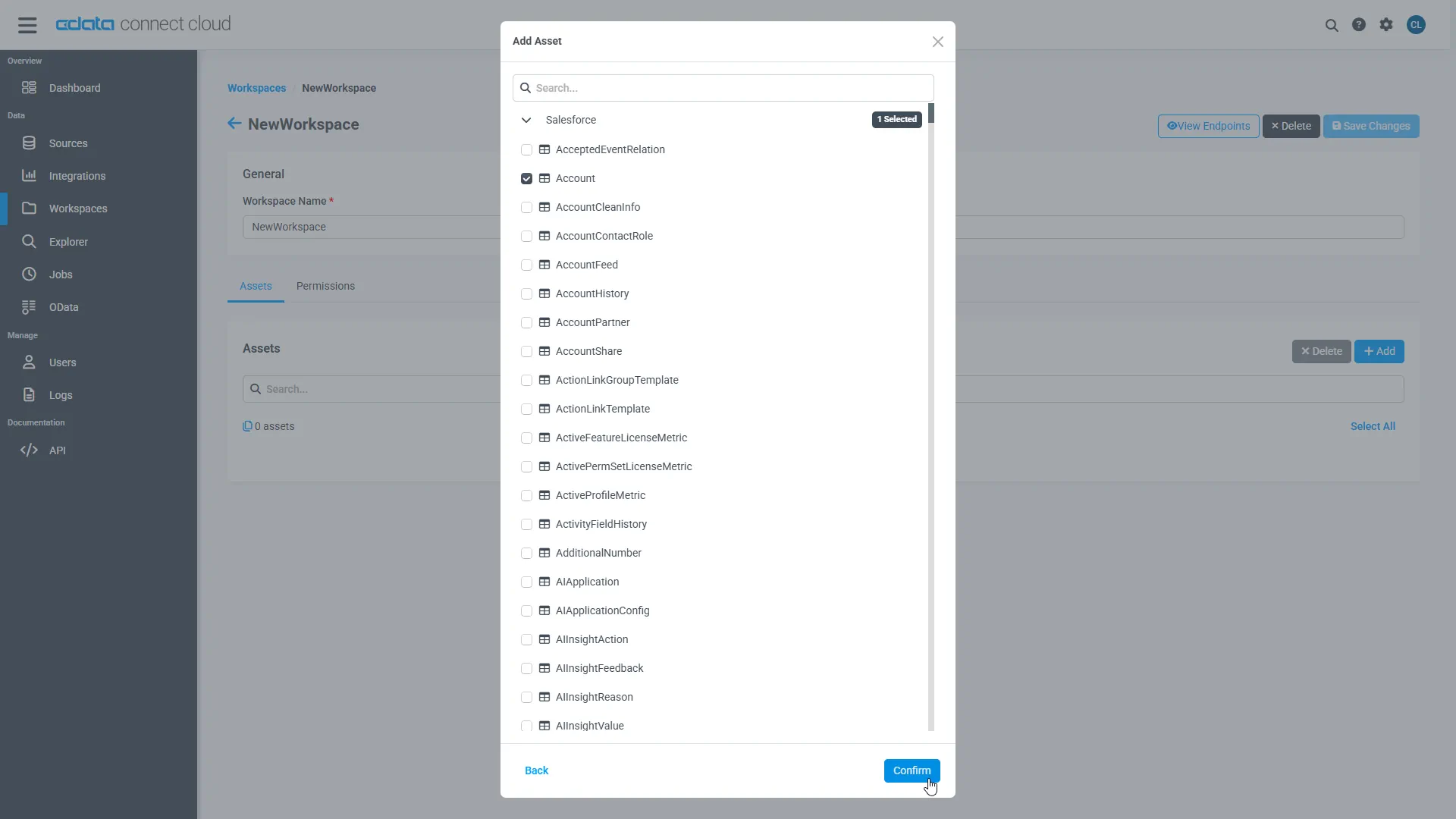
Select the table(s) you wish to work with and click Confirm.
- Make note of the OData Service URL for your workspace, e.g. https://cloud.cdata.com/api/odata/{workspace_name}
With the connection, PAT, and Workspace configured, you are ready to connect to Sage Intacct data from Axios.
Connect to Sage Intacct Data in Axios Workflows
To establish a connection from Axios to CData Connect Cloud using the OData protocol, follow these steps.
- Create a project directory for your web app. For example: ~/connect_cloud/
- Open a terminal, navigate the the project directory and initialize a node project using the command:
npm init -y
- Install the Axios dependency in the project using the following command:
npm install axios
In your project directory, create a file called server.js that contains the following code. Provide your CData Connect Cloud username (e.g. [email protected]) and PAT (the PAT you created in the prerequisites). You must also provide a query for your data, such as SELECT * FROM SageIntacct1.SCHEMA.Customer.
server.js code
const axios = require('axios') const user = '[email protected]' const pat = '***********************************'; //Your API endpoint const url = 'https://cloud.cdata.com/api/odata/{workspace_name}'; //Your data to be sent in the POST request const data = { "query":"SELECT * FROM {workspace_name}.SCHEMA.Customer" }; axios.post(url, data, { auth: { username: user, password: pat } }) .then(response => { const rows = response.data.results[0].rows; const schema = response.data.results[0].schema; //Create an array of column names const columnNames = schema.map(col => col.columnName); //Loop through each row and log the column name with its value rows.forEach(row => { const rowObject = {}; row.forEach((value, index) => { const columnName = columnNames[index]; rowObject[columnName] = value; }); console.log(rowObject); }) }) .catch(error => { console.error('Error:', error); });- In the terminal, execute the following command to run the server:
node server.js
The query results will appear:{ ID: 1, VALUE: -2 } { ID: 2, VALUE: 1 } { ID: 11, VALUE: null } { ID: 3, VALUE: 2 } { ID: 4, VALUE: 5 } ...
Simplified Access to Sage Intacct Data from Cloud Applications
At this point, you have a direct connection to live Sage Intacct data from Axios. For more information on gaining simplified access to data from more than 100 SaaS, Big Data, and NoSQL sources in cloud applications like Axios, refer to our Connect Cloud page.
