
Model Context Protocol (MCP) finally gives AI models a way to access the business data needed to make them really useful at work. CData MCP Servers have the depth and performance to make sure AI has access to all of the answers.
Try them now for free →


Connect to Raisers Edge NXT Data in Claris FileMaker Pro
Use the CData ODBC Driver for Raisers Edge NXT in FileMaker Pro to connect to Raisers Edge NXT and work with Raisers Edge NXT data in your FileMaker applications.
Claris FileMaker is a low-code database application development tool that allows users to create custom apps for managing and organizing data. It combines a powerful relational database engine with an intuitive interface, enabling both technical and non-technical users to design and deploy applications across desktop, web, and mobile platforms.
In this article, we'll explore how to use the CData ODBC Driver for Raisers Edge NXT in FileMaker to connect to Raisers Edge NXT data.
Create an ODBC Data Source for Raisers Edge NXT
If you have not already, first specify connection properties in an ODBC DSN (data source name). This is the last step of the driver installation. You can use the Microsoft ODBC Data Source Administrator to create and configure ODBC DSNs.
Before establishing a connection, supply the SubscriptionKey, found in the Blackbaud Raiser's Edge NXT Profile.
Authenticating to Raiser's Edge NXT
Blackbaud Raiser's Edge NXT uses the OAuth authentication standard. You can connect to without setting any connection properties using the embedded OAuth credentials.
Alternatively, you can authenticate by creating a custom app to obtain the OAuthClientId, OAuthClientSecret, and CallbackURL connection properties.
See the Help documentation for an authentication guide.
When you configure the DSN, you may also want to set the Max Rows connection property. This will limit the number of rows returned, which is especially helpful for improving performance when designing reports and visualizations.
Connect and sync Raisers Edge NXT data with FileMaker using the CData ODBC Driver for Raisers Edge NXT
Once you configure the CData ODBC Driver for Raisers Edge NXT, you can connect to live Raisers Edge NXT data in FileMaker and use it in your applications. In this section, we'll walk through the steps to connect live Raisers Edge NXT data to FileMaker.
You can download and install the latest version of FileMaker Pro for your Mac/Windows/Linux systems here: https://www.claris.com/resources/downloads/.
Importing Raisers Edge NXT data using FileMaker's ODBC Import Function
Follow the steps below to easily import Raisers Edge NXT data using the ODBC import feature:
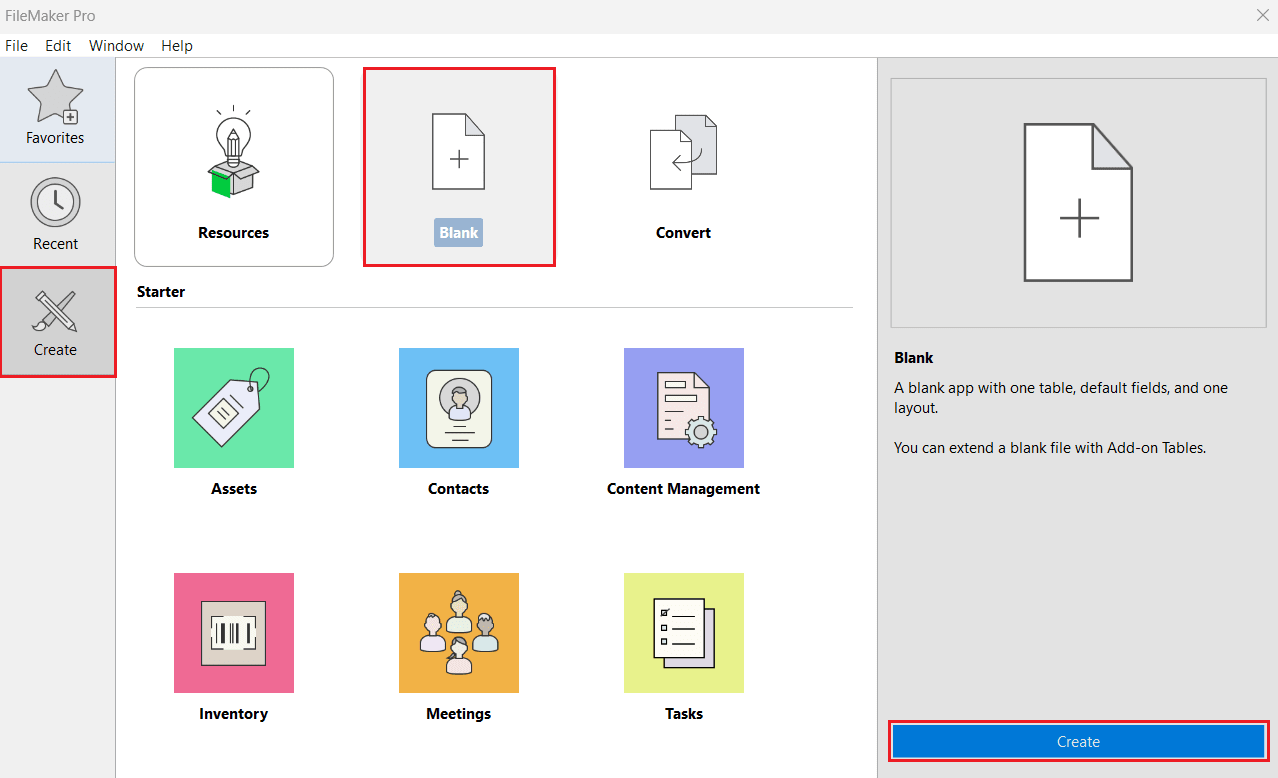
- Open FileMaker Pro. Navigate to Create from the left panel and select Blank > Create.
- Enter a desired filename and click Save.
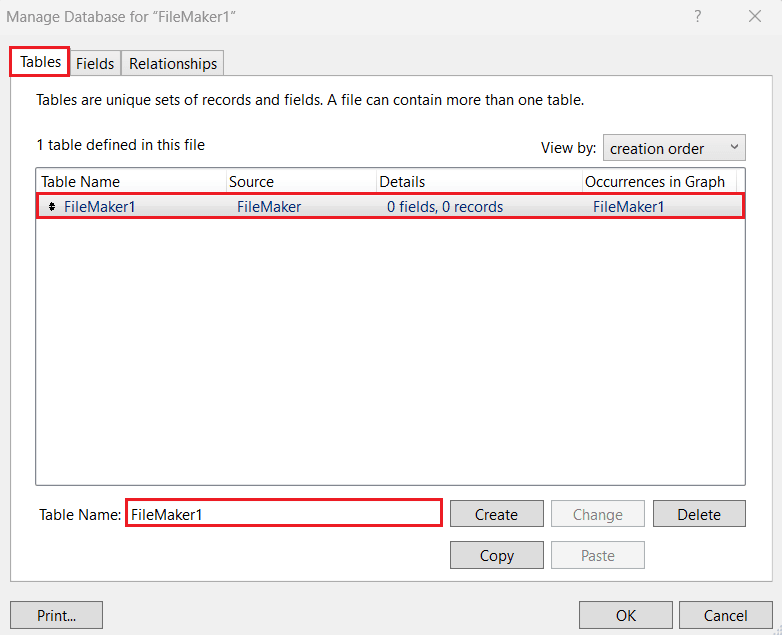
- In the Manage Database window, go to the Tables tab and create or rename the table where you want to display Raisers Edge NXT data.
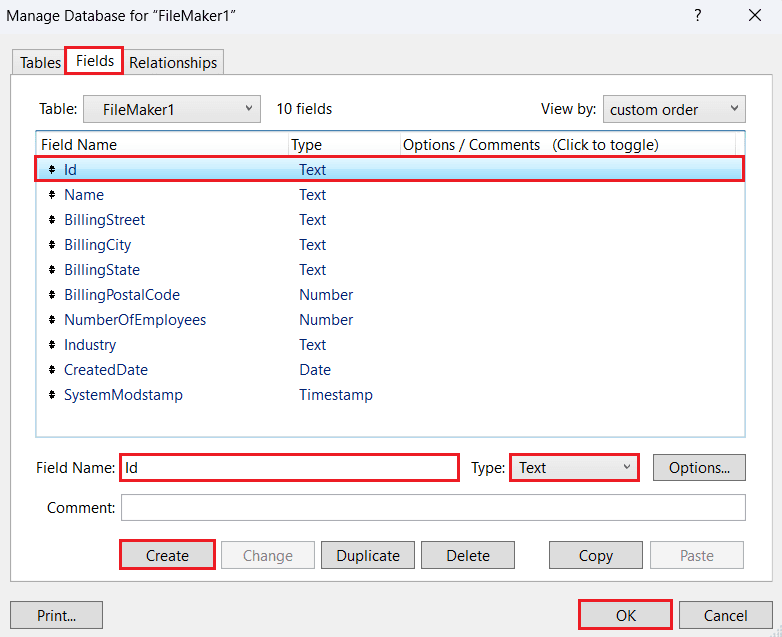
- In the Fields tab, add the required fields to the table.
- In the Relationships tab, define table relationships if your database has multiple tables, then click OK.
- To reopen and modify the table structure later, go to File > Manage > Database.
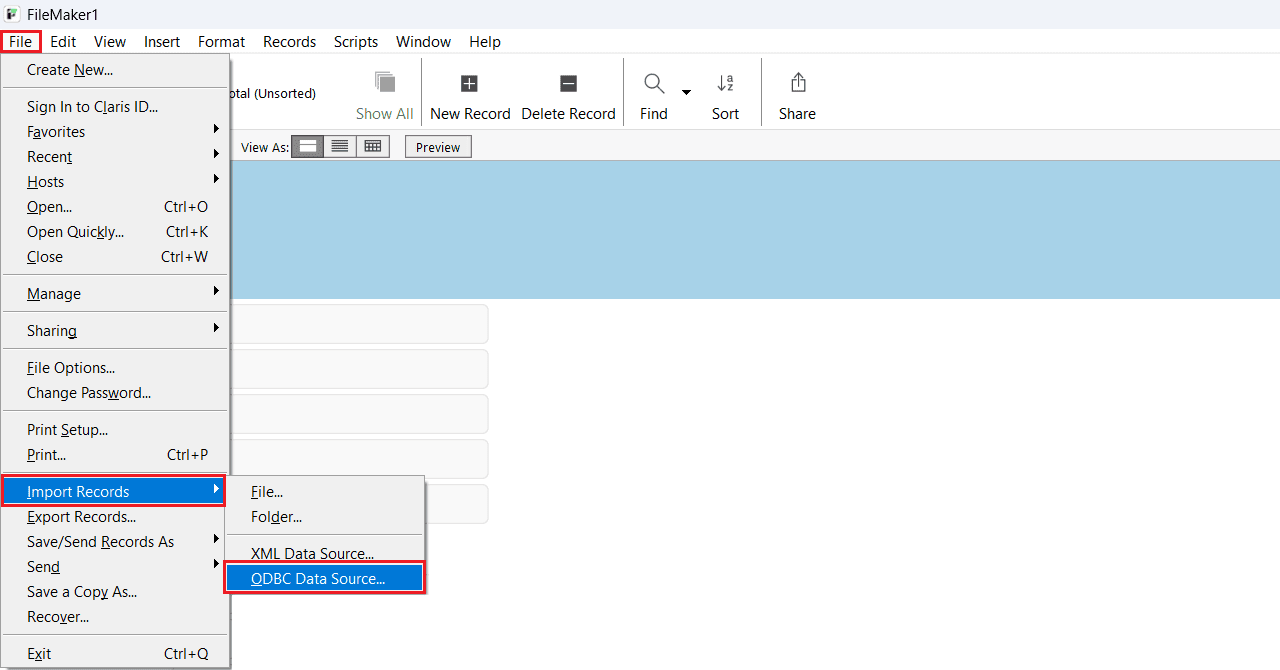
- To import Raisers Edge NXT data via the CData ODBC Driver for Raisers Edge NXT, navigate to File > Import Records > ODBC Data Source.
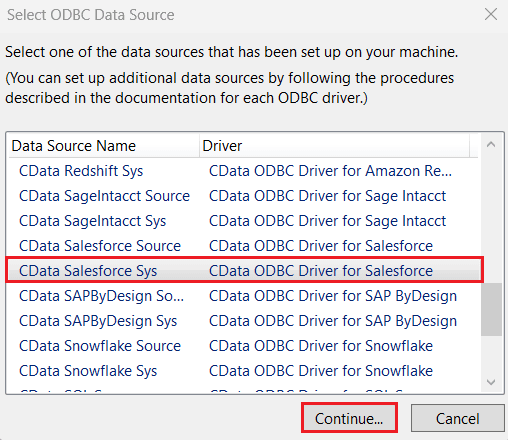
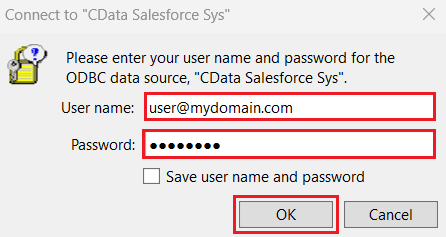
- In the Select ODBC Data Source window, choose CData ODBC Driver for Raisers Edge NXT and click Create. Enter your Raisers Edge NXT username and password, then click OK.
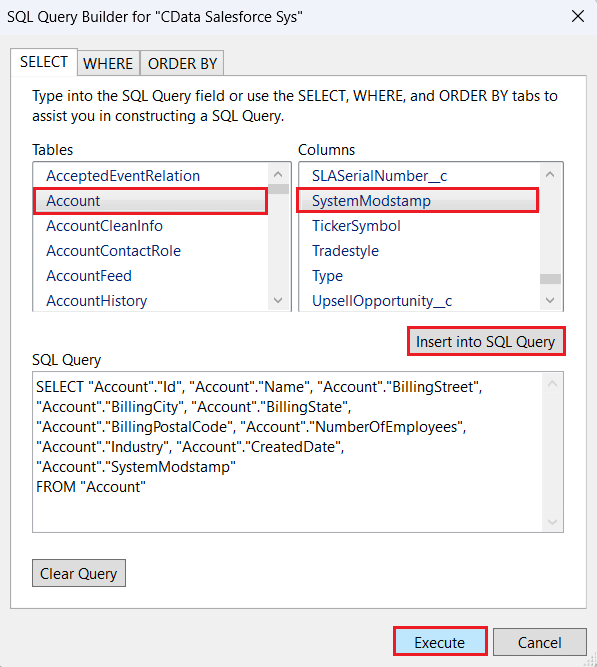
- In the SQL Query Builder window, select the desired table from the Tables section and choose the relevant columns from the Columns section. Click Insert into SQL Query after each selection to automatically generate a query that retrieves data from Raisers Edge NXT. You can also manually edit the query using WHERE and ORDER BY clauses or use the tabs provided in the SQL Query Builder. Click Execute to run the query.
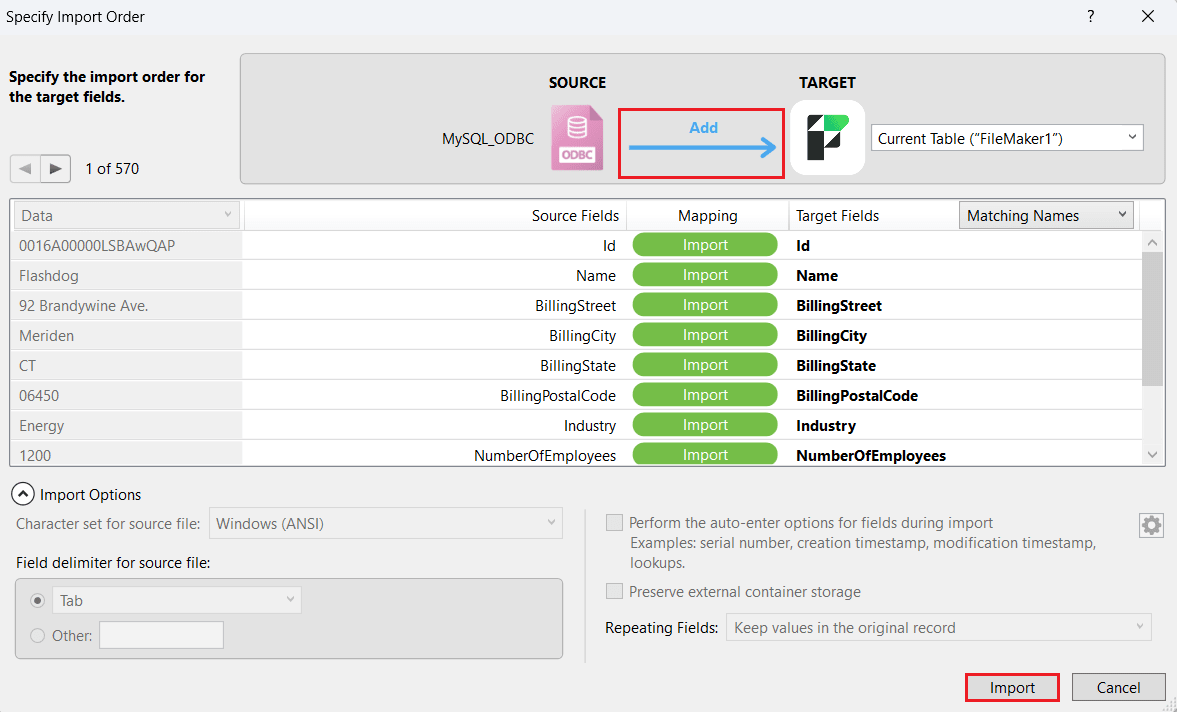
- In the Specify Import Order window, define the import order for the target fields. Select Add between source and target to add new records to the target table from the selected fields. Click Import.
You have now successfully imported Raisers Edge NXT data into FileMaker Pro using the CData ODBC Driver for Raisers Edge NXT. To perform incremental updates, change the import order to "Update" or use "Replace" based on your use case.
Process Raisers Edge NXT data at design time
You can sort and aggregate data, as well as calculate summary functions while browsing tables. To manipulate the view of data at design time, complete the following steps:
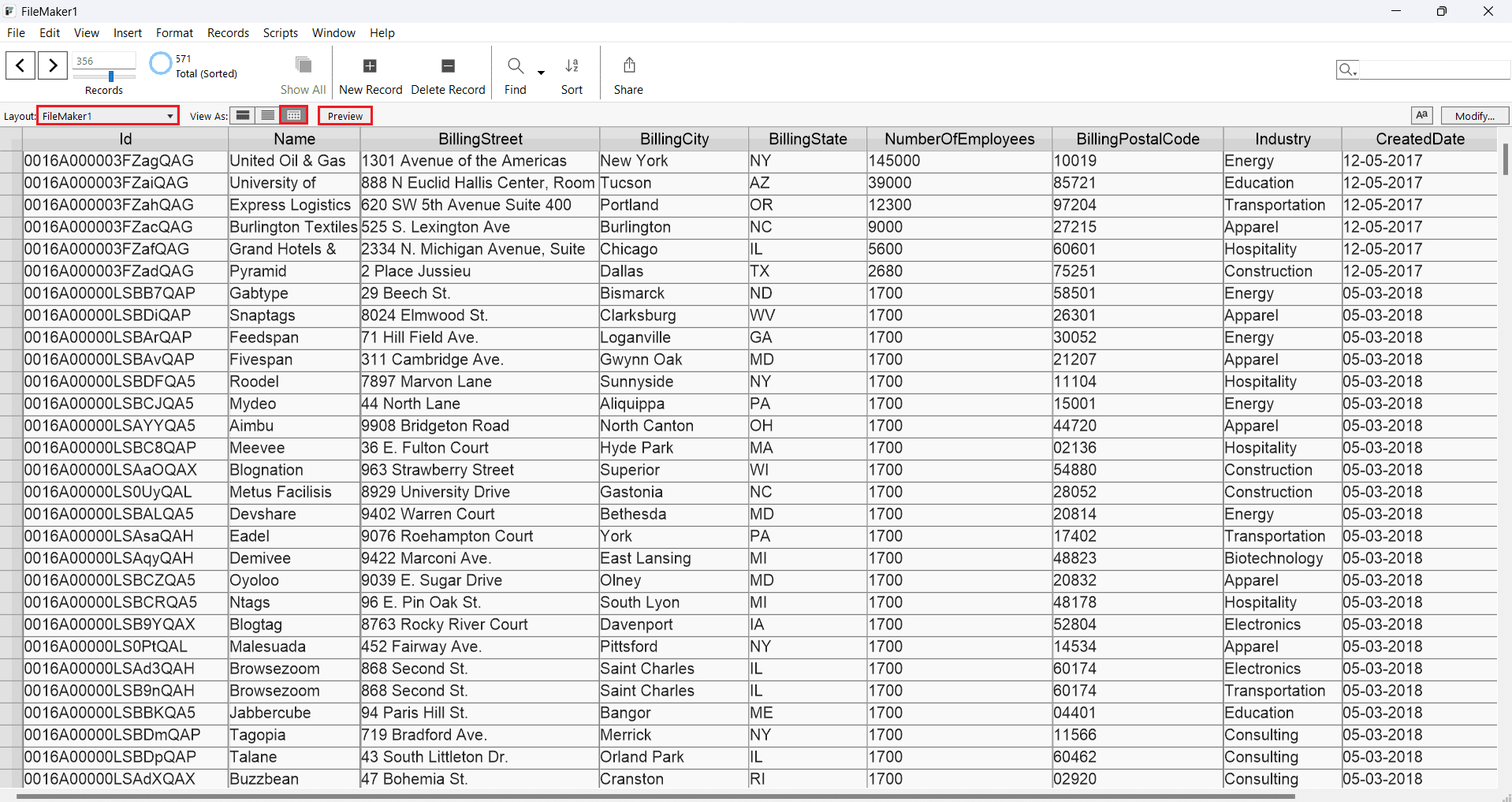
- Switch to Preview Mode: Click the Preview at the top to check how the Raisers Edge NXT data with look before you print it.
- Switch to Table View: Click the table icon in the View As menu in the main toolbar of the application.
Aggregate and summarize
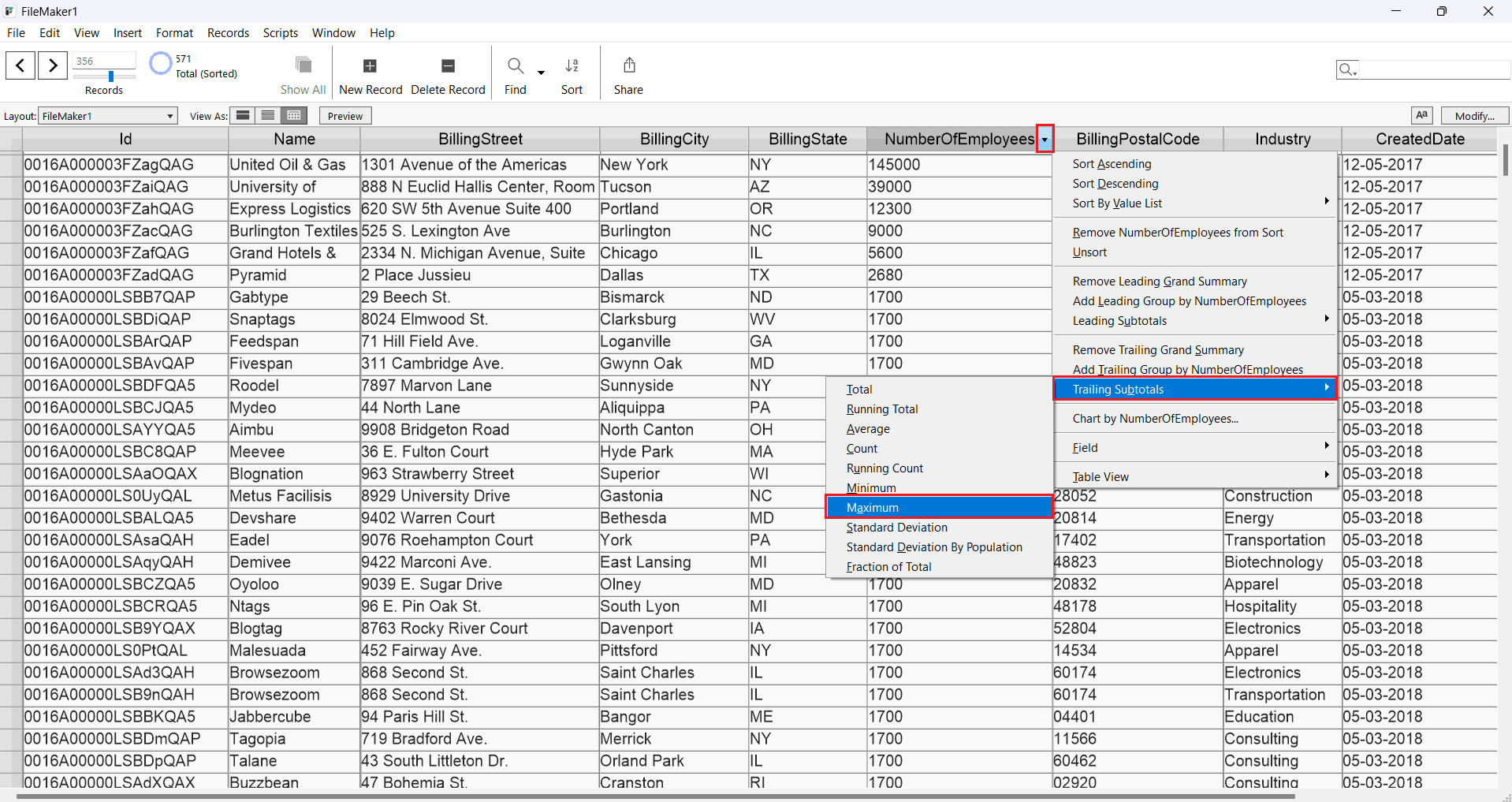
Follow the steps below to group column values and display summaries, as shown in the screenshot:
- Sort: Click the arrow in the NumberOfEmployees column header and choose Sort Ascending from the menu.
- Group: In the same menu, click Add Trailing Group by Industry to group the values and insert a summary row. Alternatively, click Add Leading Group to add a summary row at the beginning.
- Summarize: Select a summary option from the Trailing Subtotals menu for a grouped column.
Create a bar chart
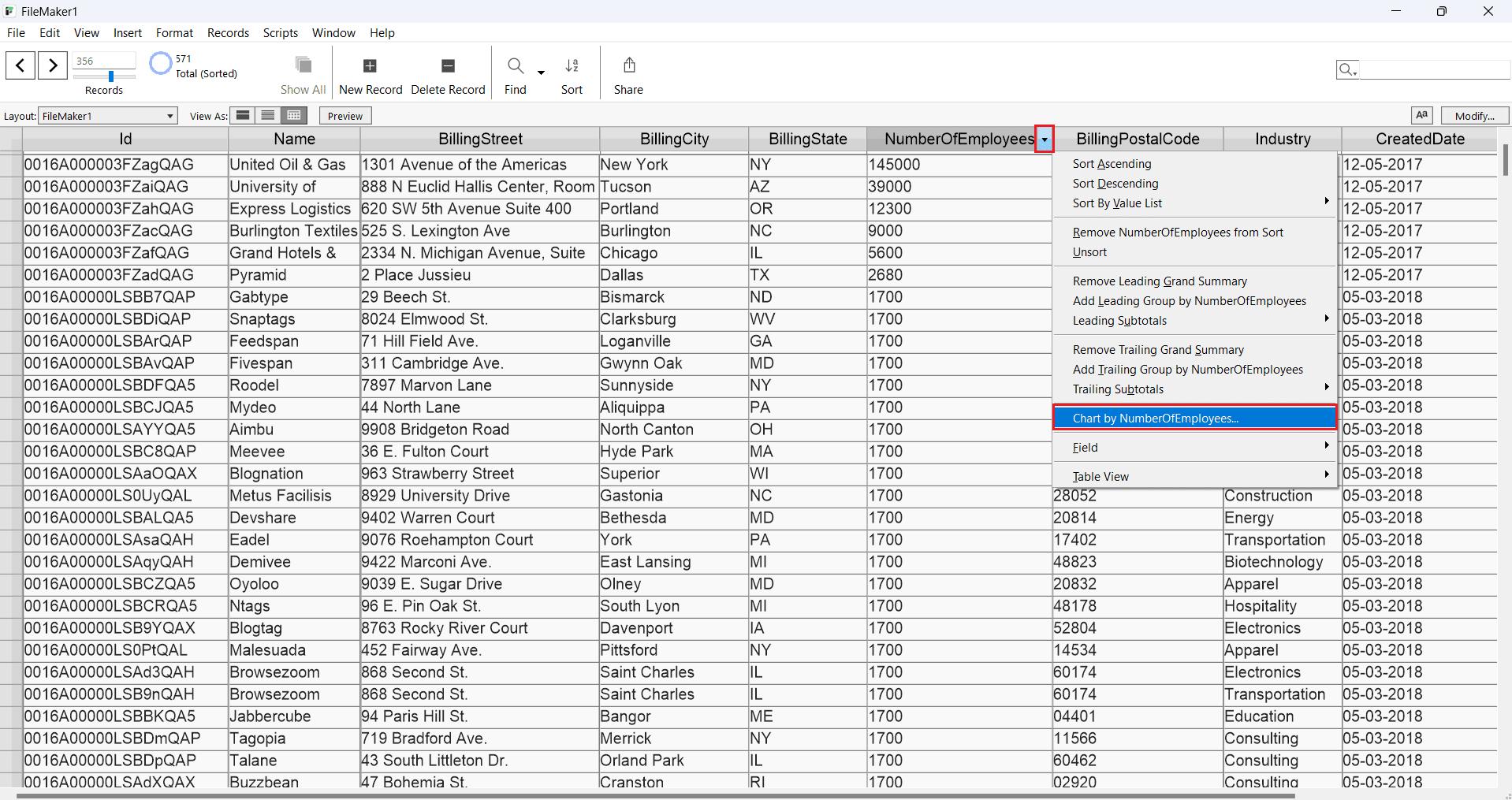
Use the following steps to create a simple bar chart showing the total NumberOfEmployees for each Industry:
- Click the arrow in the NumberOfEmployees column header and select Chart by NumberOfEmployees.
- If you've already grouped the table by a column (e.g., Industry), you can chart NumberOfEmployees by that column.
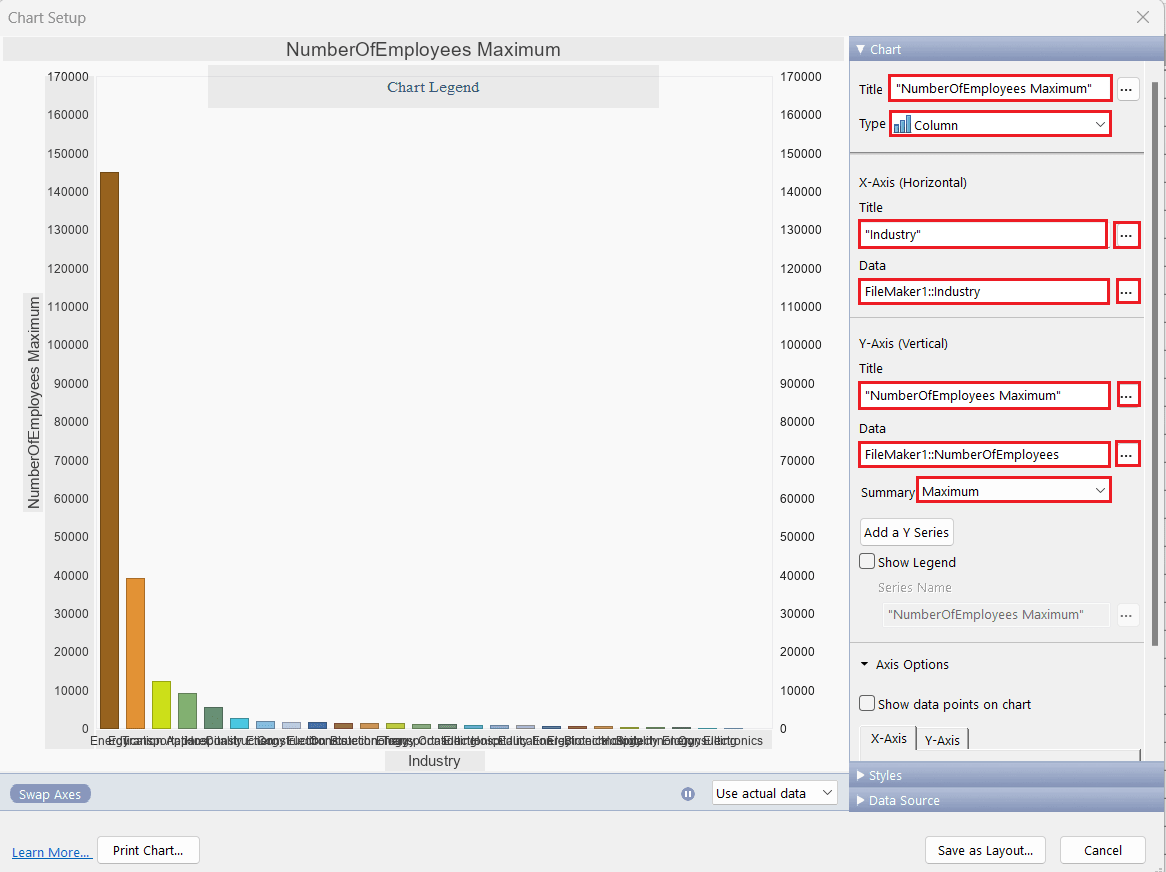
- In the Chart Setup window:
- Click the button next to the Data box to add the x-axis column.
- Choose the appropriate column in the dialog that appears.
- For the y-axis, select a summary option from the Summary menu.
Get Started Today
Download a free 30-day trial of the CData ODBC Driver for Raisers Edge NXT to integrate Raisers Edge NXT data into Claris FileMaker and work with Raisers Edge NXT data in your FileMaker applications.
Reach out to our Support Team if you have any questions.
Ready to get started?
Download a free trial of the Raisers Edge NXT ODBC Driver to get started:
Download NowLearn more:
 Raisers Edge NXT ODBC Driver
The Raisers Edge NXT ODBC Driver is a powerful tool that allows you to connect with live data from Raisers Edge NXT, directly from any applications that support ODBC connectivity.
Access Raisers Edge NXT data like you would a database, including Raisers Edge NXT Events, Gifts, Opportunities, etc. through a standard ODBC Driver interface.
