
Model Context Protocol (MCP) finally gives AI models a way to access the business data needed to make them really useful at work. CData MCP Servers have the depth and performance to make sure AI has access to all of the answers.
Try them now for free →


Import Snowflake Data into Microsoft Power Query
The CData API Server offers standards-based Web service endpoints that allow a variety of applications to access Snowflake data. In this article, you will use the OData format to import Snowflake data into Microsoft Power Query.
The CData API Server enables you to use REST, OData, JSON, or Open APIs to connect to and query Snowflake data. The OData standard enables real-time access to the live data, and support for OData is integrated into PowerQuery. This article details how to import an OData feed of Snowflake data into Microsoft Power Query.
About Snowflake Data Integration
CData simplifies access and integration of live Snowflake data. Our customers leverage CData connectivity to:
- Reads and write Snowflake data quickly and efficiently.
- Dynamically obtain metadata for the specified Warehouse, Database, and Schema.
- Authenticate in a variety of ways, including OAuth, OKTA, Azure AD, Azure Managed Service Identity, PingFederate, private key, and more.
Many CData users use CData solutions to access Snowflake from their preferred tools and applications, and replicate data from their disparate systems into Snowflake for comprehensive warehousing and analytics.
For more information on integrating Snowflake with CData solutions, refer to our blog: https://www.cdata.com/blog/snowflake-integrations.
Getting Started
Set Up the API Server
If you have not already done so, download the CData API Server. Once you have installed the API Server, follow the steps below to begin producing secure Snowflake OData services:
Connect to Snowflake
To work with Snowflake data from Microsoft Power Query, we start by creating and configuring a Snowflake connection. Follow the steps below to configure the API Server to connect to Snowflake data:
- First, navigate to the Connections page.
-
Click Add Connection and then search for and select the Snowflake connection.
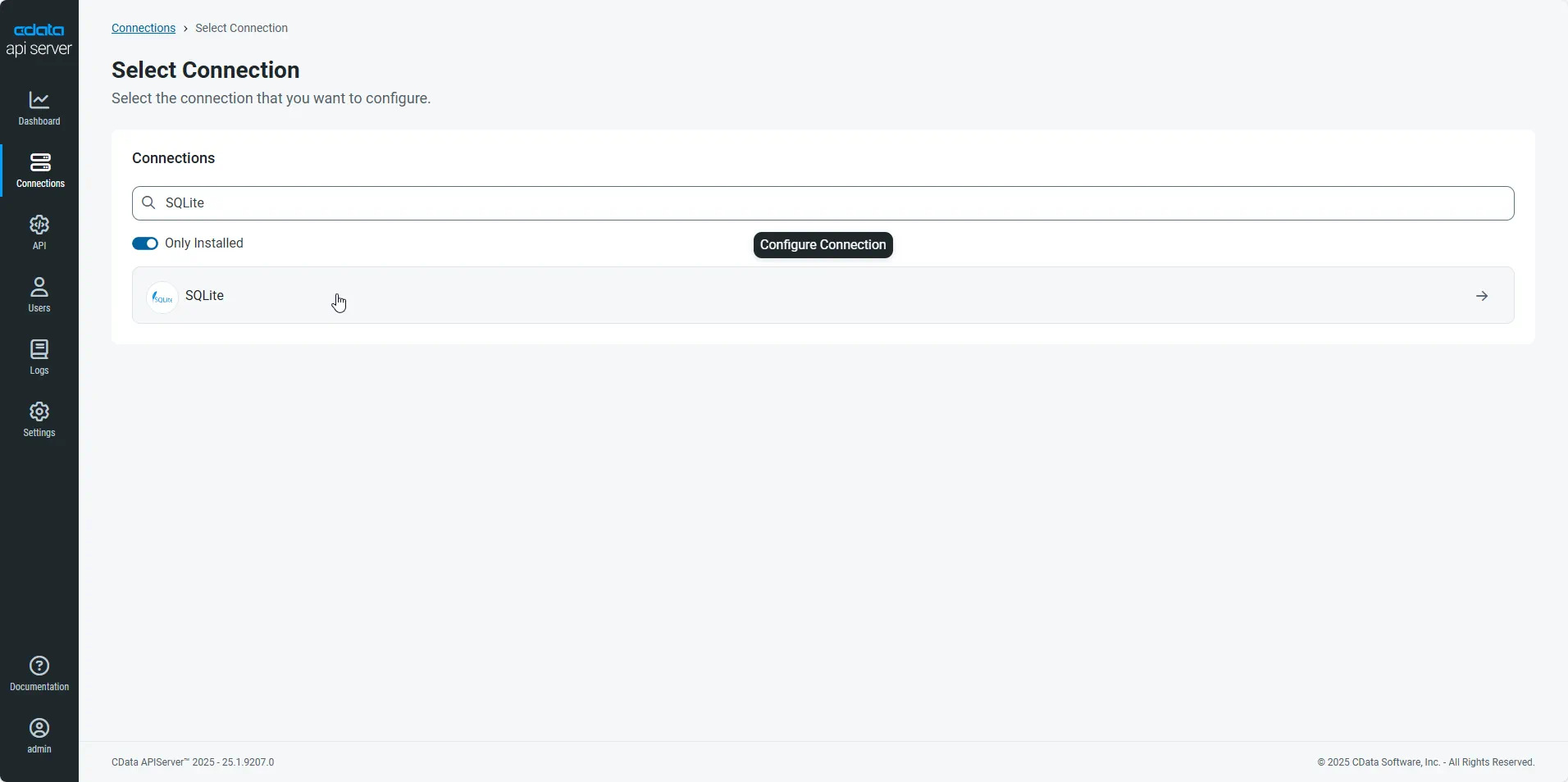
-
Enter the necessary authentication properties to connect to Snowflake.
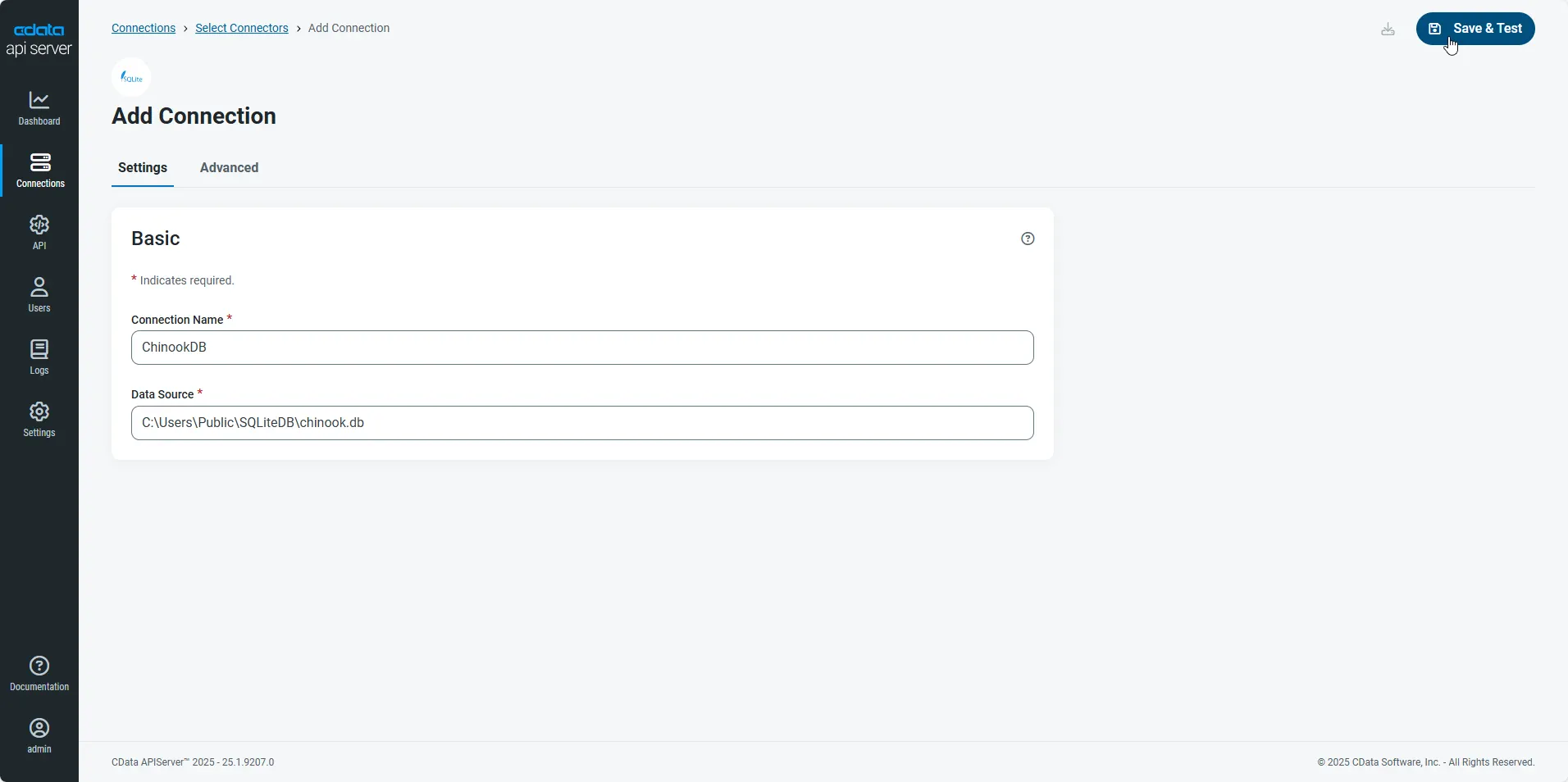
- After configuring the connection, click Save & Test to confirm a successful connection.
Configure API Server Users
Next, create a user to access your Snowflake data through the API Server. You can add and configure users on the Users page. Follow the steps below to configure and create a user:
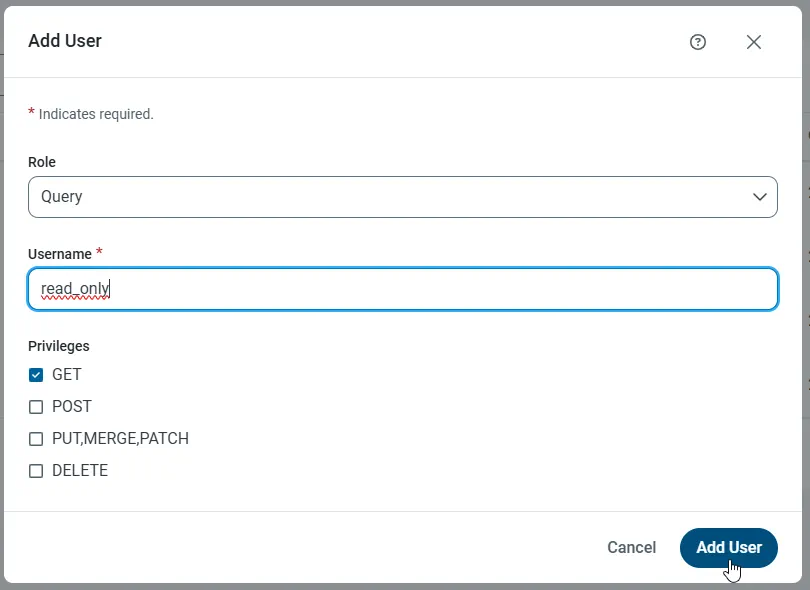
- On the Users page, click Add User to open the Add User dialog.
-
Next, set the Role, Username, and Privileges properties and then click Add User.
-
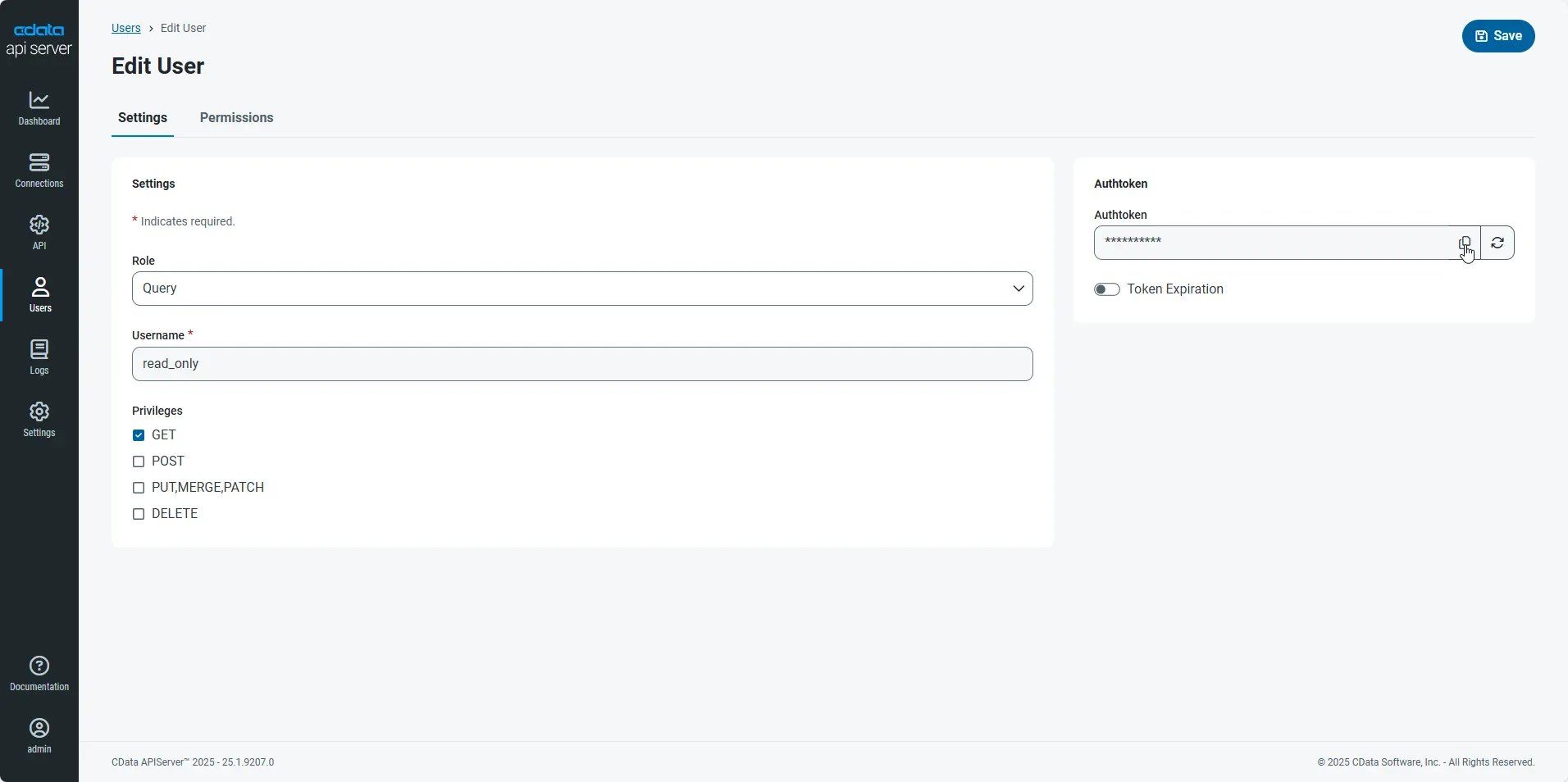
An Authtoken is then generated for the user. You can find the Authtoken and other information for each user on the Users page:
Creating API Endpoints for Snowflake
Having created a user, you are ready to create API endpoints for the Snowflake tables:
-
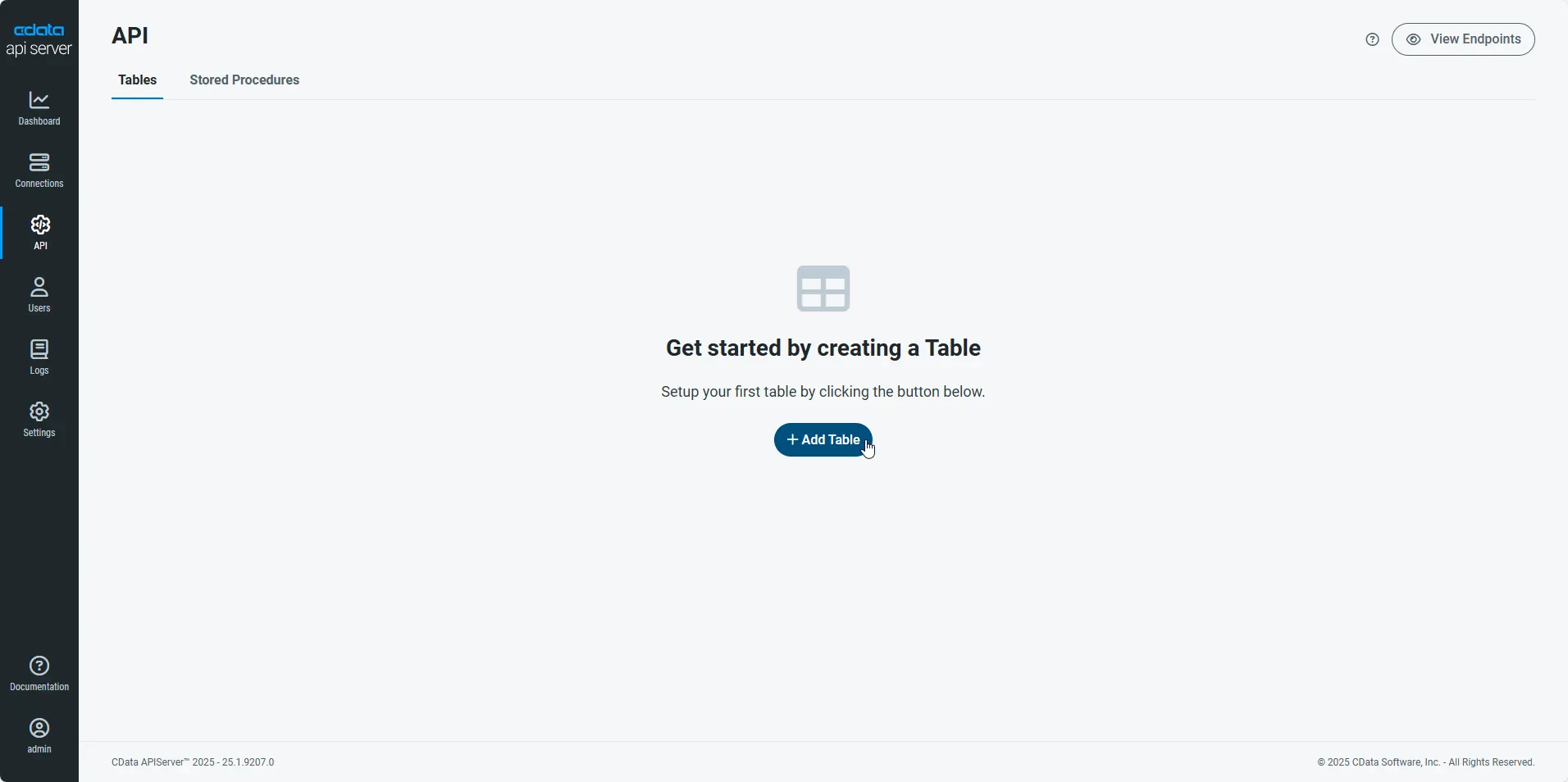
First, navigate to the API page and then click
Add Table
.
-
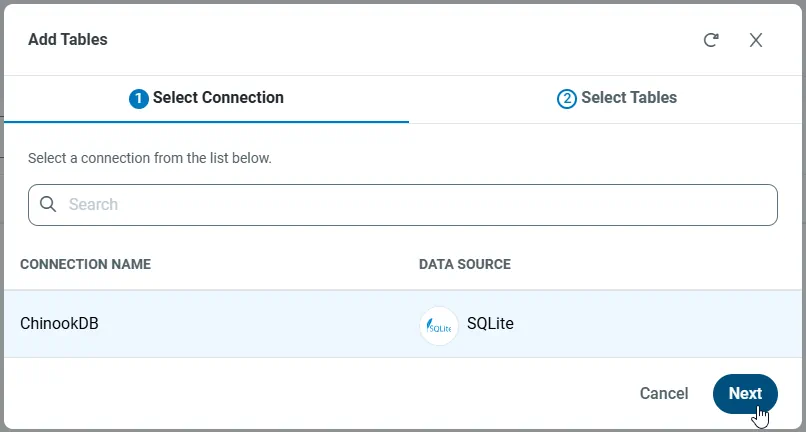
Select the connection you wish to access and click Next.
-
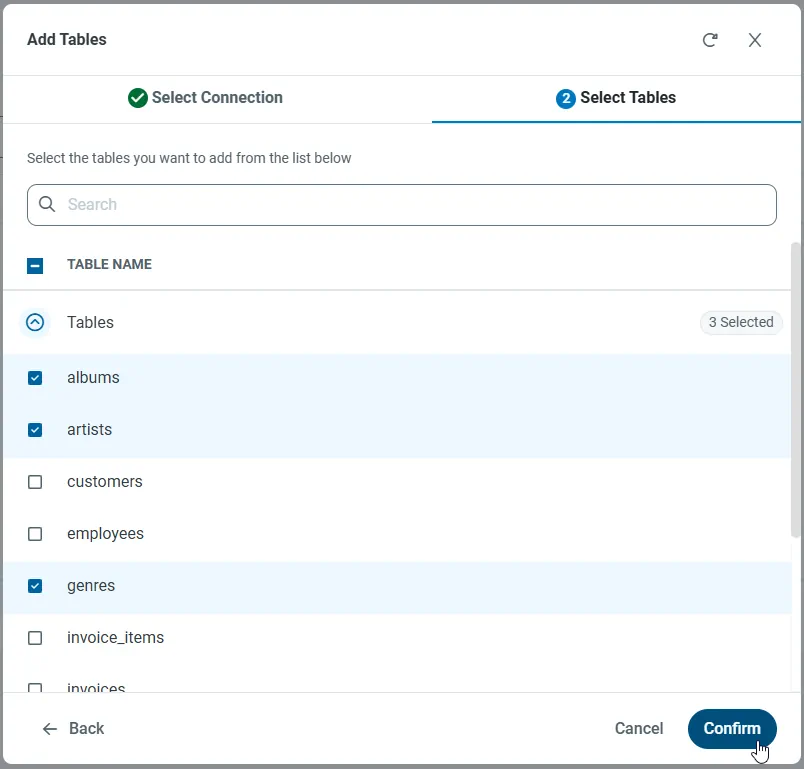
With the connection selected, create endpoints by selecting each table and then clicking Confirm.
Gather the OData Url
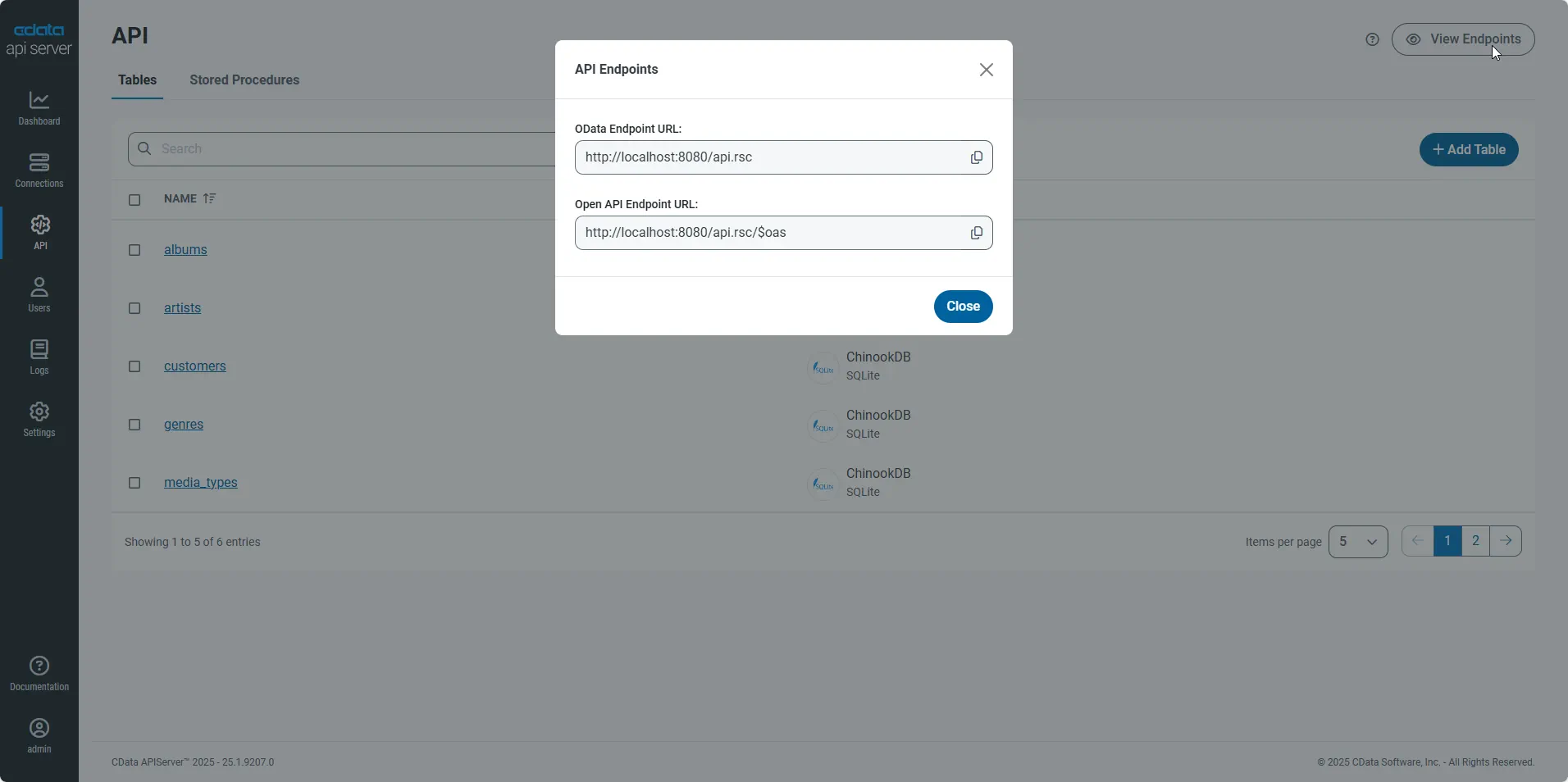
Having configured a connection to Snowflake data, created a user, and added resources to the API Server, you now have an easily accessible REST API based on the OData protocol for those resources. From the API page in API Server, you can view and copy the API Endpoints for the API:
Connect to Snowflake Data from Power Query
-
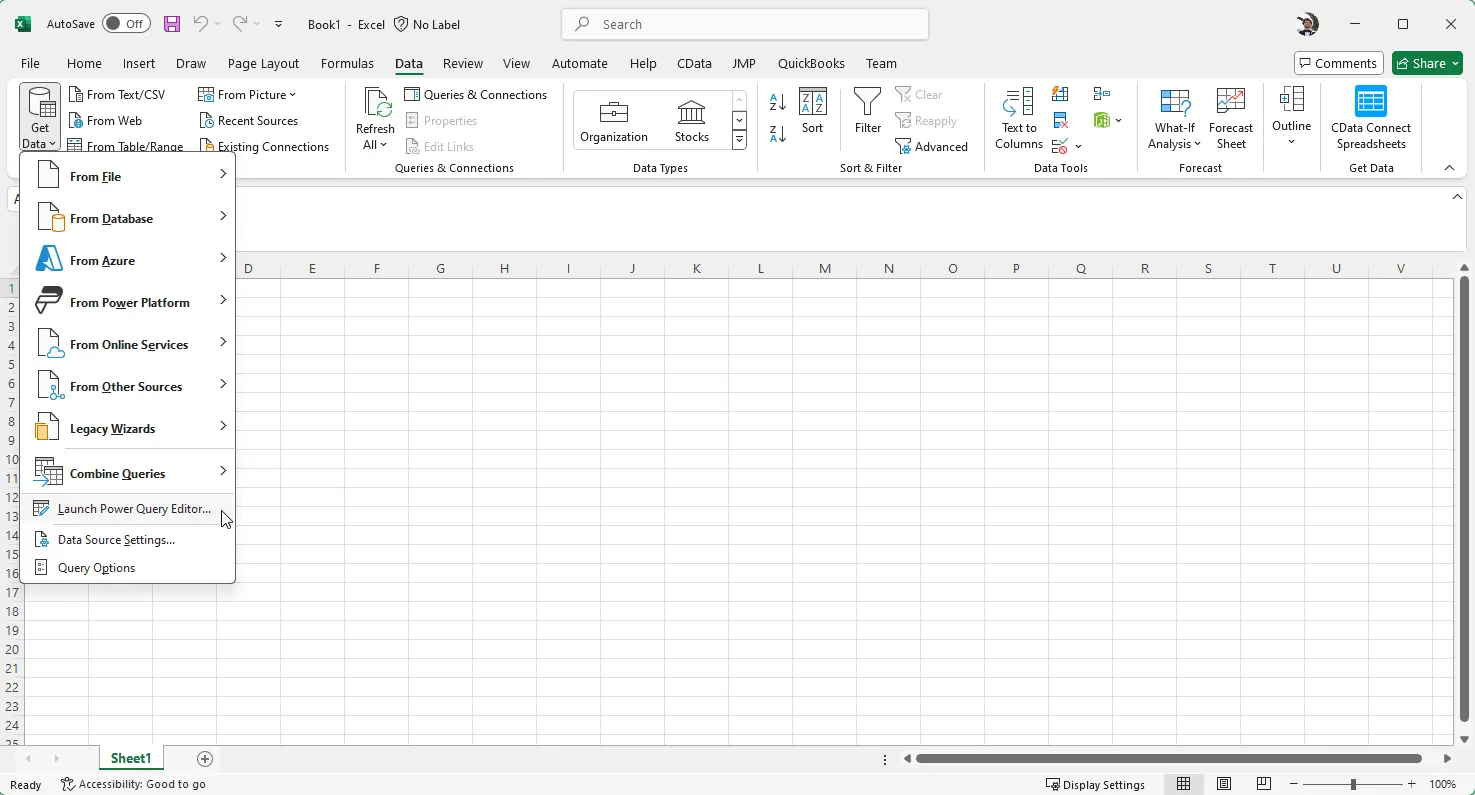
In Microsoft Excel, open the Power Query Editor. From the Data ribbon, click Get Data -> Launch Power Query Editor:
-
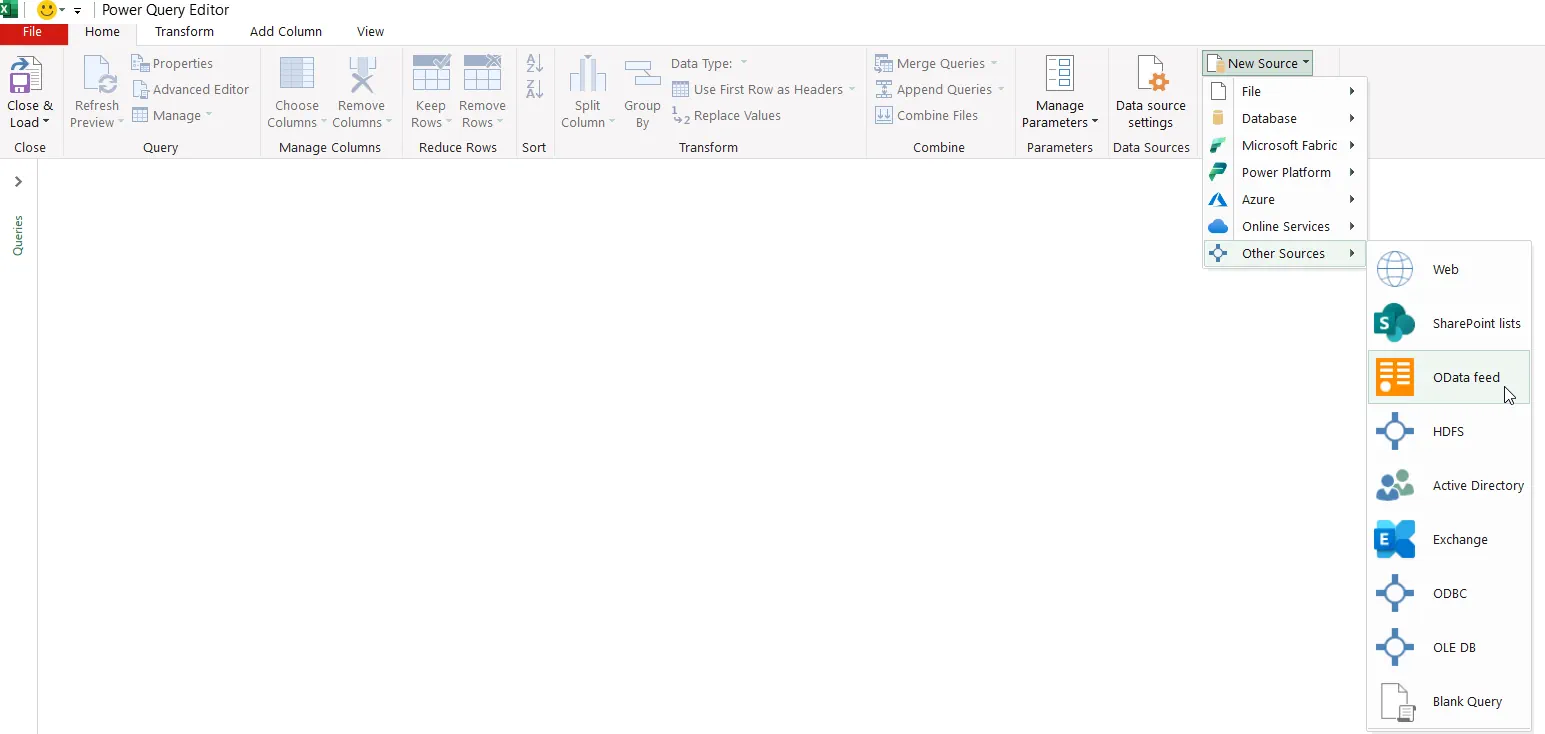
Click New Source -> Other Sources -> OData feed:
-
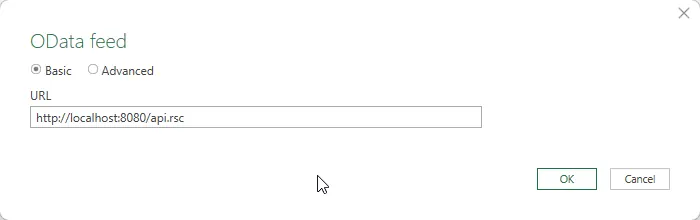
In the OData feed connection, set the URL property to the OData Endpoint URL previously copied and click OK:
-
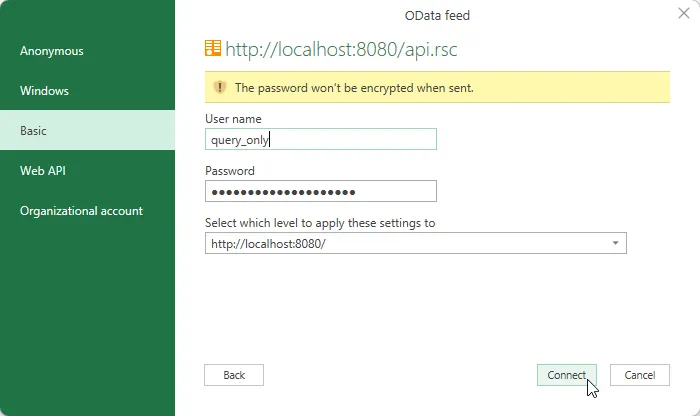
In the next step of the wizard, define the authentication credentials. Select Basic and then enter the credentials for a user authorized to make requests. Specify the User name and enter the user's authtoken in the Password field:
-
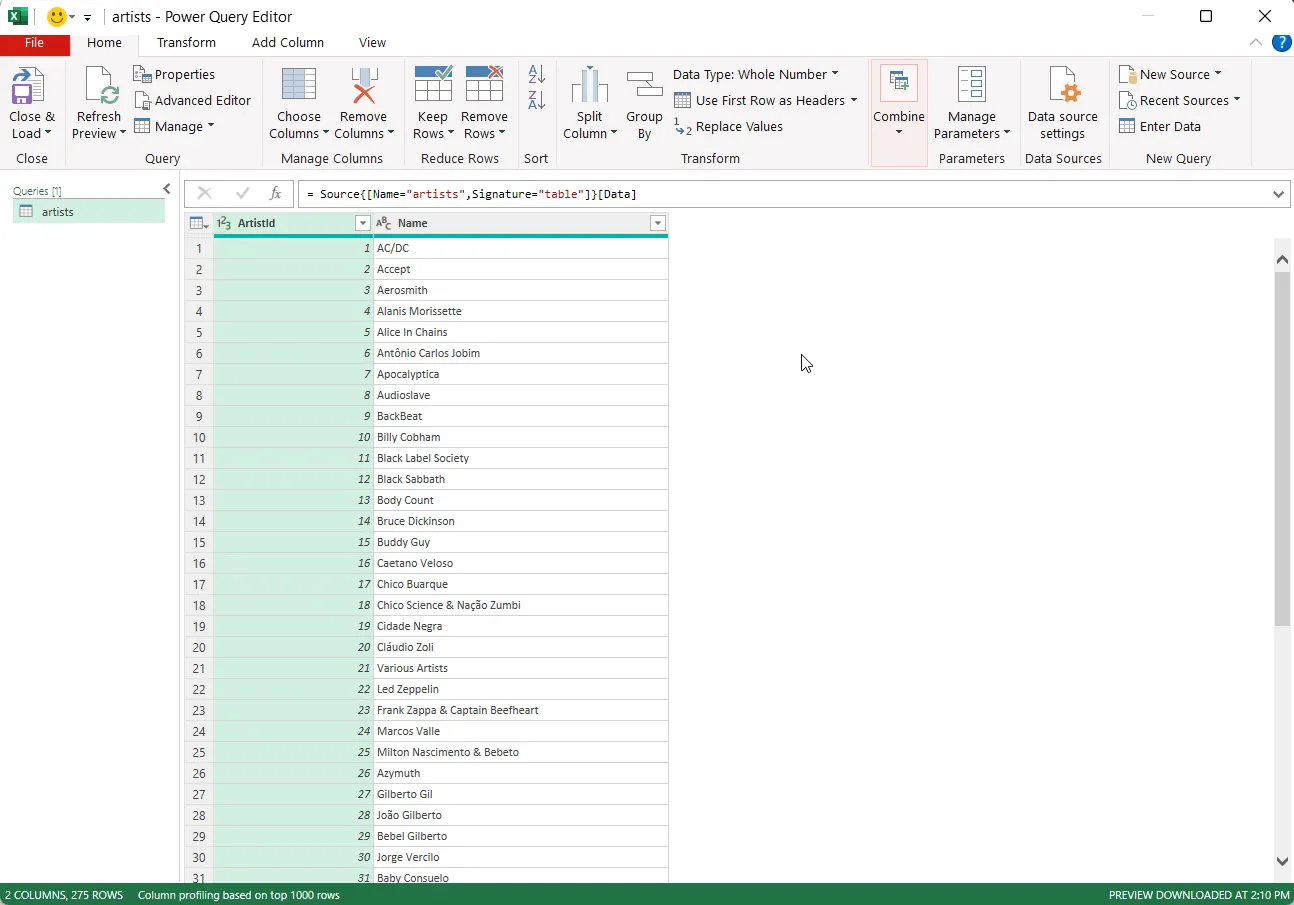
You can now access Snowflake data in Power Query. In the Navigator expand the node for the OData feed, right-click a table, and click Transform Data to open the Query Editor. This will display the table data.
Free Trial & More Information
If you are interested in connecting to your Snowflake data (or data from any of our other supported data sources) from Microsoft Power Query, download API Server to begin creating flexible and customizable REST, OData, JSON and Open APIs from any database or data store! As always, our world-class support team is ready to answer any questions you may have.
