
Model Context Protocol (MCP) finally gives AI models a way to access the business data needed to make them really useful at work. CData MCP Servers have the depth and performance to make sure AI has access to all of the answers.
Try them now for free →


Create Apps from WooCommerce Data in Qlik Sense Cloud
Use CData Connect Cloud to connect to WooCommerce Data and build apps from live WooCommerce data in Qlik Sense Cloud.
Qlik Sense Cloud allows you to create and share data visualizations and interact with information in new ways. CData Connect Cloud creates a live connection to WooCommerce. By pairing Qlik Sense Cloud with CData Connect Cloud, you get true cloud-to-cloud connectivity to all of your SaaS and cloud-based Big Data and NoSQL sources — no need to migrate your data or write your integrations. Simply connect to Connect Cloud from Qlik Sense Cloud and get instant, live access to your WooCommerce data.
In this article, we walk through two connections:
- Connecting to WooCommerce in Connect Cloud
- Connecting to Connect Cloud from Qlik Sense Cloud to create a model and build a simple dashboard
Configure WooCommerce Connectivity for Qlik Sense Cloud
Connectivity to WooCommerce from Qlik Cloud is made possible through CData Connect Cloud. To work with WooCommerce data from Qlik Cloud, we start by creating and configuring a WooCommerce connection.
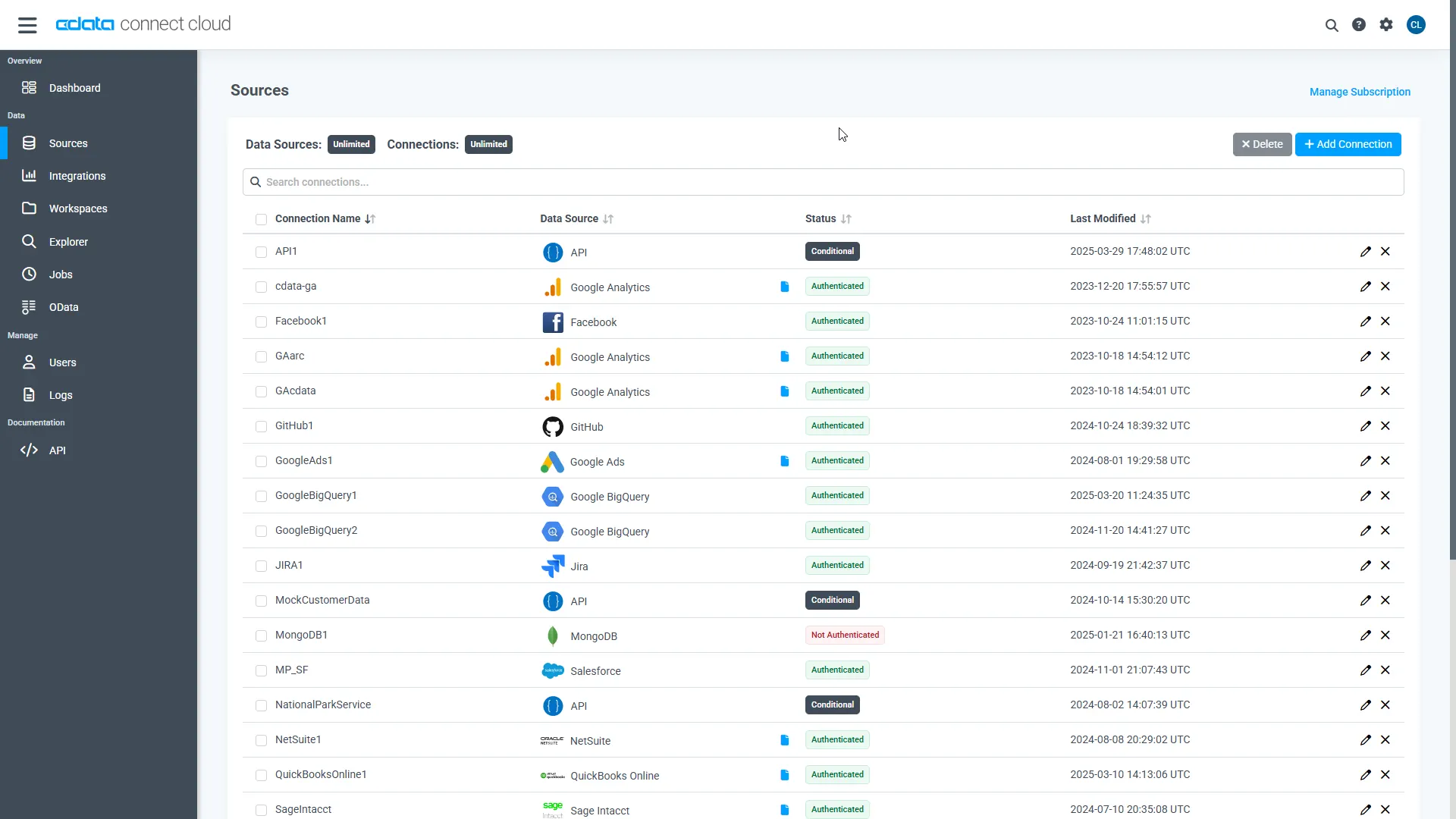
- Log into Connect Cloud, click Sources, and then click Add Connection
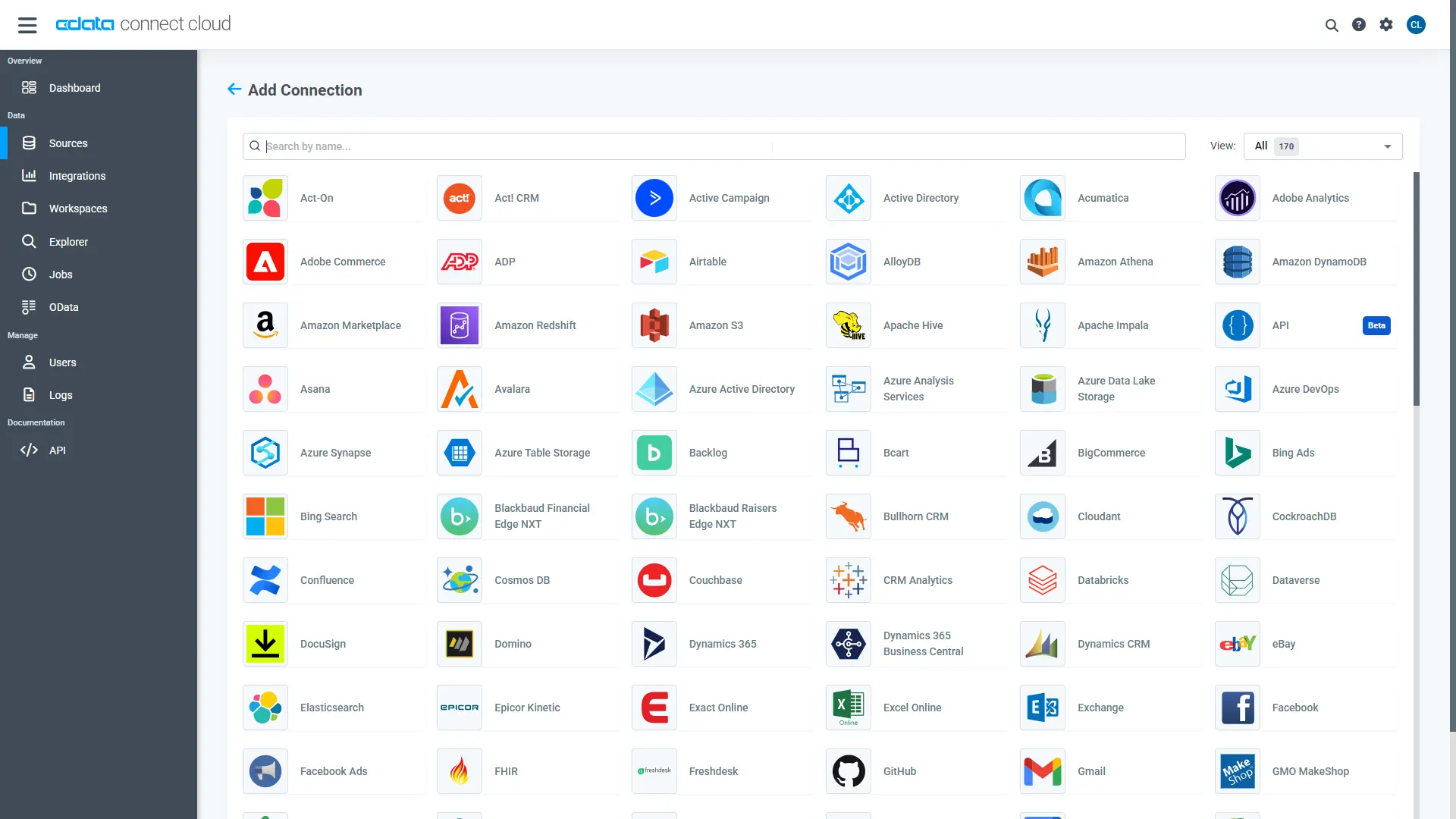
- Select "WooCommerce" from the Add Connection panel
-
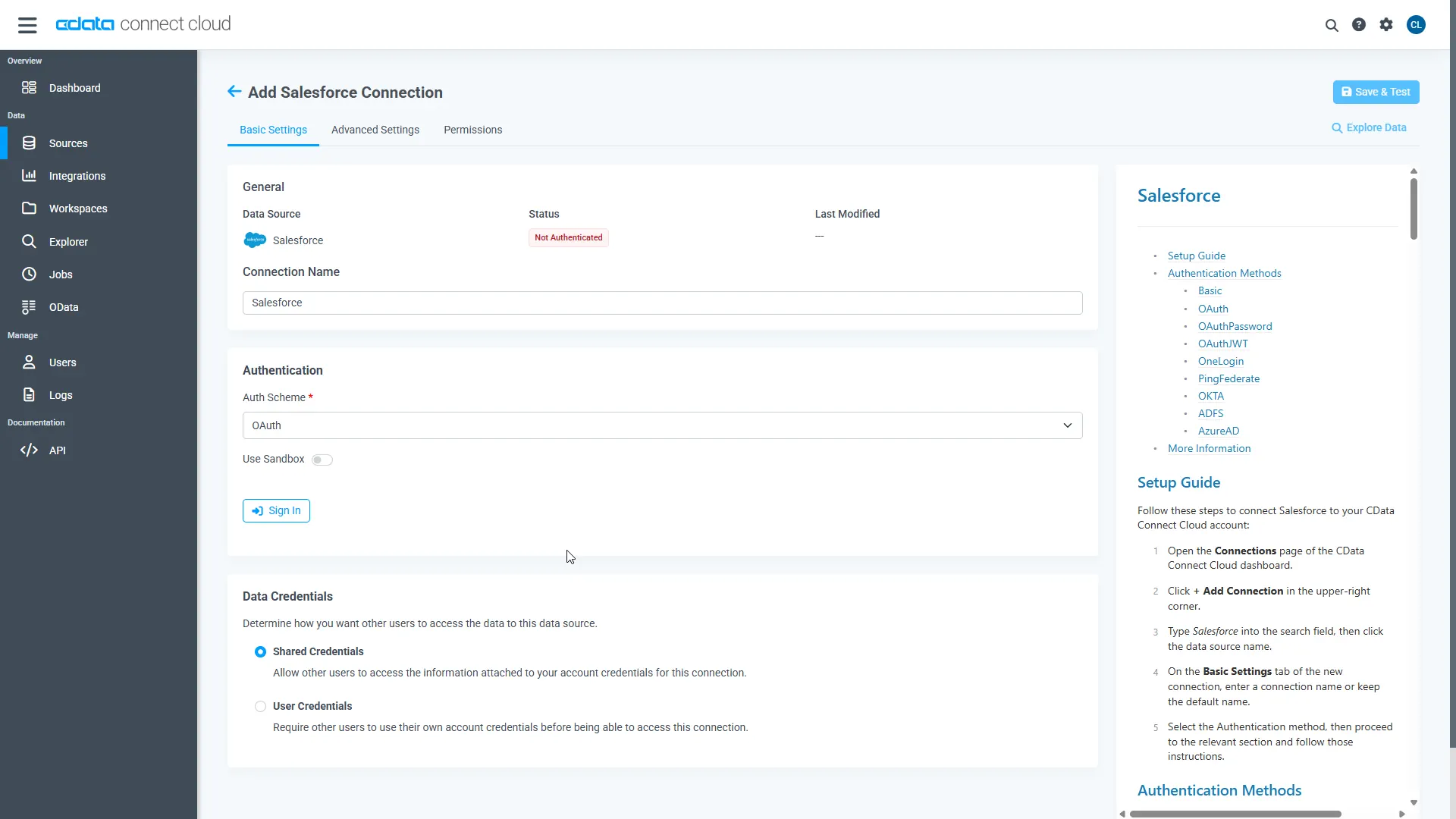
Enter the necessary authentication properties to connect to WooCommerce.
WooCommerce supports the following authentication methods: one-legged OAuth1.0 Authentication and standard OAuth2.0 Authentication.
Connecting using one-legged OAuth 1.0 Authentication
Specify the following properties (NOTE: the below credentials are generated from WooCommerce settings page and should not be confused with the credentials generated by using WordPress OAuth2.0 plugin):
- ConsumerKey
- ConsumerSecret
Connecting using WordPress OAuth 2.0 Authentication
-
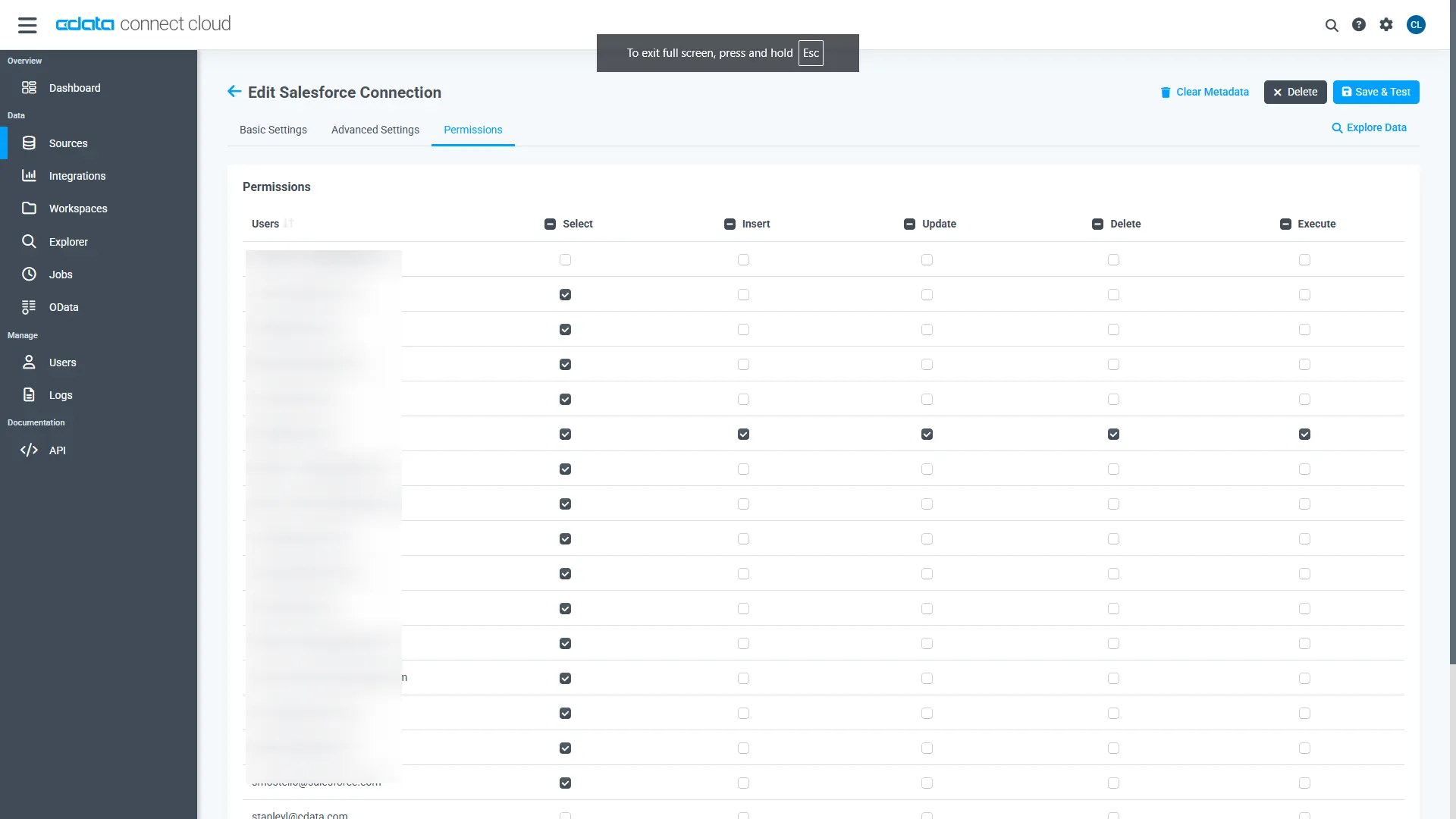
Navigate to the Permissions tab in the Add WooCommerce Connection page and update the User-based permissions.
Add a Personal Access Token
When connecting to Connect Cloud through the REST API, the OData API, or the Virtual SQL Server, a Personal Access Token (PAT) is used to authenticate the connection to Connect Cloud. It is best practice to create a separate PAT for each service to maintain granularity of access.
- Click on the Gear icon () at the top right of the Connect Cloud app to open the settings page.
- On the Settings page, go to the Access Tokens section and click Create PAT.
-
Give the PAT a name and click Create.
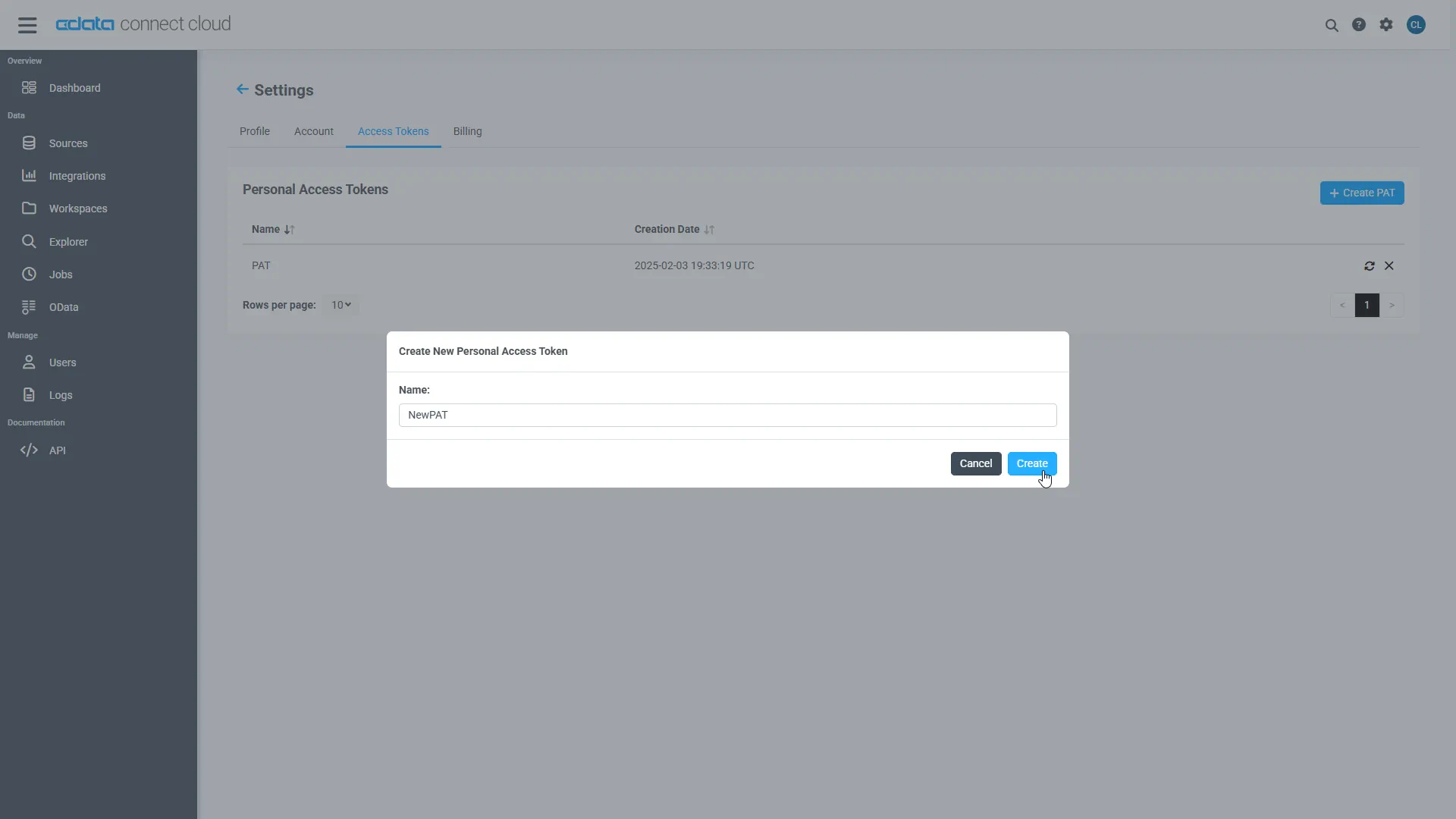
- The personal access token is only visible at creation, so be sure to copy it and store it securely for future use.
With the connection configured and a PAT generated, you are ready to connect to WooCommerce data from Qlik Sense Cloud.
Create a Qlik Sense App from WooCommerce Data
This section walks through adding WooCommerce data to a Qlik Sense app for visualizations, analytics, reporting, and more.
Create a New App and Upload Data
- Log into your Qlik Sense instance and click the button to create a new app
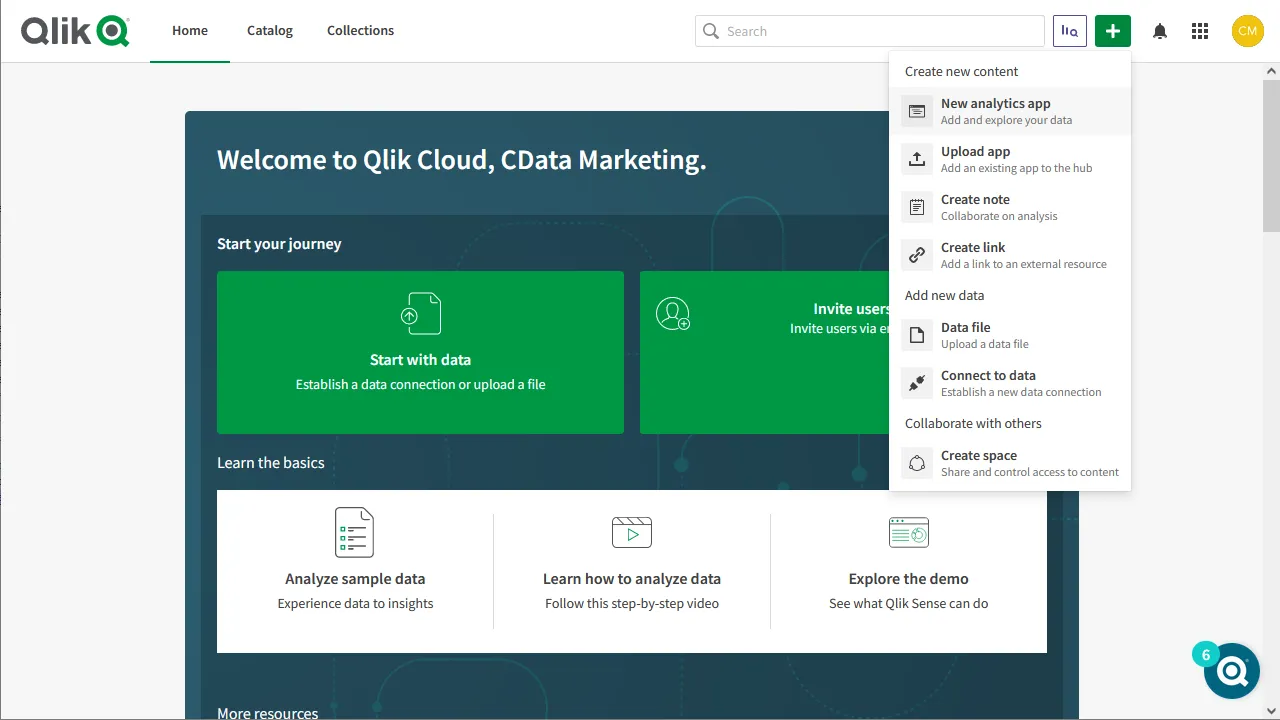
- Name and configure the new app and click "Create"
- In the workspace, click to open the new app
- Click to add data from files and other sources
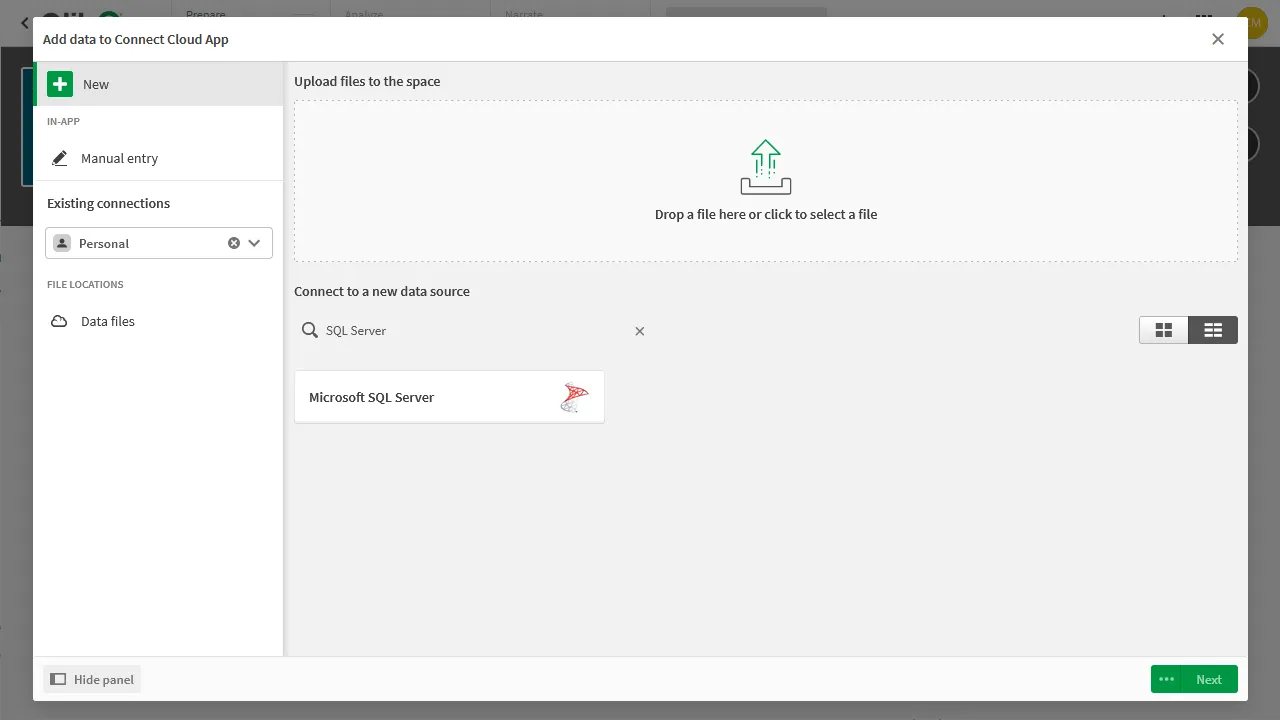
- Select the Microsoft SQL Server connector and set the configuration properties.
- Set Server to tds.cdata.com
- Set Port to 14333
- Set Database to the connection you created (e.g. WooCommerce1)
- Set User name to the Connect Cloud user (e.g. [email protected])
- Set Password to the PAT for the above user
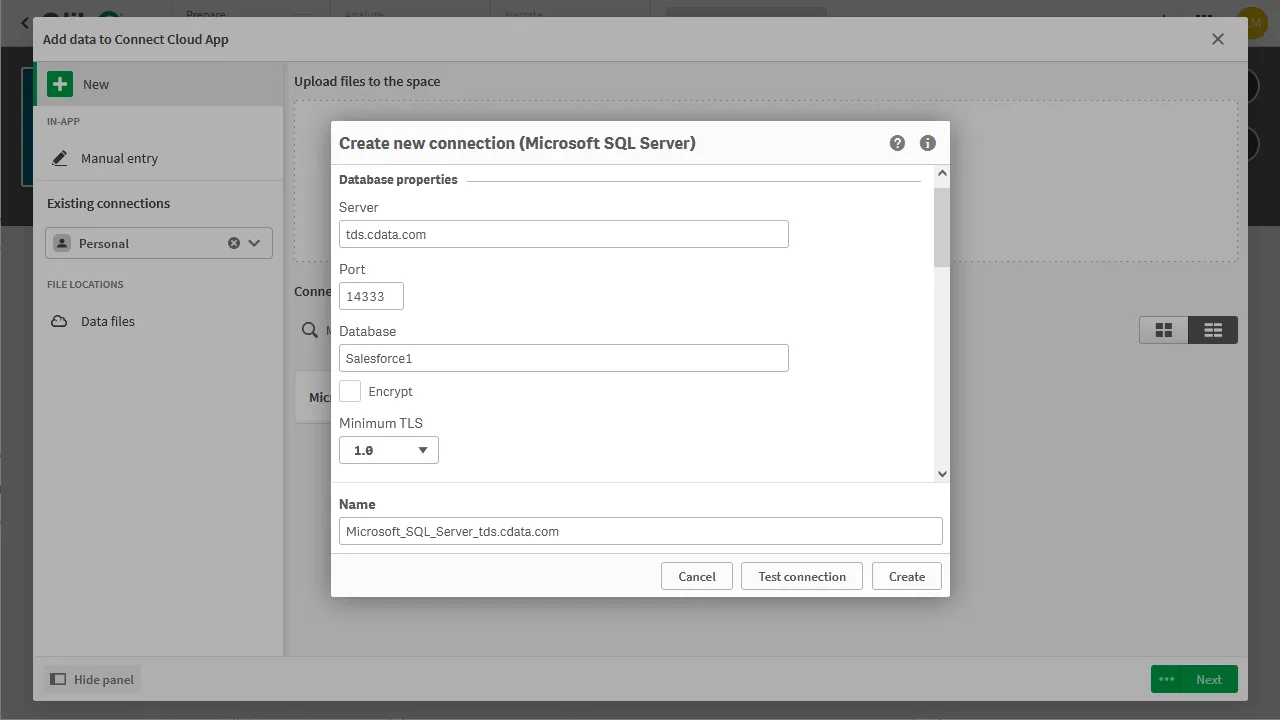
- Select an owner for the connection
- Select a WooCommerce entity (Table) to view
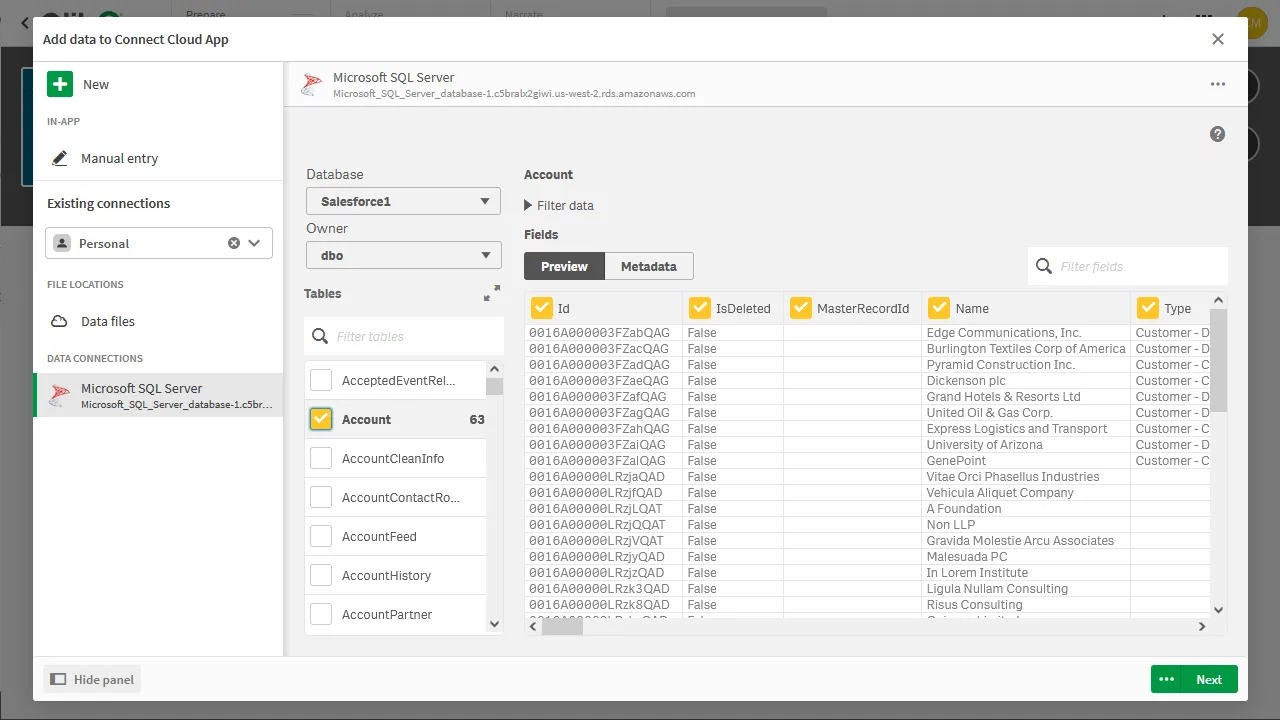
- Click Next, configure the model, and load the data into Qlik Sense.
Generate Insights or Customize Your App
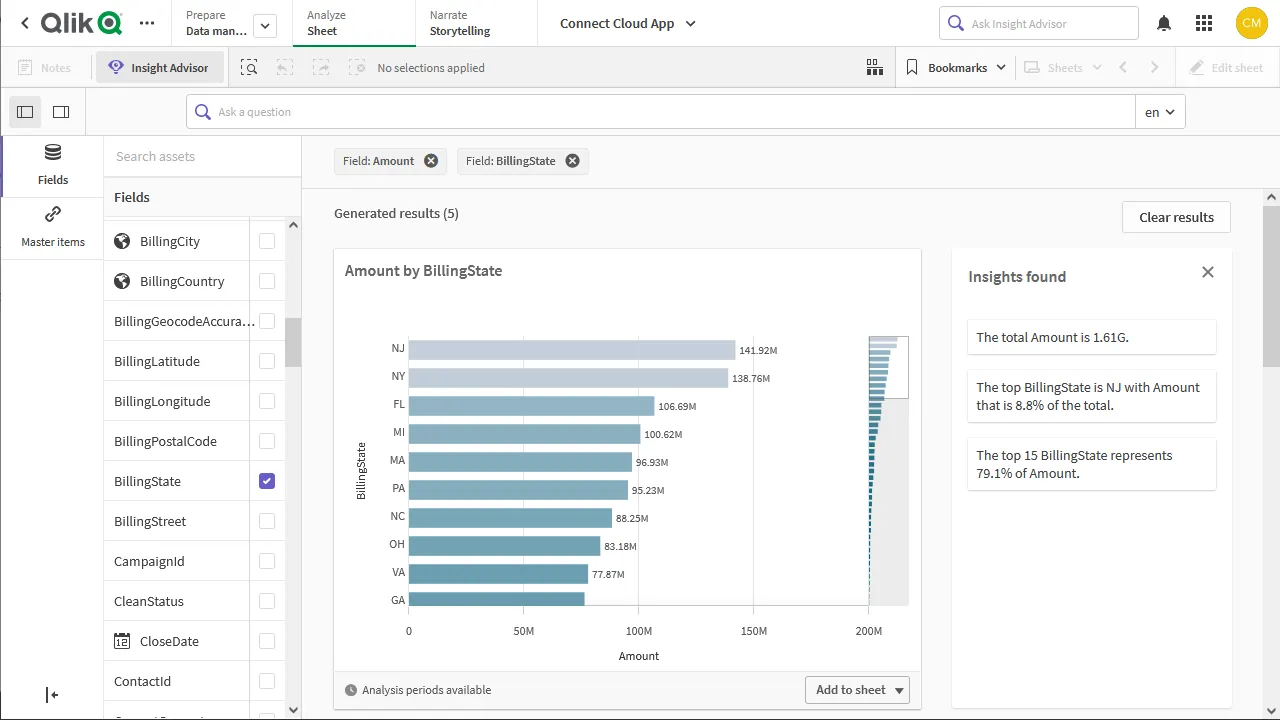
With the data loaded into Qlik Sense, you are ready to begin discovering insights. You can build custom visualizations, reports, and dashboards engineered to gain actionable insights into your WooCommerce data.
More Information & Free Trial
Now, you have created a simple but powerful dashboard from live WooCommerce data. For more information on creating OData feeds from WooCommerce (and more than 100 other data sources), visit the Connect Cloud page. Sign up for a free trial and start working with live WooCommerce data in Qlik Sense Cloud.
