
Model Context Protocol (MCP) finally gives AI models a way to access the business data needed to make them really useful at work. CData MCP Servers have the depth and performance to make sure AI has access to all of the answers.
Try them now for free →


Build Automated Yahoo! Japan Data Solution-Connected Workflows in Zapier
Use CData Connect Cloud to connect to live Yahoo! Japan Data Solution data and build automated workflows in Zapier.
Zapier is an online automation tool that connects your apps and services. When paired with CData Connect Cloud, you get access to live Yahoo! Japan Data Solution data for your workflows. This article shows how to connect to Yahoo! Japan Data Solution and build workflows with live Yahoo! Japan Data Solution data in Zapier.
Connect to Yahoo! Japan Data Solution from Zapier
To work with Yahoo! Japan Data Solution in Zapier, we need to connect to Yahoo! Japan Data Solution from Connect Cloud, provide user access to the connection, and create a Workspace for the Yahoo! Japan Data Solution data.
Connect to Yahoo! Japan Data Solution from Connect Cloud
CData Connect Cloud uses a straightforward, point-and-click interface to connect to data sources.
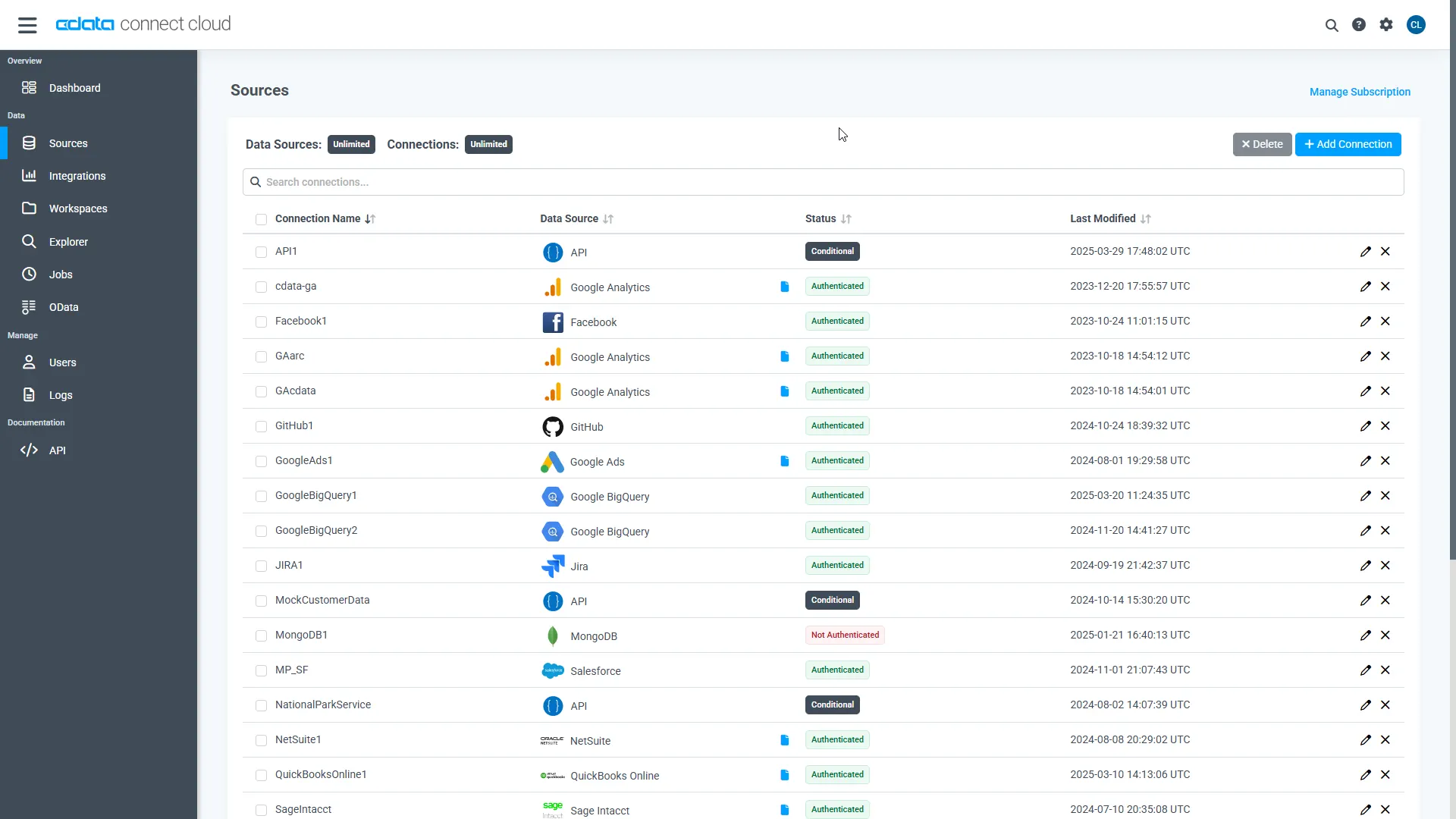
- Log into Connect Cloud, click Sources, and then click Add Connection
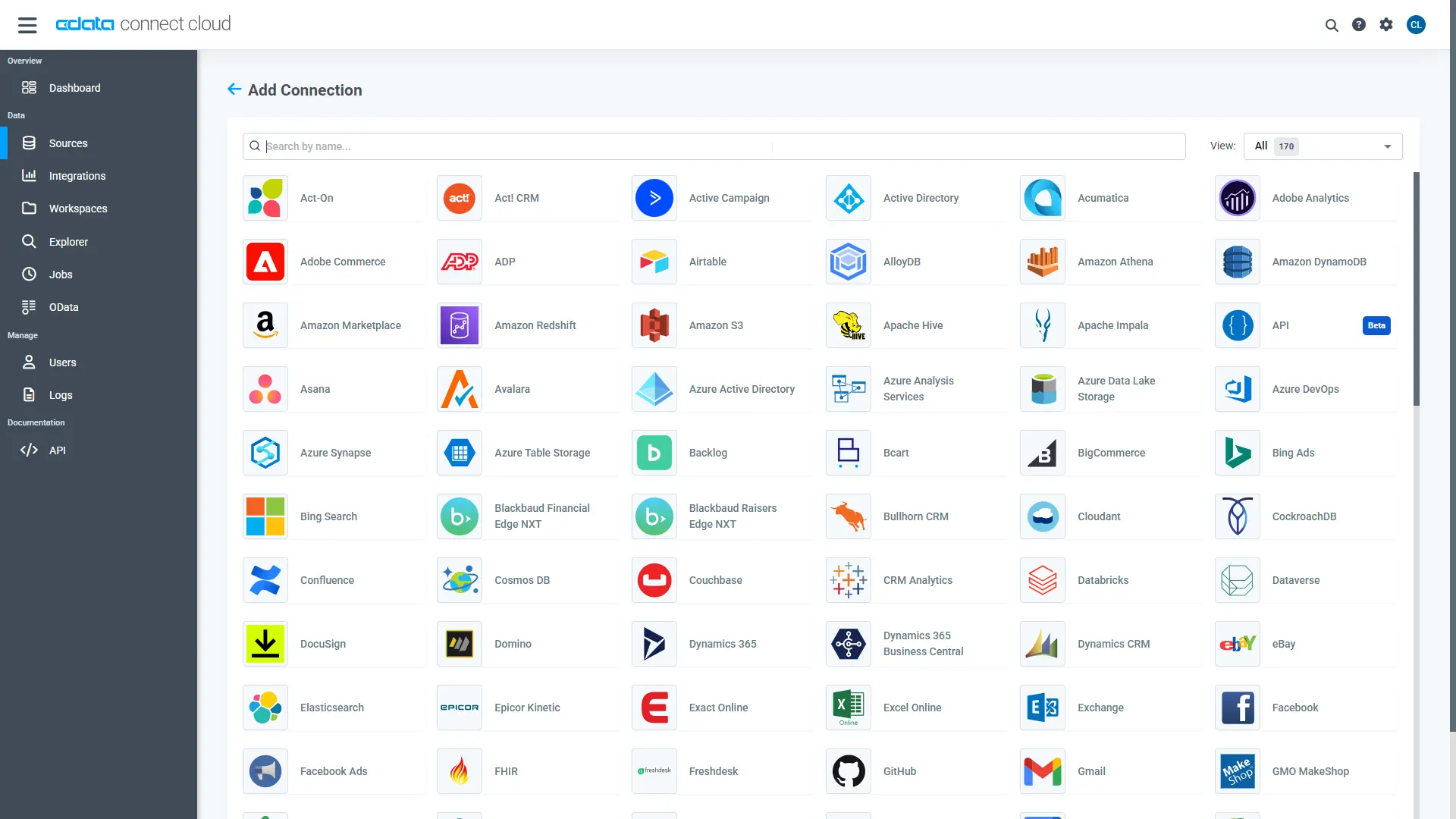
- Select "Yahoo! Japan Data Solution" from the Add Connection panel
-
Enter the necessary authentication properties to connect to Yahoo! Japan Data Solution.
In order to authenticate, specify the following:
- AppID: The App ID used for authentication. Send a request to the Yahoo! Japan Data Solution support team to obtain your App ID.
- (Optional) Search Keyword: Specify any value to search for.
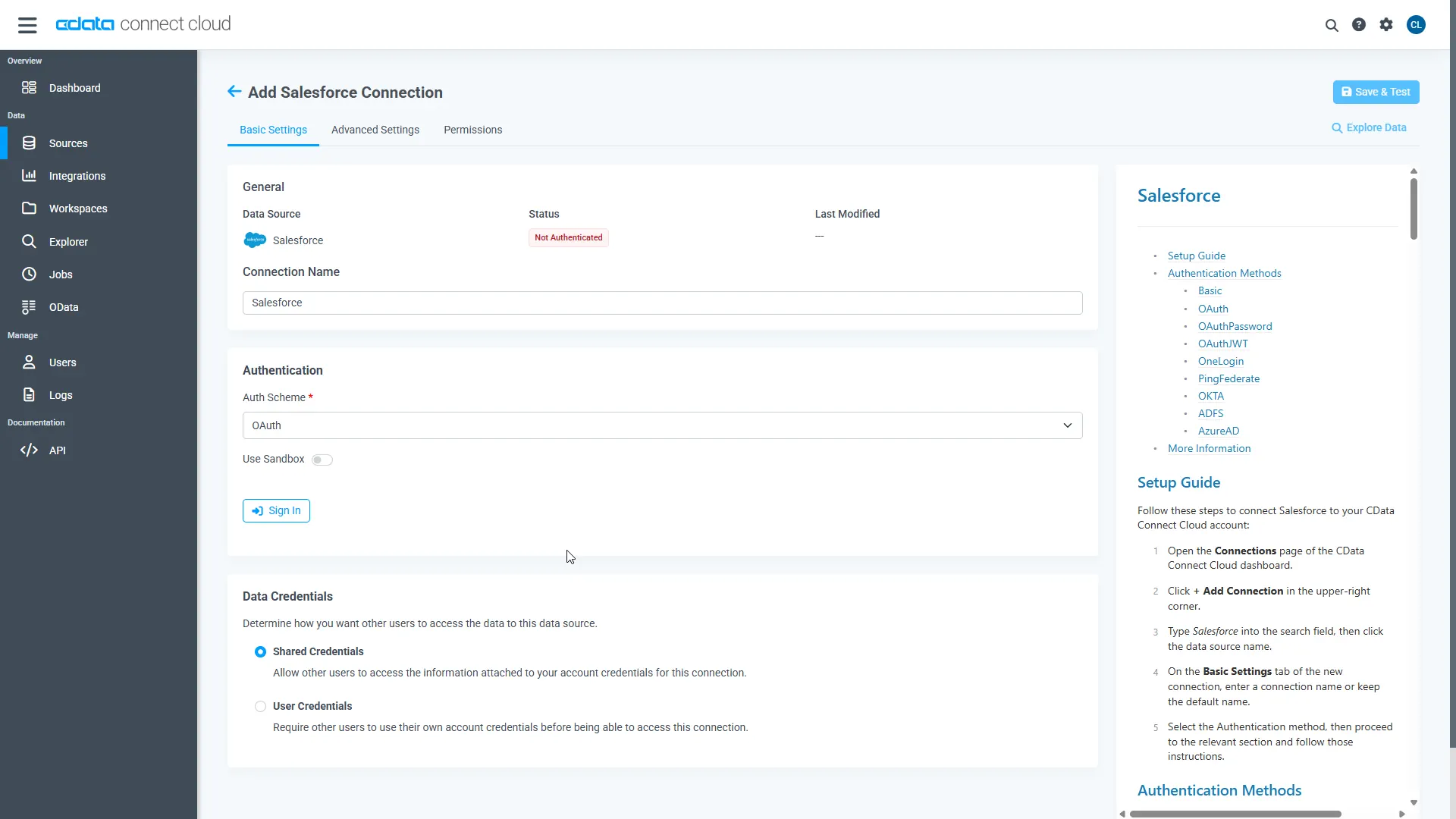
- Click Create & Test
-
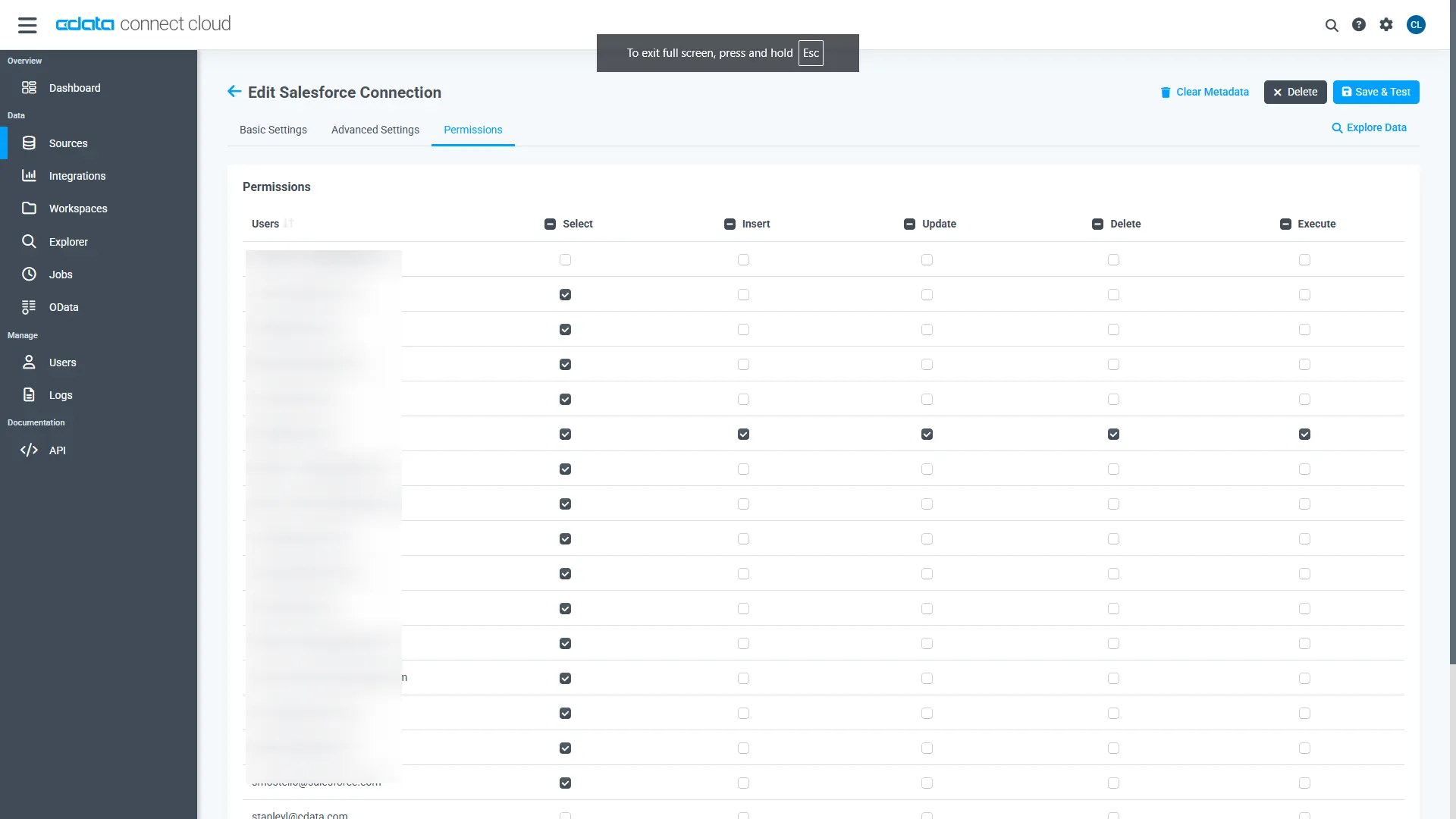
Navigate to the Permissions tab in the Add Yahoo! Japan Data Solution Connection page and update the User-based permissions.
Add a Personal Access Token
When connecting to Connect Cloud through the REST API, the OData API, or the Virtual SQL Server, a Personal Access Token (PAT) is used to authenticate the connection to Connect Cloud. It is best practice to create a separate PAT for each service to maintain granularity of access.
- Click on the Gear icon () at the top right of the Connect Cloud app to open the settings page.
- On the Settings page, go to the Access Tokens section and click Create PAT.
-
Give the PAT a name and click Create.
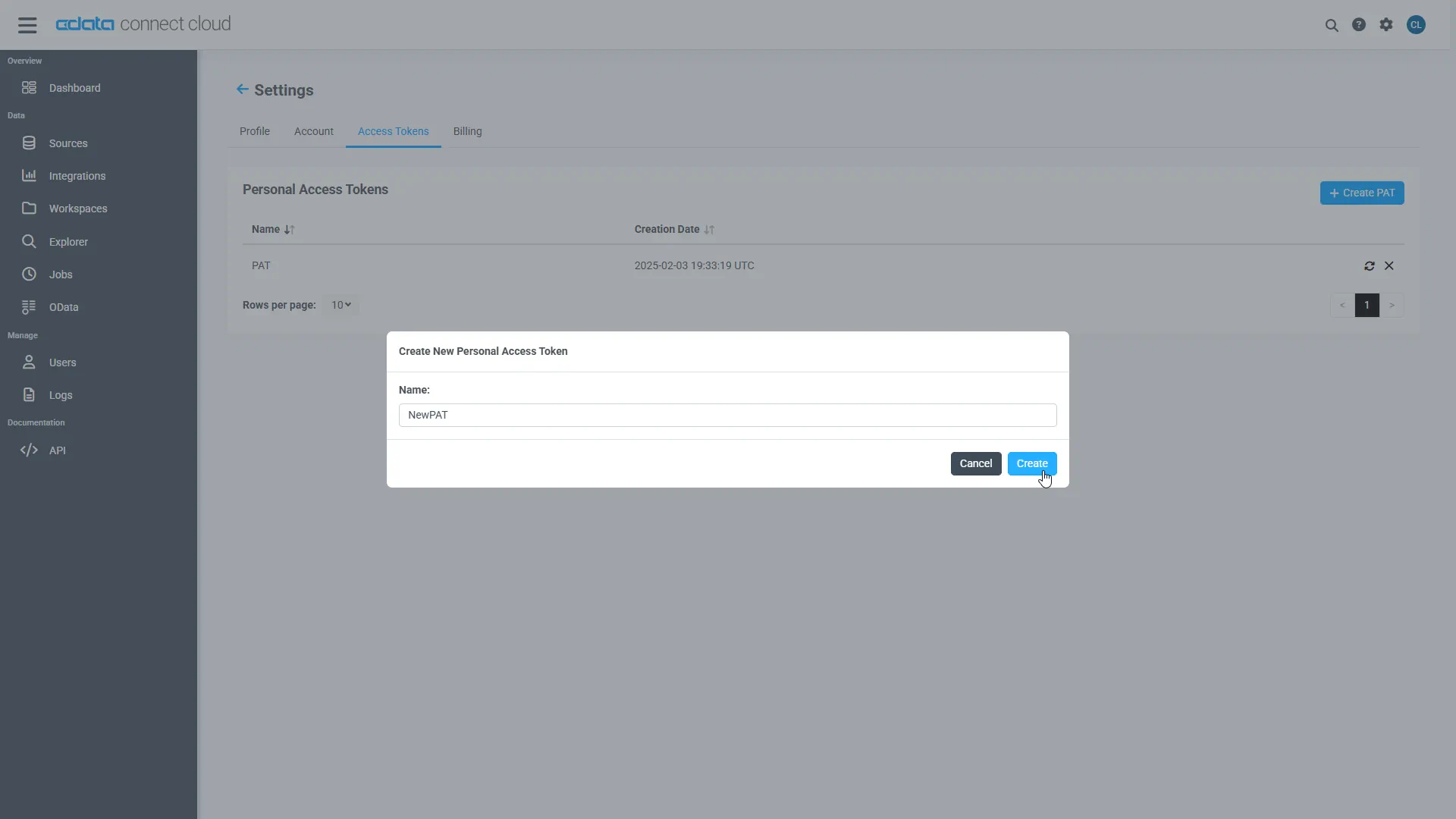
- The personal access token is only visible at creation, so be sure to copy it and store it securely for future use.
Configure Yahoo! Japan Data Solution Endpoints for Zapier
After connecting to Yahoo! Japan Data Solution, create a workspace for your desired table(s).
-
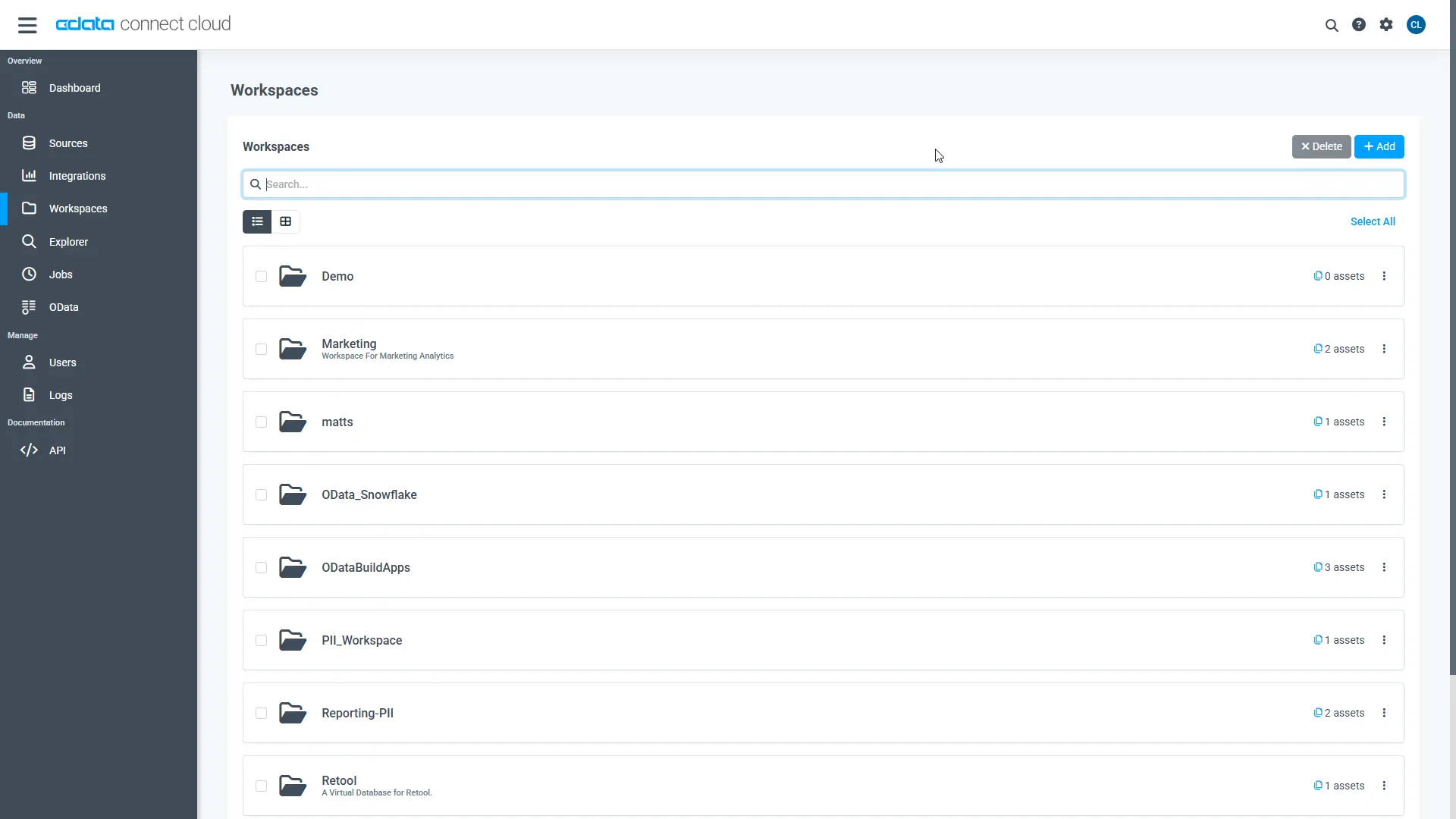
Navigate to the Workspaces page and click Add to create a new Workspace (or select an existing workspace).
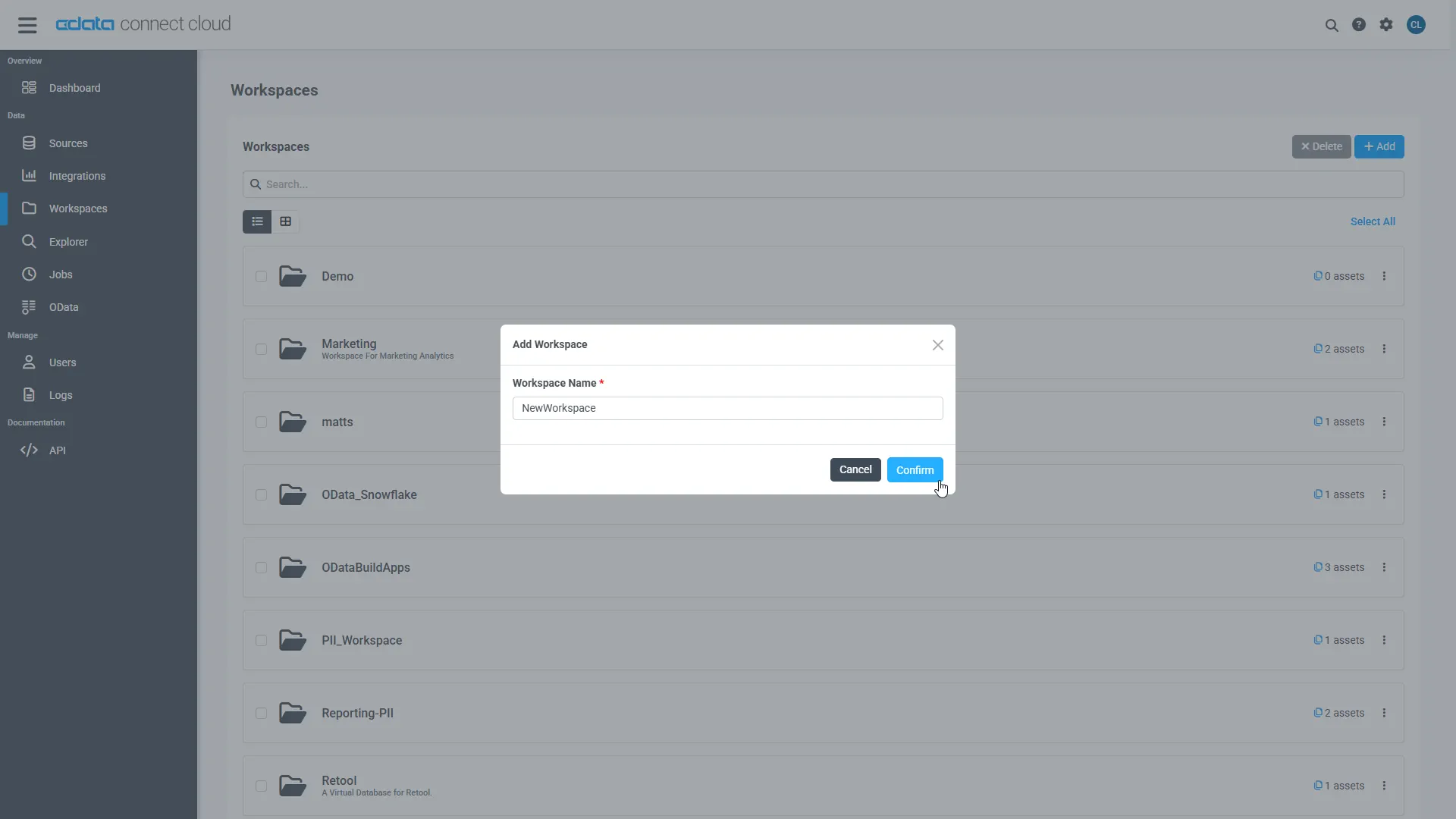
- Click Add to add new assets to the Workspace.
-
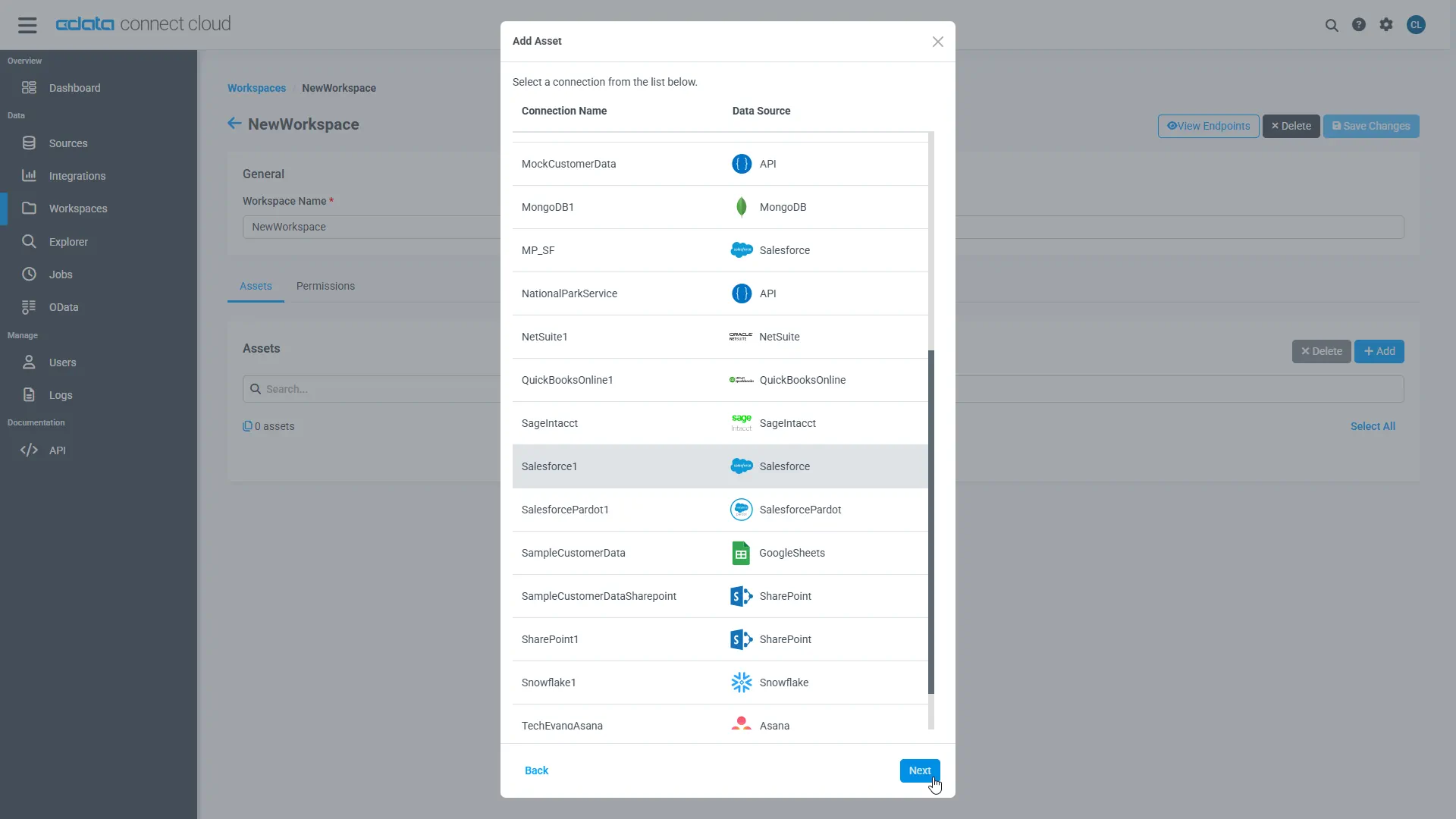
Select the Yahoo! Japan Data Solution connection (e.g. YahooDS1) and click Next.
-
Select the table(s) you wish to work with and click Confirm.
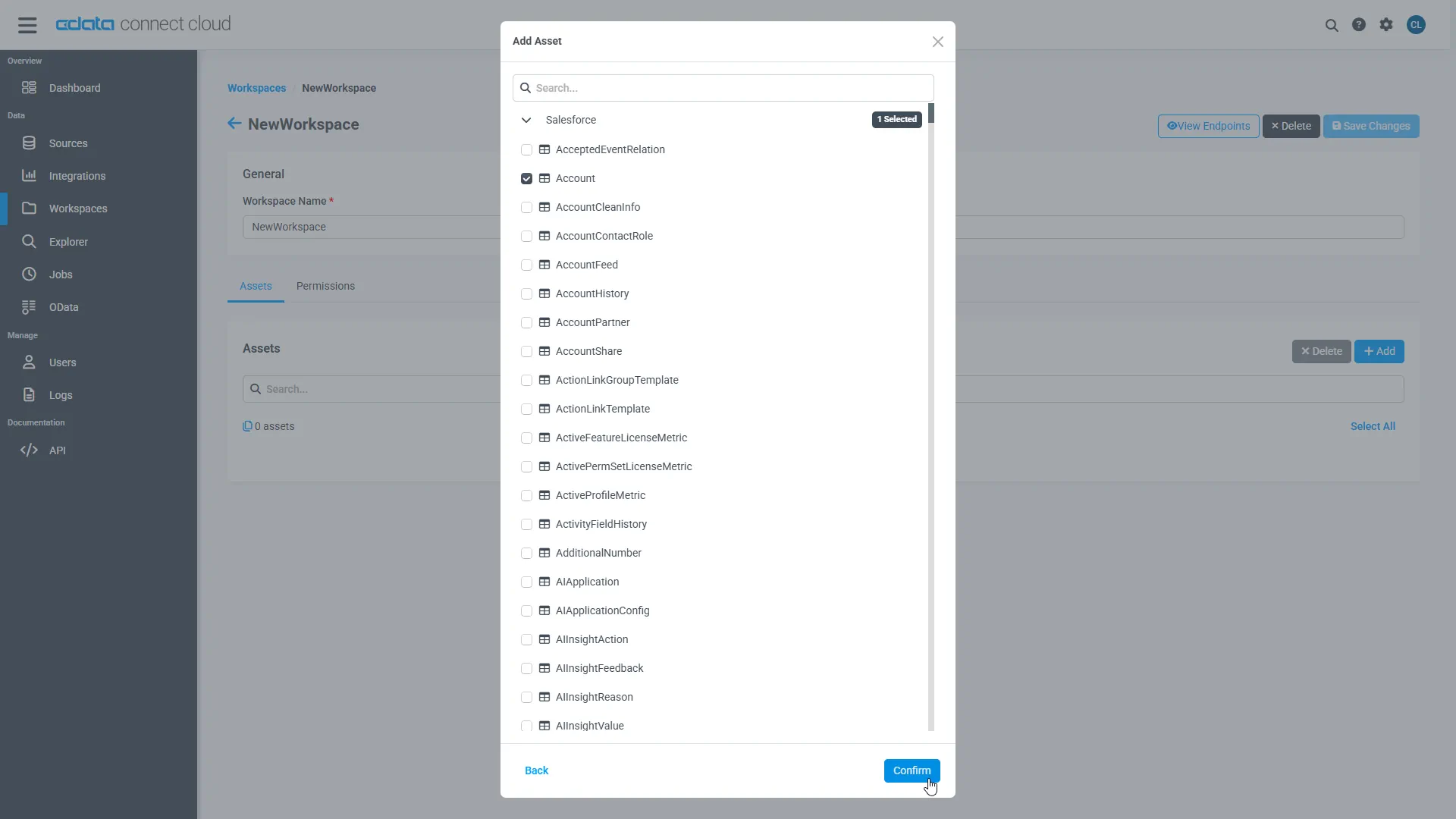
- Make note of the OData Service URL for your workspace, e.g. https://cloud.cdata.com/api/odata/{workspace_name}
With the connection, PAT, and Workspace configured, you are ready to connect to Yahoo! Japan Data Solution data from Zapier.
Connect to Yahoo! Japan Data Solution Data in Zapier Workflows
To establish a connection from Zapier to CData Connect Cloud using the OData protocol, follow these steps.
- Log into Zapier.
- Click Create Zap.
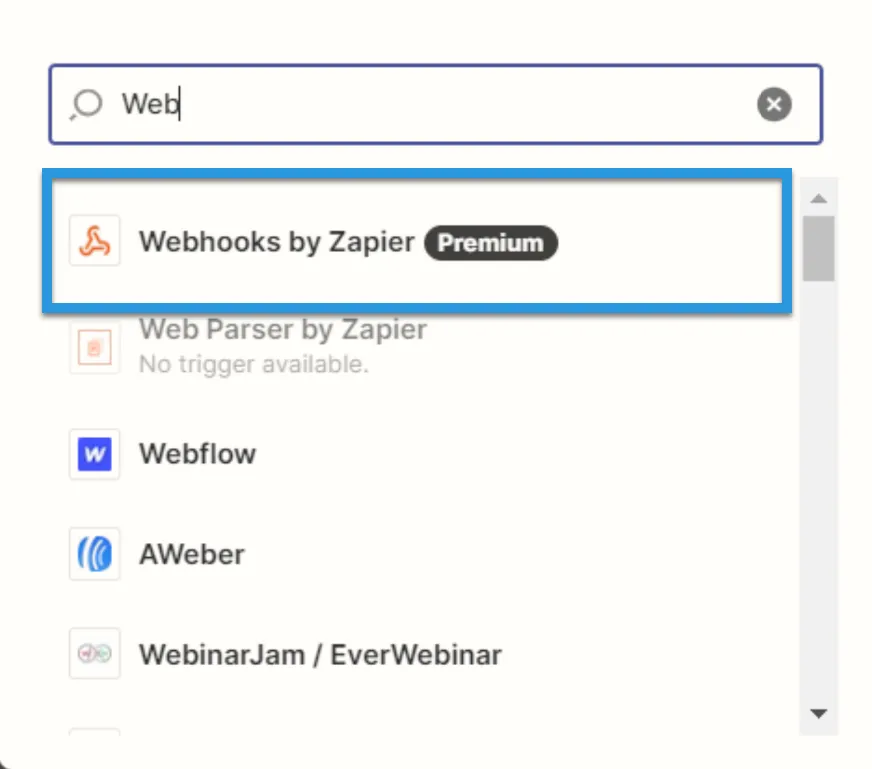
- In the dialog that appears, search for "Webhooks by Zapier", and click the option underneath.
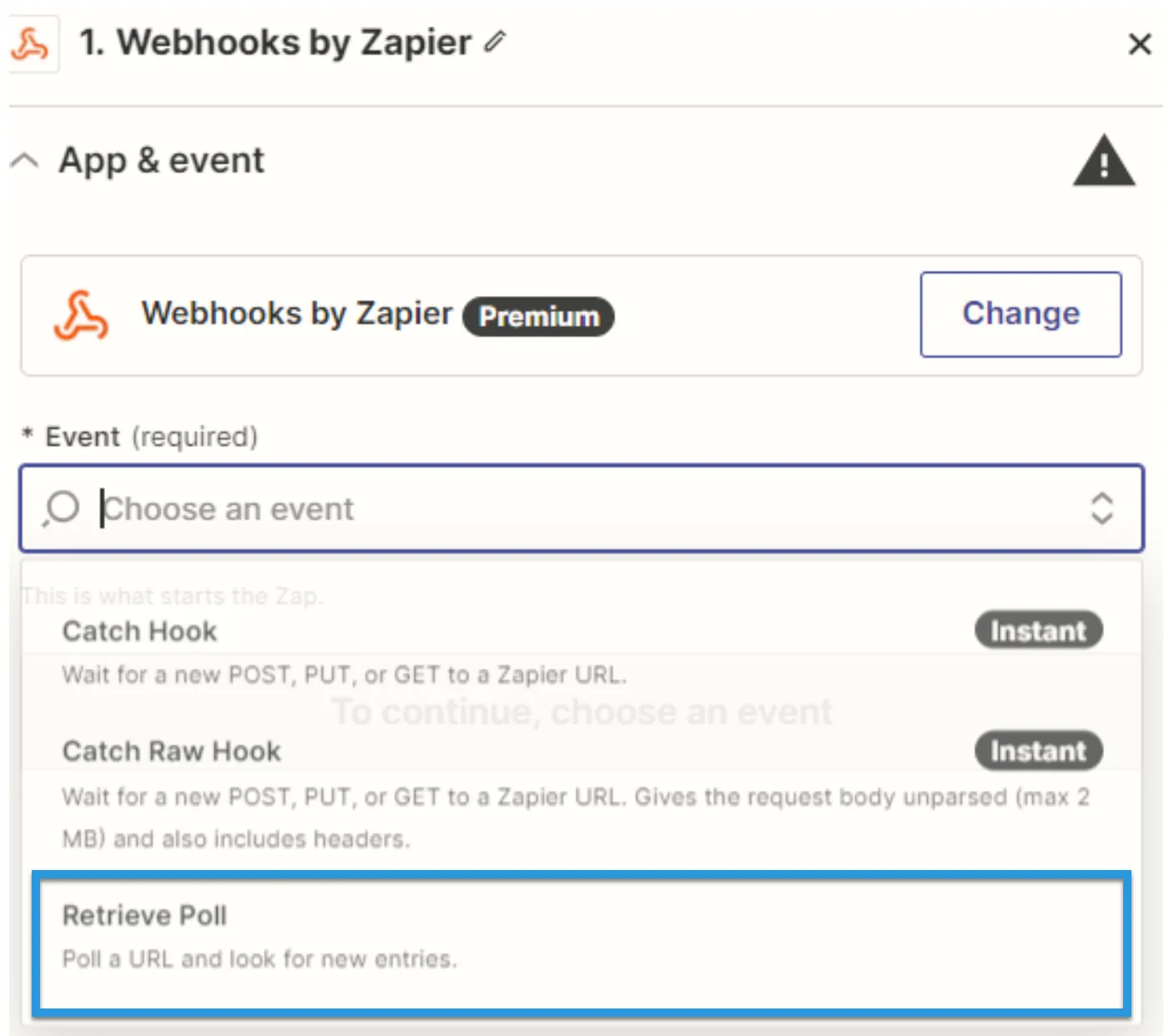
- Under Event, select Retrieve Poll.
- Fill in the connection details:
- URL: Enter the OData URL (e.g. https://cloud.cdata.com/api/odata/{workspace_name}).
- Key: Enter "value.name."
- Authentication details: Fill in the Basic Auth or Headers. The basic option requires a user (your Connect Cloud username, e.g. [email protected]) and password (the PAT you've previously created) separated by a pipe symbol: |. The headers option requires a request type header with encoded credentials.
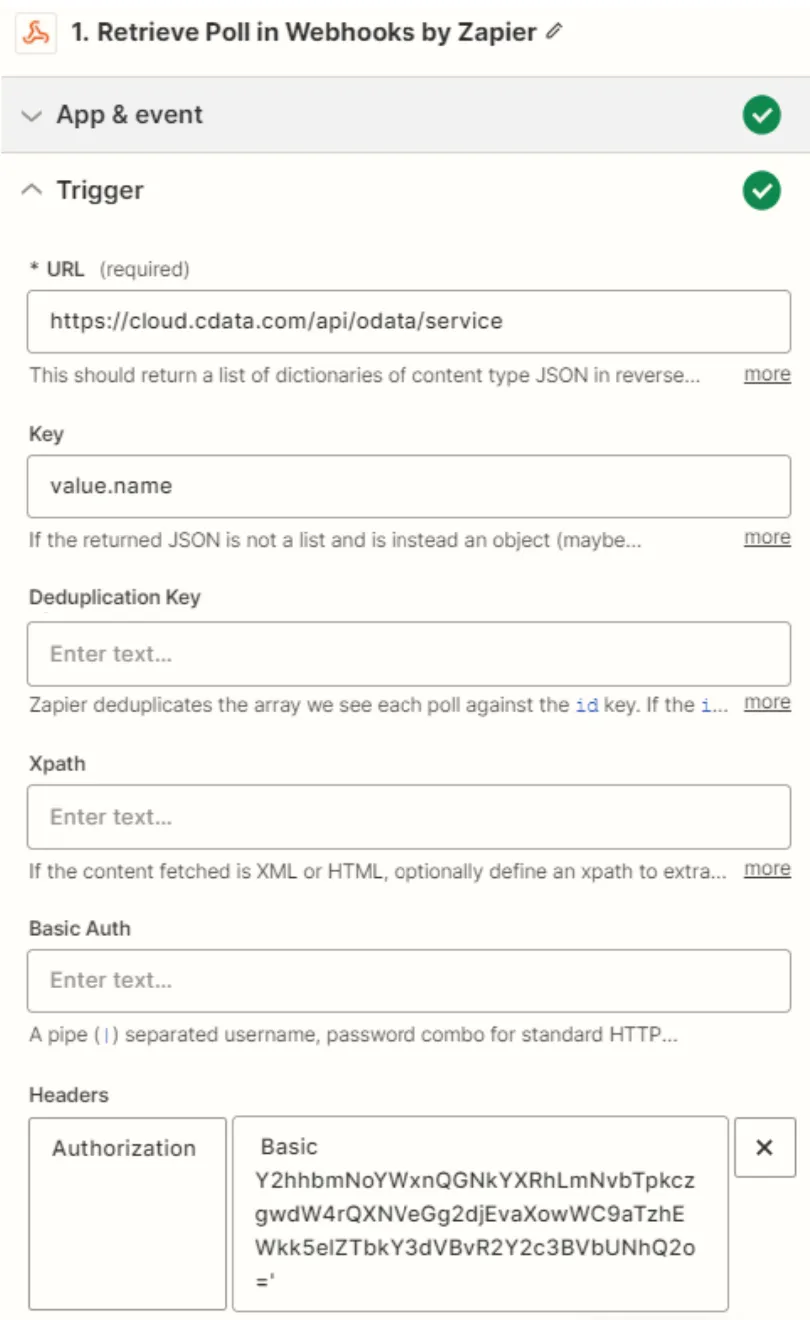
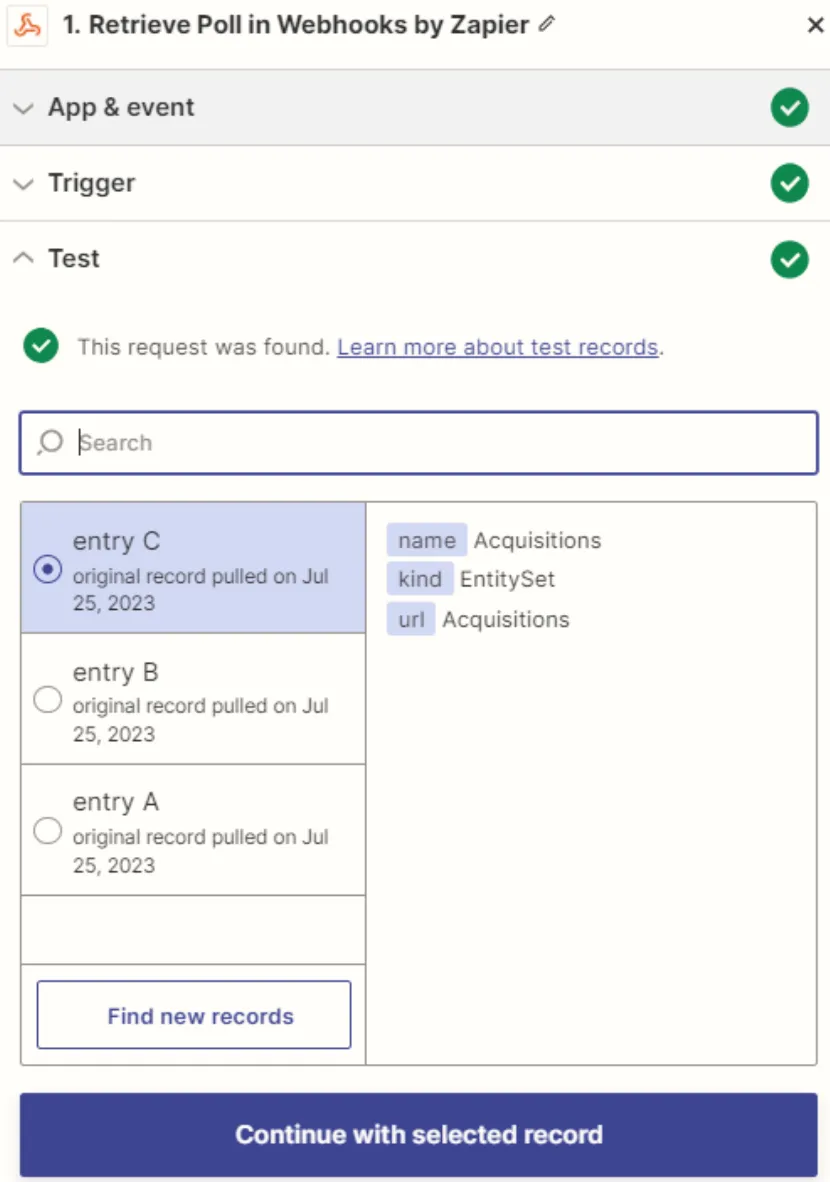
- Click Test. If the connection is set up properly, sample records will appear.
Simplified Access to Yahoo! Japan Data Solution Data from Cloud Applications
At this point, you have a direct, cloud-to-cloud connection to live Yahoo! Japan Data Solution data from Zapier. For more information on gaining simplified access to data from more than 100 SaaS, Big Data, and NoSQL sources in cloud applications like Zapier, refer to our Connect Cloud page.
